





How High Should Your Desk Be Relative to Your Chair?

In this article
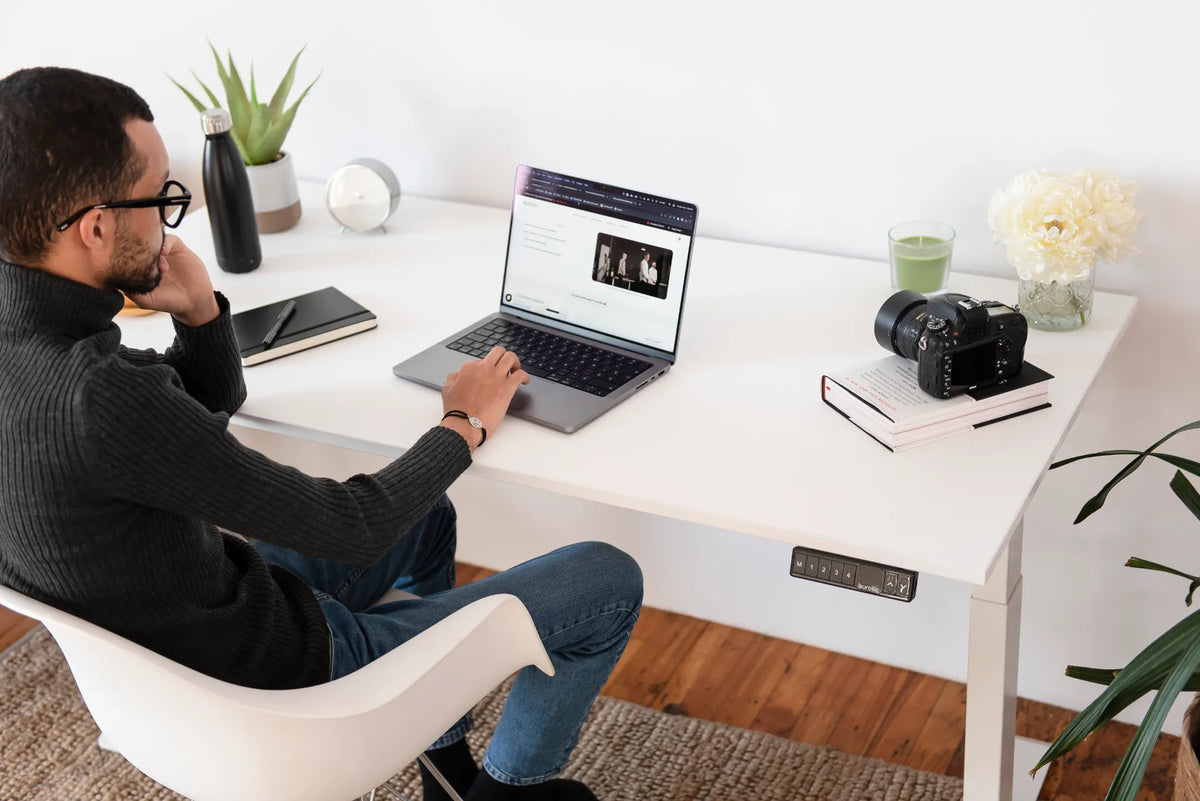
Your desk should generally meet your forearms near seated elbow height after your chair has been adjusted to support your body. The exact measurement is personal. A useful setup lets you keep your shoulders relaxed, elbows close to your sides, wrists reasonably straight and feet fully supported.
The important relationship is not a universal desk height. It is the relationship among your seat, feet, elbows, keyboard and work surface. Start with the chair, then bring the desk or keyboard surface to you. This sequence prevents a common mistake: changing chair height only to reach a desk and leaving the feet unsupported.
The quick setup sequence
- Adjust the chair so your feet are supported and the seat does not press into the backs of your knees.
- Sit back with your shoulders relaxed and upper arms hanging naturally.
- Bend your elbows to a comfortable working angle, usually near a right angle or slightly more open.
- Raise or lower the desk so the keyboard surface is close to elbow height.
- Move the keyboard and mouse close enough that you do not reach forward.
- Recheck the monitor only after the chair, desk and input devices feel coordinated.
This order works because the chair establishes your relationship with the floor. The desk then adapts to that seated position. The monitor is adjusted last so it does not force you to change a good lower-body setup.
Why chair height comes first
A chair should support the user before it is used to compensate for a desk. Sit fully back and begin with both feet flat on the floor. Your thighs should feel supported without heavy pressure behind the knees. The knees can be around hip level or slightly lower, and there should be a small gap between the seat edge and the backs of the legs.
If you need more detail, Burotic's office chair height guide explains how to establish the seat position. If your feet remain suspended, use the checks in Feet Don’t Reach the Floor at Your Desk? before changing the rest of the workstation.
The Canadian Centre for Occupational Health and Safety explains that the seat, work surface and floor are the three main contact areas that affect posture. That is why a desk and chair should be treated as one system rather than two independent pieces of furniture.
Use your elbows to set the work surface
Relax the shoulders first
Let your upper arms hang beside your torso instead of lifting the shoulders toward the ears. Place the forearms forward toward the keyboard. The desk or keyboard surface should support a position where the elbows remain close to the body and the wrists do not bend sharply upward.
A difference of even a few centimetres can change how the shoulders feel. If the desk is too high, you may shrug, raise the elbows or rest the forearms heavily on a hard edge. If it is too low, you may lean forward, round the upper back or bend the wrists downward to reach the keys.
Check the keyboard, not only the bare desktop
The relevant working height is the height of the keys and mouse, not just the top surface. A thick keyboard, desk pad or accessory can raise the hands. A laptop also places the keyboard and screen in one fixed relationship, so an external keyboard may be useful for longer sessions when the screen needs to be raised.
Review Burotic's guide to proper keyboard and hand placement after setting the desk height. It covers reach, wrist position and the space needed in front of the keyboard.
What if the desk is fixed?
A fixed-height desk cannot move to match every user. If the surface is slightly too high, raise the chair until the elbows align more comfortably with the keyboard. Then add a stable footrest if the feet no longer reach the floor. The footrest should support both feet and should not slide away during normal use.
If the fixed desk is too low, first confirm that the chair is not unnecessarily high. If your legs cannot fit comfortably underneath, or if the work surface forces you to hunch, that desk may not be suitable for regular computer work. Blocks or risers should be stable, load-rated and appropriate for the furniture. Avoid improvised stacks that can shift.
A height-adjustable desk simplifies the relationship because it can meet the chair rather than forcing the chair to meet a fixed surface. The goal is still the same: supported feet, relaxed shoulders and an input surface near the elbows.
How to tell whether the desk is too high
- Your shoulders rise when you type.
- Your elbows flare away from your sides.
- Your wrists bend upward to reach the keys.
- You lower the chair for foot comfort but then reach upward to the desk.
- The front edge presses into the forearms.
These signs do not diagnose an injury. They simply indicate that the workstation relationship deserves another adjustment. Persistent pain, numbness, weakness or swelling should be discussed with a qualified health professional.
How to tell whether the desk is too low
- You lean forward or collapse through the upper back.
- Your elbows sit well below the desktop.
- Your wrists bend downward over the keyboard.
- Your thighs or knees contact the underside of the desk.
- You cannot change leg position without hitting furniture or storage.
Do not evaluate the setup from a staged upright pose that you cannot maintain. Work normally for several minutes. Type, use the mouse, read and reach for common items. A practical workstation should support ordinary movement, not require you to hold one rigid posture.
Coordinate the desk with the chair arms
Armrests can support the forearms when the shoulders remain relaxed, but they should not stop the chair from approaching the desk. If the armrests hit the front edge, lower or reposition them when possible. Sitting too far away usually increases reaching even when the desk height is correct.
Do not raise the desk simply to clear armrests unless the resulting keyboard height still fits your elbows. The work surface should follow the body, not an accessory that can be adjusted or moved.
Recheck the knees and feet
After changing the desk, confirm that the chair still works for the lower body. Both feet should have support, the thighs should feel comfortable and there should be space to move. The article Should Your Knees Be at 90 Degrees? explains why a right angle is a useful reference rather than a posture that must be held exactly.
Small posture changes are normal and desirable. You may sit more upright for keyboard work, recline slightly while reading and stand for part of the day. The setup should make these transitions easy.
A five-minute fit test
- Type a paragraph without consciously holding your shoulders down.
- Move between the keyboard and mouse without reaching from the shoulder.
- Check whether the feet remain supported throughout the task.
- Look at the screen without lifting the chin or bending the neck sharply.
- Change position and confirm the desk still leaves room for the legs.
If one adjustment improves the hands but creates a problem at the feet, treat that as a system mismatch. A footrest, external keyboard or adjustable work surface may solve the relationship more effectively than another chair adjustment.
Final answer
Your desk should be close to seated elbow height after the chair has been adjusted for supported feet and comfortable legs. Set the chair first, bring the keyboard surface to the elbows, then position the monitor. There is no single correct number for every person, but there is a repeatable fitting process.
If several people share the workstation, a height-adjustable desk can make that process faster and more consistent. Burotic's ergonomic guides can help you evaluate the remaining parts of the setup without turning every adjustment into a product decision.

Previous article
What Size Desk Do You Need for One Monitor?
Next article
What Size Desk Fits a Small Room?