






Will a Wireless Charging Desk Pad Work With Your Phone?

In this article
Will a wireless charging desk pad work with your phone? It should only be expected to work when the phone includes a compatible wireless charging receiver and the receiving coil aligns with the pad's charging zone. A thick or metallic case, a misplaced phone, an underpowered wall adapter, debris or another metal object can prevent charging or make it intermittent.
Start with the phone manufacturer's specifications. Look for Qi or wireless charging support for the exact model and region. Do not assume compatibility because two phones share a brand name or connector. Then compare the desk pad's published input, output and setup requirements.
Quick answer: verify three parts of the system
- The phone: it must have a compatible wireless charging receiver.
- The charging surface: the active zone must line up with the phone's coil.
- The power source: the cable and wall adapter must meet the pad manufacturer's requirements.
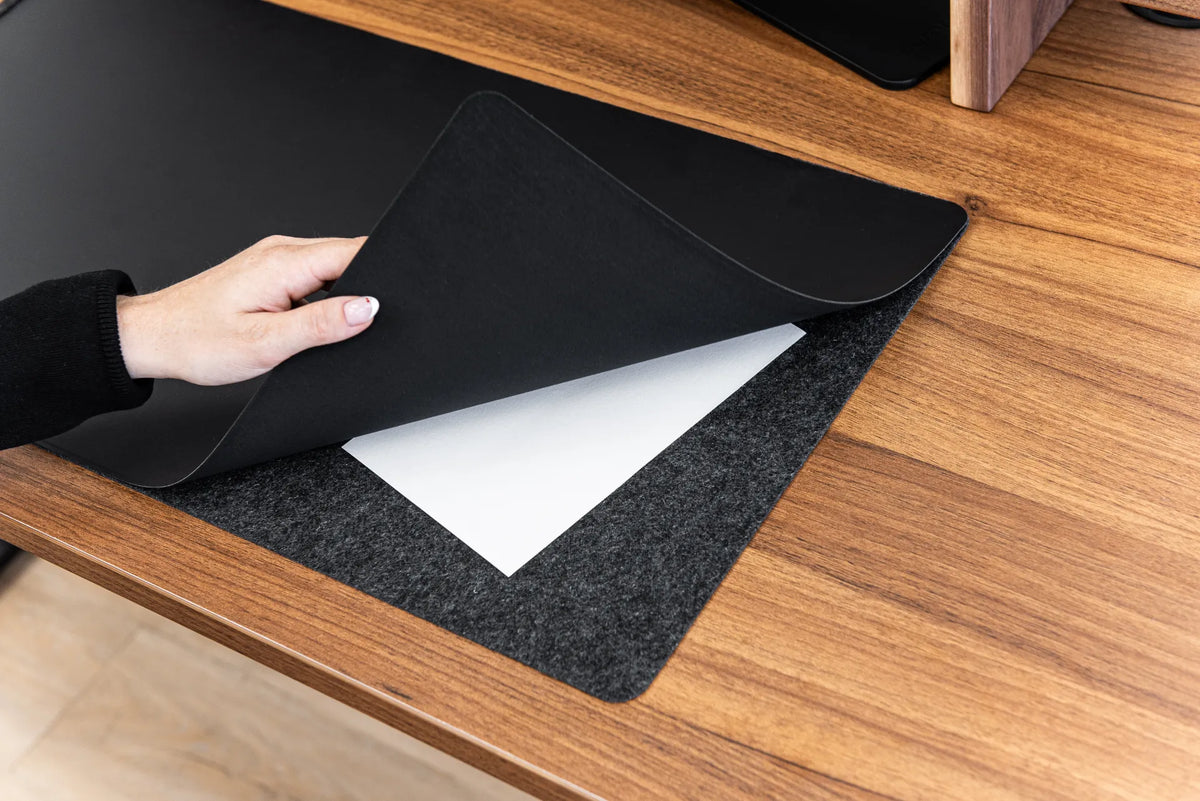
If any one of these is missing, the desk pad may not start charging or may charge slowly. The active Burotic Wireless Charging Desk Pad page lists the current pad dimensions, USB-C input and published wireless outputs. Confirm the current specifications and your phone manual before ordering.
What Qi compatibility means
The Wireless Power Consortium manages the Qi standard. Qi Certified products undergo testing for safety, interoperability and energy efficiency. The WPC also distinguishes formal Qi certification from looser phrases such as compatible with Qi. If certification matters for a purchase, use the WPC product database or request the certificate from the manufacturer rather than relying on a logo alone.
Qi has evolved. Qi2 adds magnetic alignment for devices that support its Magnetic Power Profile, while earlier Qi products generally rely on manual placement. A phone can support wireless charging without using magnetic alignment, and maximum advertised wattage does not guarantee that every phone will receive that rate.
How to confirm whether your phone supports wireless charging
Check the official technical specifications
Search the manufacturer's support page using the complete model number. Look for Qi, Qi2, wireless charging or inductive charging. A feature on a flagship model may be absent from a similarly named budget model.
Check regional and model variations
Phone features can vary by generation or market. Use the model identifier from the phone settings or original packaging. A retail listing is less reliable than the manufacturer's specification.
Do not confuse contactless payments with charging
NFC payment capability does not prove that a phone can receive wireless power. They are different functions. Likewise, a USB-C port does not indicate wireless charging support.
Why a compatible phone may still not charge
The coils are not aligned
The charging transmitter occupies a defined zone rather than the entire desk pad. Move the phone slowly over that zone until its charging indicator appears, then leave it still. Camera bumps and phone size can change how flat the device sits.
The case changes the distance
Many ordinary non-metallic cases work, but thickness, magnets, card pockets, metal plates and decorations can interfere. The Qi specification notes that metallic layers or objects in some cases can reduce efficiency or prevent transfer. Follow both the phone and charger instructions. Remove the case for a comparison test when permitted.
A foreign object is in the charging area
Coins, keys, paper clips and other conductive objects should not sit between the phone and charging surface. The WPC explains that foreign metal can absorb energy and heat. Clear the zone before every use and never place cards with magnetic stripes or metal components under the phone.
The power adapter is insufficient
The desk pad cannot provide its intended output if the input source is inadequate. Use the cable and adapter specified by the pad manufacturer. A computer USB port or older adapter may supply less power than the system expects.
The phone is managing temperature or battery health
Phones can reduce or pause charging when warm, near a configured charge limit or running a demanding task. Remove the phone from direct sun, close intensive applications and allow it to cool naturally. Do not cover the phone or place it on a soft insulating layer.
A safe compatibility test
- Read both manuals. Confirm phone support and the pad's power requirements.
- Use the recommended power source. Connect the cable fully.
- Clear the active area. Remove metal, cards, debris and other devices.
- Start without a case. If the manufacturer allows it, establish a baseline.
- Align the phone. Move it slowly until charging begins.
- Observe for ten minutes. Confirm charging continues and check for unusual heat.
- Add the case back. Compare the result without changing other variables.
- Stop on abnormal behaviour. Disconnect if there is odour, swelling, damage or excessive heat.
If charging starts and stops, our guide to a wireless desk pad that is not charging provides a structured troubleshooting sequence. Change one variable at a time so the result is meaningful.
Will every compatible phone charge at the same speed?
No. Actual power depends on the phone's supported profile, the charger, alignment, temperature, battery state, case and power adapter. The phone and charger negotiate the transfer. Treat the pad's maximum output as a ceiling for supported conditions, not a promised rate for every device.
Wireless charging also creates some heat during normal operation. Mild warmth can be expected, but persistent high heat, repeated shutdowns or a warning needs attention. Review the guide to a wireless charger that gets warm and follow the phone manufacturer's temperature guidance.
When a cable is still the better choice
A wireless desk pad is useful for convenient top-ups during the workday, but a cable remains the practical fallback when the phone does not support wireless charging, the case cannot be removed, precise alignment is difficult or the device must charge while being used in the hand. Wired charging may also be easier when the phone needs its fastest manufacturer-supported rate.
Choose the method around the task rather than treating one as universally better. A desk pad can reduce repeated plugging and keep the charging point in a predictable place. A cable can serve older phones and accessories that lack a wireless receiver. Keeping one suitable cable available also helps determine whether a battery or power issue is specific to the wireless path.
What a successful test should show
The charging indicator should appear consistently when the phone is placed in the same position, and charging should continue without repeated reconnect sounds or warnings. The phone may become mildly warm, but it should not develop unusual heat, odour, swelling or visible damage. If the result changes whenever the phone is moved a few millimetres, mark the reliable position or confirm whether the device supports a magnetic alignment profile.
Can earbuds charge on the same pad?
Only if the earbud case itself supports compatible wireless charging and is placed on a charging zone intended for it. A case shaped like a wireless model is not proof. Check the exact earbud-case specification. The Burotic product page currently describes separate published outputs for a smartphone and compatible earbuds, but device compatibility still has to be confirmed.
Buying checklist
- Exact phone model and its official wireless charging standard.
- Desk pad input connector and required wall adapter.
- Published output for the phone charging zone.
- Location and size of the active zone.
- Case restrictions, especially metal and card holders.
- Return and support information verified on the current product page.
- Enough desk space for the pad, keyboard and mouse.
The practical answer
A wireless charging desk pad can work with your phone when the exact phone supports the relevant standard, the coils align and the pad receives adequate power. Confirm compatibility in the phone manual, clear metal from the charging area and test first without a case. If charging remains unstable, do not assume the phone or pad is defective until alignment, power and case interference have been isolated.
Sources: Wireless Power Consortium, Qi wireless charging; Wireless Power Consortium, Qi Certified products; Wireless Power Consortium, Qi specification introduction.
Previous article
Why Does My Standing Desk Stop and Reverse?
Next article
Why Does My Standing Desk Stop and Reverse?