





How Thick Should an Anti-Fatigue Mat Be for a Standing Desk?

In this article
An anti-fatigue mat should be thick enough to provide noticeable resilience without feeling unstable underfoot. There is no single ideal millimetre measurement for every person or material. For a home standing desk, the better question is whether the mat supports small weight shifts, springs back after compression and stays flat at the edges.
That distinction matters because two mats with the same listed thickness can feel completely different. A dense, supportive core may feel stable, while a softer mat of equal thickness may compress deeply and make balance more demanding. The Canadian Centre for Occupational Health and Safety, or CCOHS, specifically notes that softer and thicker is not always better.
Quick answer: choose support, not maximum thickness
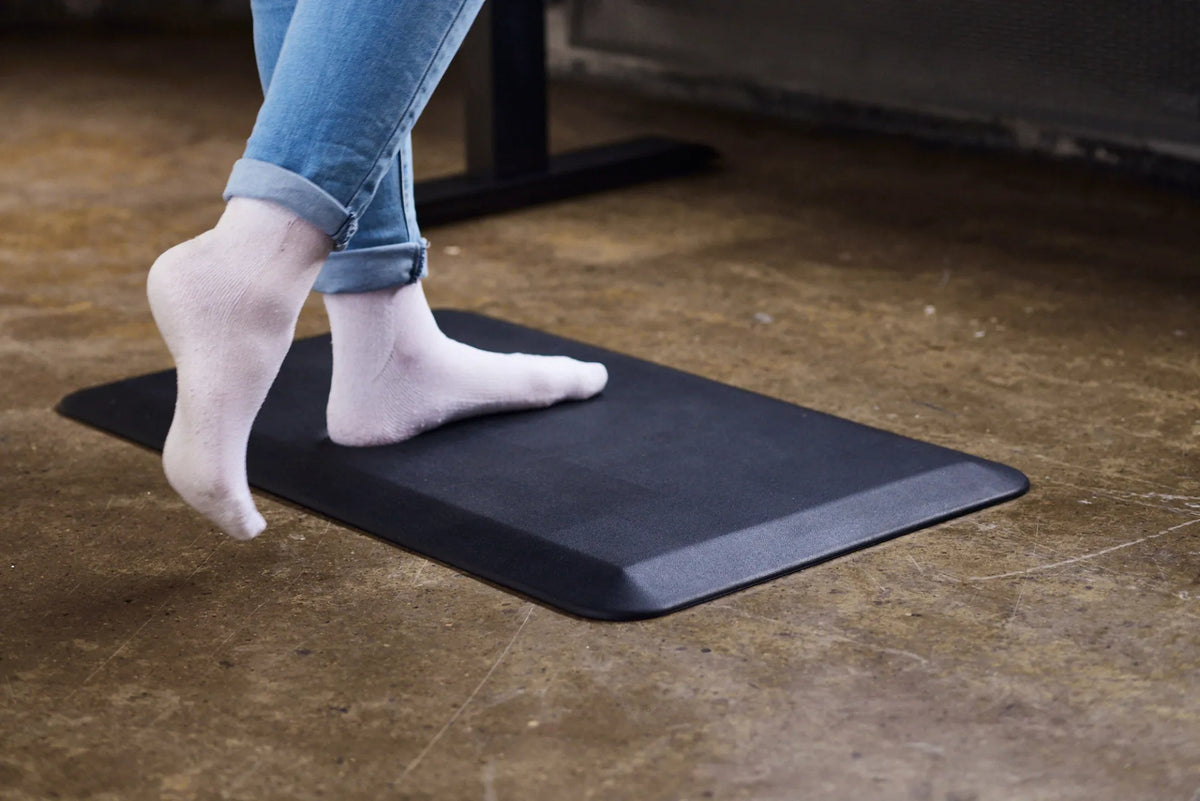
When comparing anti-fatigue mat thickness, look for a moderate profile that feels cushioned but steady. The mat should not make your ankles work to keep you balanced, and it should not bottom out immediately when you stand on it. Its edges should remain flat and preferably slope toward the floor to reduce the chance of catching a foot or chair caster.
Many standing desk mats are marketed by thickness alone. Treat that number as a starting point, not a comfort guarantee. Check the material, density, surface texture, edge design and how much usable area the mat provides. If possible, test the mat while wearing the footwear you normally use at your desk.
Why thickness alone does not predict comfort
Material density changes how a mat responds
Thickness describes the distance from the floor to the top surface before you stand on the mat. It does not describe how far the material compresses. A firmer core may give slightly under load and return quickly. A very soft core may sink more, creating a less stable surface even when the listed thickness is modest.
This is why comparing two product pages by millimetres alone can be misleading. If density or firmness is not listed, look for clear information about the material and return policy, or try the mat in person. The goal is controlled give rather than a pillow-like feel.
Compression matters more than the unloaded number
Think about effective thickness while you are standing. A mat that compresses almost to the floor offers little separation from a hard surface. A mat that barely compresses may feel more like a floor protector than an anti-fatigue surface. A useful middle ground feels resilient and allows natural micro-movements without forcing constant balance corrections.
Those movements should remain voluntary and comfortable. A mat is not a substitute for changing position, taking breaks or adjusting the desk. CCOHS recommends varying posture and avoiding prolonged static standing, even when a mat is available.
Edge height affects safety and daily use
A thicker mat creates a larger transition from the floor. Bevelled or sloped edges can make that transition easier to see and cross. Flat edges that curl upward can become a trip point, especially when you step away from the desk without looking down.
Consider the chair as well. If you frequently roll between sitting and standing, place the mat where it will not block the chair or catch its casters. Some people prefer to move the mat aside before sitting. Others position it far enough forward that the chair can move freely behind it.
How to evaluate a mat at your standing desk
1. Start with the floor beneath it
Hard floors such as concrete or tile usually make resilience more noticeable. Carpet already has some give, which can change how stable a mat feels. On any surface, confirm that the mat lies flat and does not slide when you step on or off it.
Clean the floor before testing. Dust and small debris can reduce grip or create pressure points under the mat. If you use the mat on a delicate floor, follow both the flooring and mat manufacturers' care guidance.
2. Test stability in your normal stance
Stand with your feet in the position you naturally use at the desk. Shift gently from one foot to the other, take a small step and turn to leave the workstation. You should feel supported through each movement. If your ankles feel busy or the surface feels wobbly, the mat may be too soft for you even if it is not especially thick.
Use the setup guide on where to place your feet at a standing desk to establish a neutral starting position. The mat should support that stance plus a small amount of movement rather than forcing both feet into one fixed spot.
3. Check whether the mat bottoms out
Stand in the same area for several minutes, then shift to another part of the mat. If the first area remains deeply compressed or feels almost as hard as the floor, the core may not provide consistent support. Recovery time and material quality can be as important as the original thickness.
4. Walk across every edge
Approach the mat from the front, sides and back. Make sure the edge stays down and the mat does not move. This simple test is especially important in a shared room, near a doorway or anywhere another person may walk behind the desk.
How thickness interacts with desk height
A mat raises your standing surface. Even a relatively low profile changes the relationship between your body, keyboard and monitor. After adding a mat, recheck the desk height rather than assuming the previous memory preset is still correct.
Set the work surface so your shoulders can relax and your forearms can approach the keyboard without reaching upward. Then check the screen. If you alternate between sitting and standing, save separate positions only after the mat is in its normal place.
The Burotic Anti-Fatigue Mat can be considered as part of a complete setup, but the product page should be used for current dimensions and details. For sizing the footprint, see what size anti-fatigue mat you need.
Signs a mat may be too thick or too soft
- Your ankles feel as though they are constantly correcting your balance.
- The surface compresses deeply and remains indented.
- You catch your toes on the edge when stepping away.
- The mat shifts or curls during normal use.
- Your chair cannot roll safely when you return to sitting.
- You have to raise the desk beyond a comfortable or available range.
These signs do not diagnose a health problem. They simply indicate that the mat or its placement may not suit the workstation. Persistent pain, numbness or swelling should be discussed with an appropriate health professional.
Signs a mat may be too thin or too firm
- You can barely feel a difference from the hard floor.
- The material bottoms out quickly under your usual stance.
- You avoid standing because the floor still feels unforgiving.
- The mat functions mainly as a surface cover rather than a resilient standing area.
Before replacing it, confirm that the real issue is not standing too long in one position. An anti-fatigue mat can complement good work design, but it cannot correct an unsuitable desk height or remove the need to move.
A practical buying checklist
- Compare compressed feel, not only listed thickness.
- Choose a stable material that recovers after pressure.
- Look for edges that lie flat and reduce abrupt transitions.
- Measure enough area for your stance and a short step.
- Check grip on the floor where the mat will be used.
- Confirm cleaning instructions for the surface and core.
- Recheck standing desk height after adding the mat.
Bottom line
The best anti-fatigue mat thickness is not the largest number on a specification sheet. It is the profile that combines resilient support, stable footing, safe edges and enough room to change position. Start with how the mat behaves under your weight, then confirm that it works with your floor, chair and desk height.
If you are building the setup from the ground up, review how anti-fatigue mats work at a standing desk before comparing current product details.


Previous article
How Much Space Should You Leave Between Two Desks?
Next article
How to Organize a Shallow Desk Drawer