

What Desk Shape Is Best for Your Workspace?

In this article
The best desk shape is the one that supports your actual work without crowding the room. A straight rectangular desk is usually the most flexible choice. An L-shaped desk earns its larger footprint when you need two genuine work zones. A compact or corner-oriented surface can solve a tight layout, but only if monitor depth, chair movement and cable access still work.
This guide compares common desk shapes for Canadian home offices and business workspaces. The goal is not to declare one universal winner. It is to match tasks, equipment, reach and room circulation before you buy.
Choose shape after mapping the work
List the equipment used every day: monitor, keyboard, mouse, laptop, dock, paper, drawing tools, phone and any specialty device. Then separate primary tools from occasional ones. The Canadian Centre for Occupational Health and Safety says office space planning should account for reach, working height, task sequence, movement, safety, maintenance access and the overall work surface.
Your primary screen and input devices should occupy the main zone directly in front of you. Secondary tools can live to one side, but a desk shape should not force frequent twisting. CCOHS notes that poor monitor placement can lead to the head and upper body bending forward or sideways. A large surface is not useful if it puts the main screen off-centre.
Straight rectangular desk: the best all-round shape
A straight desk fits against a wall, can sit perpendicular to a window and is relatively easy to move to another room. It gives one clear front edge, which simplifies monitor alignment, keyboard placement and the sitting-to-standing transition. For one or two monitors, a laptop and normal office tools, it is the starting point for most buyers.
When a straight desk works best
- You have one dominant computer task.
- The room is narrow or the desk may move later.
- You want the easiest cable route to one wall.
- You need a height-adjustable frame with a simple footprint.
- You prefer open floor area beside the desk.
Width and depth still matter. A wide but shallow top can leave the monitor too close, while a deep but narrow top may waste space at the back. Use Burotic's 24 vs. 30-inch desk depth guide and 48 vs. 60 vs. 72-inch width guide to test the footprint against your equipment.
Main trade-off
A straight desk offers one main surface rather than distinct zones. If you regularly switch between computer work and large paper, product samples or creative equipment, you may have to clear the surface each time. A mobile side table or nearby storage can sometimes solve that need without committing to an L shape.
L-shaped desk: best for two real work zones
An L-shaped desk combines a main surface with a return. It is valuable when each section has a defined purpose, such as computer work on the main side and drawing, document review, packing or meetings on the return. It can also keep a printer or reference material nearby without pushing the main monitor off-centre.
The return is not free space. It occupies chair and walking clearance, creates a longer cable route and determines which corners of the room remain usable. Measure both walls, door swings, baseboards, vents and storage access. Use tape on the floor or a cardboard template to represent the complete footprint before ordering.
Right return or left return?
Choose the return according to task flow and room constraints, not handedness alone. Place the secondary zone on the side where you can rotate without striking a wall or storage unit. Check whether the chair can leave the desk in both sitting and standing positions. If the return is fixed, consider how the arrangement would work after a move.
Burotic's L-shaped standing desk planning guide covers orientation, work zones and clearance in detail. Current active Shopify options include the L-Shaped Aspire Solid Wood Standing Desk and a wood-laminate version. Verify current sizes and configuration choices on the product pages.
Main trade-off
An L shape can encourage side-facing work. If the monitor sits in the inside corner or on the return, make sure your chair, keyboard and torso can face it together. Avoid a layout where your eyes turn to one screen while your shoulders remain aligned with another edge.
Compact desk: best when floor area is the hard limit
A compact straight desk, often 36 to 48 inches wide, can support a laptop or a carefully planned single-monitor setup. Its strength is preserving circulation in a bedroom, apartment or multi-use room. Its weakness is limited depth and little tolerance for unmanaged accessories.
Measure the equipment itself rather than relying on a label such as small desk. Include monitor feet or arm clamps, the laptop when open, speakers and the usable mouse area. If the screen must sit too close, a monitor arm may recover depth only when the desktop and clamp are compatible.
Choose storage that does not reduce knee clearance. A wide pedestal or central drawer can make a small desk feel even tighter. Wall shelves may help, but frequently used objects should stay within comfortable reach rather than above shoulder height.
Corner desk: useful shape or marketing label?
Corner desk can describe several designs: a true L shape, a curved corner surface, a triangular top or simply a straight desk placed in a corner. Evaluate the actual plan dimensions. A deep triangular corner may look generous while placing the screen and keyboard farther from the front edge than expected.
A curved front edge can bring the user closer to the inside corner, but it may also reduce continuous usable width. Confirm that monitor arms, desk mats and accessories fit the edge profile. For an adjustable desk, check that every part of the moving top clears both walls and nearby furniture.
Executive and large rectangular desks
A large rectangular desk supports broad surfaces and substantial equipment without the side return of an L shape. It can work well in a dedicated room or professional office where the desk is meant to be a focal point. It also demands more distance from walls, more cable management and a clear delivery path.
Do not buy extra width simply to fill an empty wall. Equipment used rarely can migrate outward and create long reaches. Keep the primary zone compact even when the top is large, and use outer sections for occasional materials.
How shape interacts with a standing desk
A height-adjustable desk must move without contacting a window sill, shelf, wall art, cabinet or cable. A straight two-leg frame is relatively easy to position. An L-shaped adjustable frame uses more columns and a larger moving footprint, so clearance testing becomes even more important.
Place the desk at its highest expected position and inspect the complete perimeter. Check monitor arms, mounted power bars and cable slack. The standing desk cable management guide explains how to separate moving and fixed zones.
A five-step decision method
- Inventory the work. Identify the main screen, input devices and any second task that truly needs surface area.
- Measure the room. Record walls, doors, windows, outlets, vents and walking paths.
- Mock up the shape. Tape the outline on the floor and mark the chair zone.
- Place the primary task. Keep the monitor, keyboard and body facing the same direction.
- Test future changes. Consider a second monitor, different room or growing equipment needs.
Quick recommendations by scenario
- Most home offices: straight rectangular desk.
- Computer plus paperwork or creative production: L-shaped desk with defined zones.
- Bedroom or compact apartment: compact straight desk with carefully measured depth.
- Dedicated executive office: large rectangular or L-shaped desk, depending on workflow.
- Frequent moves or flexible rooms: straight desk because it adapts more easily.
Make the footprint prove its value
Desk shape should make the work easier, not merely make the room look full. Start with a straight desk unless a second task, equipment group or room corner creates a clear reason for another shape. Whatever you choose, preserve direct monitor alignment, usable depth, chair movement and service access.
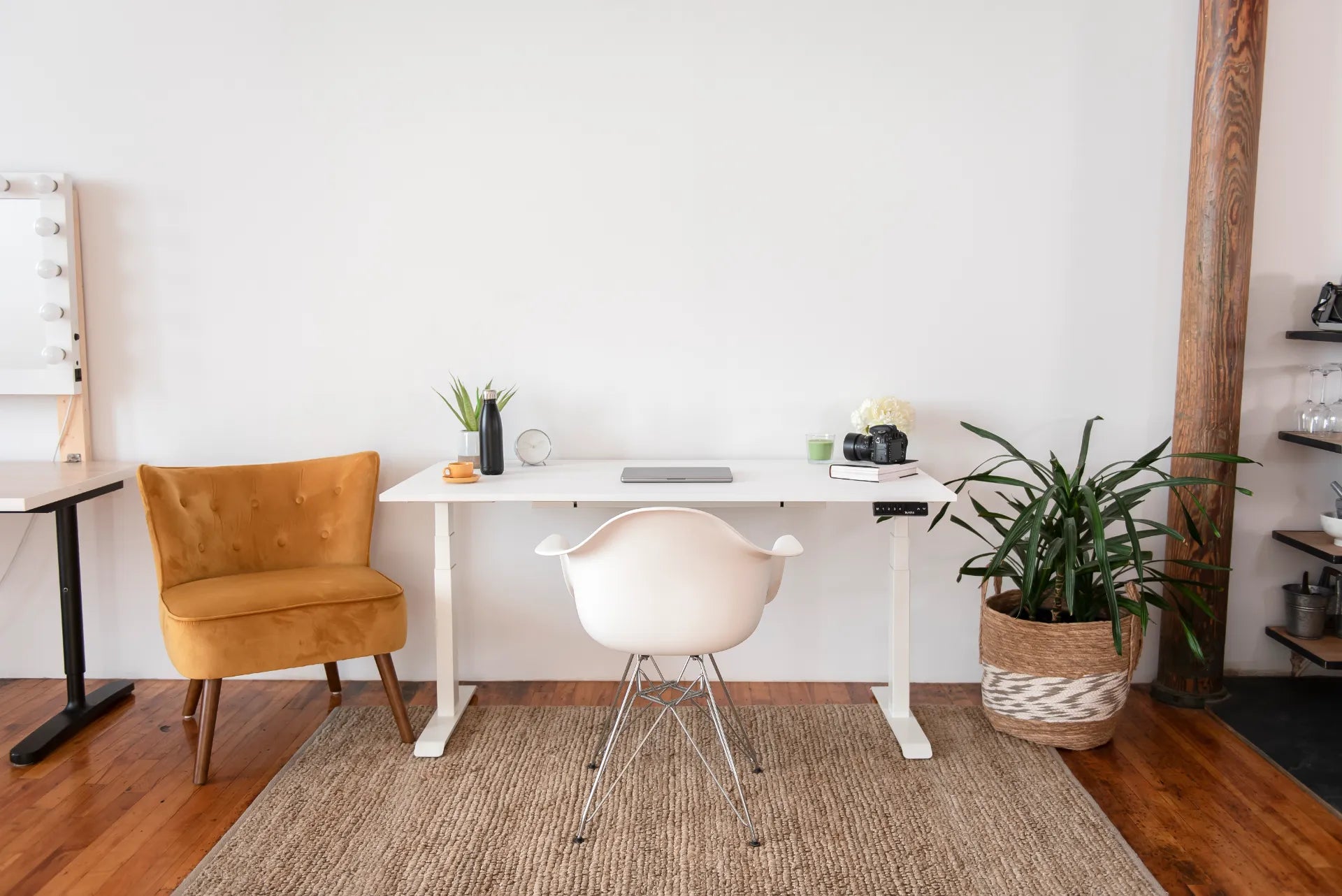
The bright room shown in the original Burotic photo uses a straight white adjustable desk as one element within a larger layout that also includes seating, plants, a rug and camera equipment. It is a useful reminder to evaluate the whole room, not only the desktop.

Previous article
Standing Desk USB Port Guide: Charging, Limits and Safety
Next article
Desk Pad vs. Mouse Pad: Which One Should You Use?