

24 vs. 30-Inch Desk Depth: How to Choose for Your Monitor Setup

In this article
Desk depth is easy to overlook because most shoppers focus first on width. Yet depth determines how far your screen can sit from your eyes, how comfortably your keyboard and mouse fit, and whether a compact room still feels usable. For most home offices, the practical decision comes down to a 24-inch-deep desk or a 30-inch-deep desk.
Neither size is automatically more ergonomic. The better choice is the one that gives your equipment enough room while letting you keep the screen, keyboard and mouse in comfortable positions. This guide explains how to choose based on your actual setup rather than the dimensions alone.
Desk depth and desk width solve different problems
Width is the left-to-right measurement. It determines how many monitors, speakers, documents and accessories you can spread across the desk. Depth is the front-to-back measurement. It determines the distance between you and the screen, the amount of forearm and input-device space available, and how far the desk projects into the room.
A 24 x 48-inch desk can therefore be deep enough for one setup while still being too narrow for another. Similarly, a 30 x 60-inch desk may offer excellent monitor distance but feel unnecessarily large in a compact bedroom office. Evaluate both dimensions separately.
Start with monitor viewing distance
The Canadian Centre for Occupational Health and Safety notes that monitor positioning depends on both viewing angle and viewing distance. Its guidance illustrates a viewing range of approximately 40 to 74 cm (about 16 to 29 inches), while emphasizing that these numbers are starting points rather than rigid rules. An arm’s length is a useful initial estimate, then text size and screen position should be adjusted for comfortable reading.
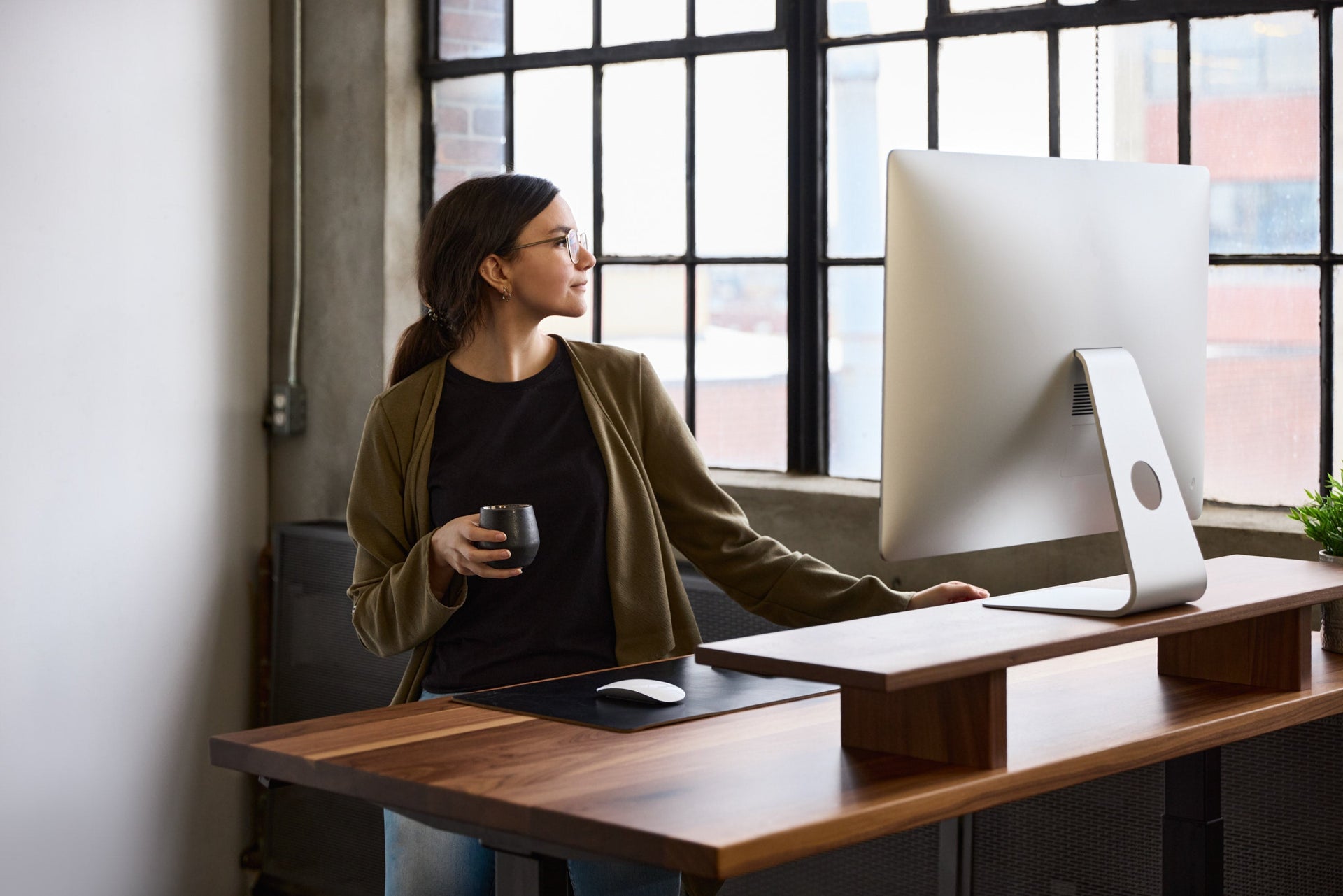
This matters because the full depth of a desktop is not the same as your eye-to-screen distance. Your torso sits in front of the desk, while the monitor base, stand or arm occupies space toward the rear. A screen with a deep factory stand can consume far more usable depth than the panel itself.
If you use a large or ultrawide monitor, greater viewing distance may also make the entire screen easier to see without excessive head rotation. A monitor arm can help reclaim surface space and fine-tune the distance on either desk depth.
When a 24-inch-deep desk works well
A 24-inch depth is often the better choice when floor space is limited and the equipment footprint is controlled. It can work especially well for:
- a laptop-only workstation;
- one reasonably sized monitor on a compact stand or monitor arm;
- a compact keyboard and mouse;
- light paperwork and few permanent accessories;
- a desk placed in a bedroom, condo, alcove or narrow office.
The main advantage is circulation space. Saving six inches of depth can make it easier to move a chair, open a door or preserve a walkway. In a small room, that difference is noticeable every day.
The trade-off is that equipment placement becomes less forgiving. A deep monitor stand, large speakers, a full-size keyboard and paper documents can quickly compete for the same area. Cable routing also needs to be planned so that the desk can move without connectors pulling or objects being pushed forward.
When a 30-inch-deep desk is the safer choice
A 30-inch depth gives you more freedom to move the monitor farther back and keep the keyboard and mouse close enough to use without reaching. It is generally the more versatile option for:
- dual-monitor or ultrawide-monitor setups;
- large factory monitor stands;
- frequent work with documents, notebooks or a drawing tablet;
- larger keyboards, control surfaces or audio equipment;
- shared desks used by people with different preferences;
- workstations intended to evolve over time.
The extra depth is not a reason to push the keyboard away. CCOHS recommends keeping the keyboard and mouse close to the front of the work surface, roughly 5 cm (2 inches) from the edge, so the elbows stay near the body and the shoulders remain relaxed. The additional space should mainly help with screen distance and equipment organization.
A practical decision checklist
1. Mock up the desktop footprint
Use painter’s tape to mark 24 x 48, 30 x 60 or 30 x 72 inches on the floor or on an existing table. Place your equipment inside the outline. This reveals space conflicts more reliably than trying to visualize measurements from a product photo.
2. Measure the monitor stand
Measure from the back of the stand to the front edge of its base. If the base is unusually deep, test whether a monitor arm would improve the layout. Do not assume that mounting the monitor automatically solves every problem; confirm the desk edge and monitor are compatible with the clamp and the screen’s mounting standard.
3. Account for the moving desk
A sit-stand desk needs slack in every cable at both its lowest and highest positions. Keep wall clearance, power access and cable management in mind. The Cable Management Solution can keep cords moving with the desk instead of hanging independently behind it.
4. Check the room, not only the desk
Leave enough room to pull the chair back and walk behind it. Measure baseboards, windowsills, radiators and doors. If the desk will face a wall, confirm that the chosen depth will not make the remaining passage uncomfortable.
5. Plan for your next monitor
If you expect to add a second display, larger monitor or more equipment within the next few years, 30 inches is often the more future-proof depth. If the room itself is the limiting factor, a 24-inch top paired with a monitor arm may be the more practical compromise.
What size does Burotic offer?
Burotic’s Aspire Solid Wood Standing Desk and Aspire Laminate Standing Desk are available in 24 x 48, 30 x 60 and 30 x 72-inch configurations. The smaller format prioritizes a compact footprint; both 30-inch-deep formats provide more room for monitor distance and accessories. Custom solid wood dimensions are also available for spaces that fall between standard sizes.
The short answer
Choose 24 inches when space is tight and your setup is simple, especially with a laptop or one monitor on a compact mount. Choose 30 inches when you use large or multiple displays, handle documents, want more flexibility or expect the setup to grow. Before ordering, reproduce the exact footprint and place your real equipment inside it. That ten-minute test usually makes the right choice obvious.
Previous article
Best Standing Desk Brands in Canada: 5 Options Compared
Next article
How to Choose an Ergonomic Chair That Fits Your Body