





Desk Pad vs. Bare Desktop for Writing: Which Is Better?
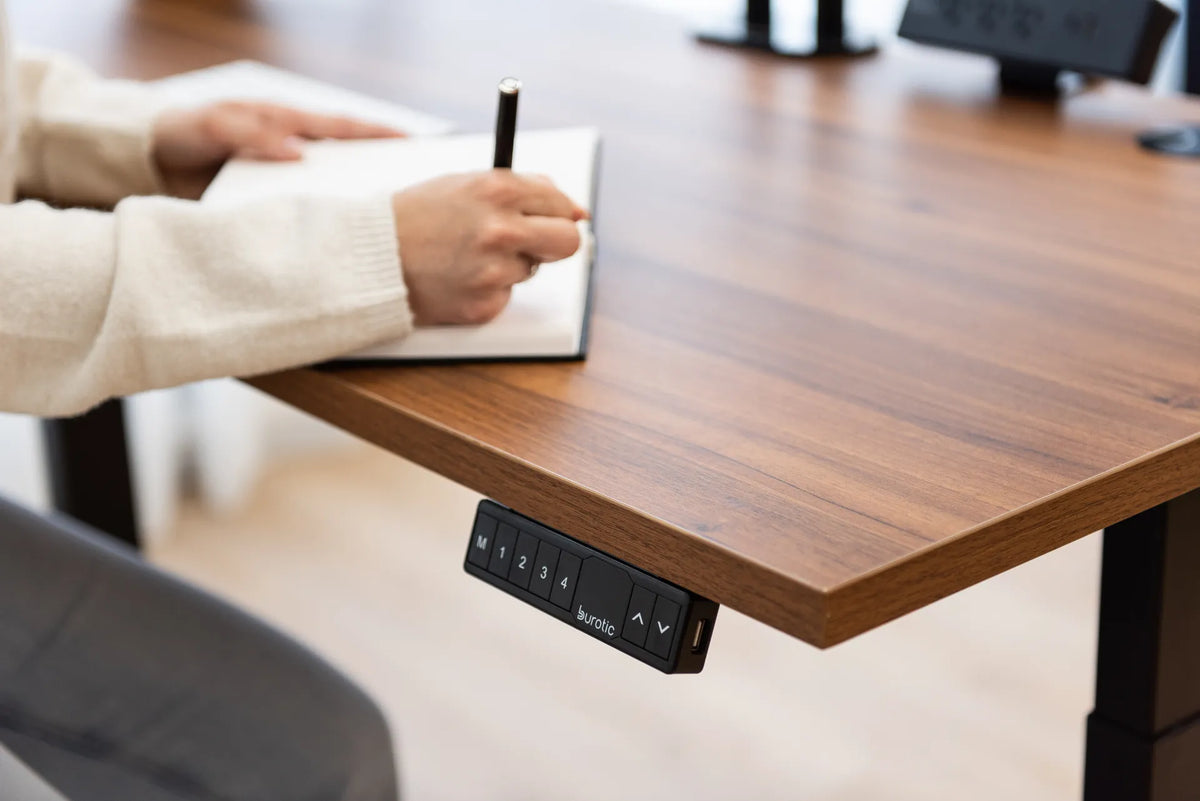
A desk pad can protect the work surface, steady loose paper and soften contact at the desk edge, while a bare desktop usually gives a firmer writing feel and fewer layers under the page. This guide helps you choose by pen type, task, posture and desktop material.

In this article
A desk pad is usually better when you want surface protection, a defined work zone and a slightly softer place for your hands. A bare desktop is usually better when you prefer a firm writing feel, need a perfectly flat base or switch frequently between paper and other tasks. Neither choice is universally more ergonomic. The better surface is the one that lets you keep the page stable, your wrist close to neutral and your shoulders relaxed.
The decision matters most if you write for long periods, use pressure-sensitive pens, work on a textured wood surface or share the same area with a keyboard and mouse. Instead of choosing by appearance alone, compare the support, friction, thickness and space each option adds to your routine.
Quick comparison
| Consideration | Desk pad | Bare desktop |
|---|---|---|
| Writing feel | Slightly cushioned, depending on material | Firm and direct |
| Surface protection | Helps separate paper, pens and accessories from the desktop | No added barrier |
| Paper grip | Can reduce sliding if the top has suitable friction | Depends on the desktop finish |
| Cleaning | Pad and desk must both be cleaned | One exposed surface to clean |
| Height | Adds a small layer under the forearms and page | Keeps the original work-surface height |
| Flexibility | Defines a dedicated zone | Easy to clear for changing tasks |
How a desk pad changes handwriting
It changes the firmness under the page
A thick or soft pad allows more give under the pen. Some people like that gentler feel, especially with a ballpoint or pencil. Others find that a fine-tip pen, technical drawing or small lettering feels more controlled on a hard, flat surface. The result depends on the pad's top layer, backing and thickness, as well as the notebook or paper stack.
Test with the tools you actually use. A loose sheet behaves differently from a hardcover notebook, and a fountain pen may feel different from a pencil. If you need a very firm base, place a rigid writing board or closed notebook over the pad rather than pressing harder.
It can help keep loose paper in place
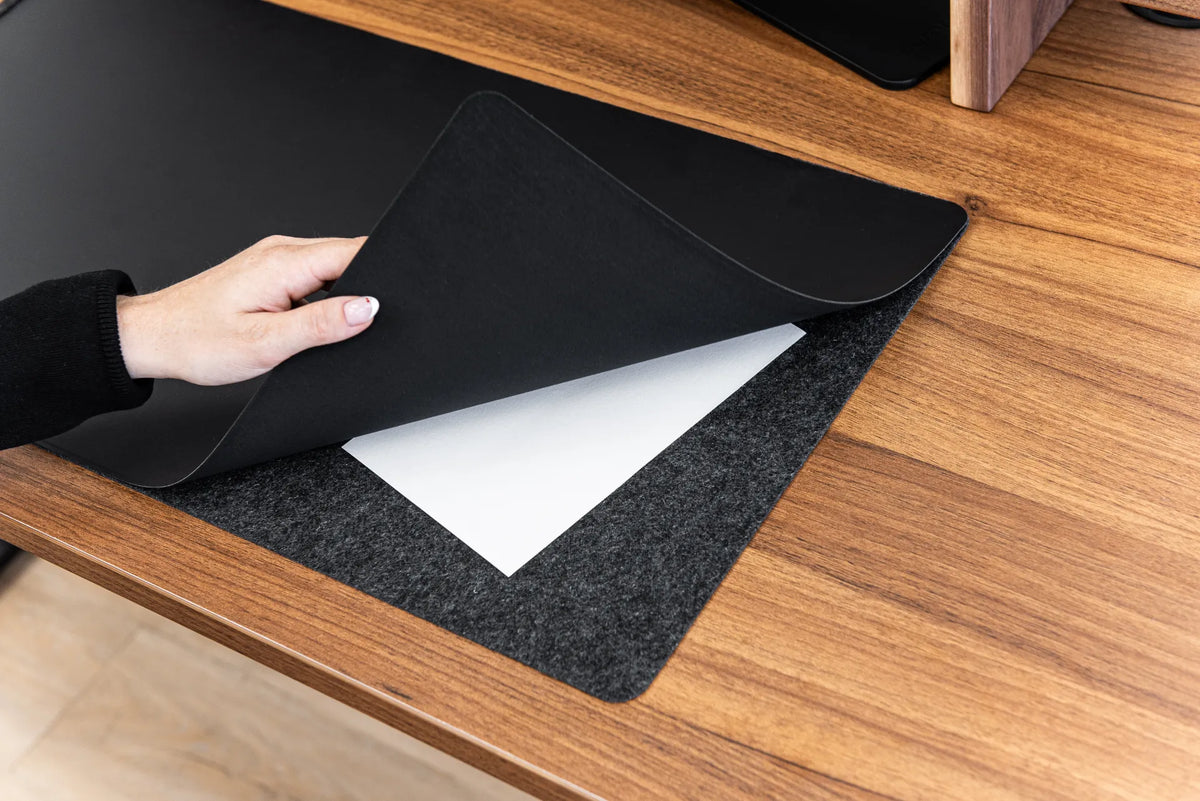
A pad with moderate surface friction can reduce the tendency of single sheets to slide. That can be useful for forms, quick notes and sketching. A smooth pad may offer less grip, however, and curled edges can create an uneven area. The pad should lie flat before it becomes a daily writing surface.
It protects only the area it covers
A desk pad creates a barrier against ordinary contact from paper, pens and small accessories. It does not make the entire desk resistant to spills, heat or sharp objects. Grit trapped under a pad can also mark a finish if the pad is dragged. Lift it periodically, remove debris and follow the desktop manufacturer's care instructions.
When a bare desktop is the better writing surface
Writing directly on the desktop can be simpler when the surface is smooth, level and appropriate for normal use. It provides a firm base and avoids raising the notebook or forearms by even a small amount. That may matter if the desk and chair are already adjusted precisely.
A bare surface is also practical when you need the full desk for changing tasks. You can move from a large plan to a laptop to a craft project without working around a fixed pad. The tradeoff is that the finish receives direct contact, so use a notebook backing sheet when a pen could press through the page.
Do not assume every finish should be treated the same way. Solid wood, veneer, laminate and painted surfaces can have different care requirements. Check the current product documentation before using cleaners, adhesives or protective treatments.
Ergonomics matter more than the material
The Canadian Centre for Occupational Health and Safety recommends keeping the hands, wrists and forearms straight and roughly in line, while the elbows remain close to the body. Those principles apply to handwriting as well as keyboard work. A pad cannot correct a work surface that is too high, too low or too far away.
Bring the page close enough
Position the notebook where you can write without reaching forward or lifting a shoulder. The exact angle can vary with handedness and writing style. Rotate the page instead of twisting the wrist sharply. If the page and keyboard share the desk, move the keyboard aside for a longer writing session rather than squeezing the notebook into a narrow corner.
Avoid a hard edge under the forearm
Contact pressure from a sharp desk edge can become uncomfortable. A pad that reaches the front work zone may soften that contact, but it should not create a thick ridge under the wrist. If the desk has a rounded front edge and the work height is correct, the bare desktop may already be comfortable.
Change position during long sessions
There is no single posture that remains ideal indefinitely. CCOHS guidance encourages variation rather than holding one position for a long time. Pause, relax the grip, move the shoulders and change between sitting and standing when the workstation allows it. General ergonomic advice is not a medical diagnosis. Persistent pain, numbness or weakness deserves assessment by a qualified health professional.
Choose by task, not by a universal rule
For quick notes beside a computer
A medium-size pad can define a combined keyboard, mouse and note-taking zone. Confirm that the notebook does not push the mouse too far to the side. Our guide to desk pads versus mouse pads explains how the two formats affect the input area.
For long handwriting sessions
Prioritize a stable page, comfortable desk height and enough depth for the forearms. If you work with large notebooks or reference documents, measure the open page before choosing a pad. The article on desk depth for writing by hand covers the space calculation.
For drawing or precise line work
A firm backing is generally easier to evaluate because it limits movement under the page. Test the pad with the exact medium and paper. Protect the desktop from tools that can cut, puncture or transfer pigment; a standard office pad is not automatically a cutting mat.
For a finished wood desktop
A pad may reduce everyday contact, but use a clean, compatible backing. Moisture, trapped debris or colour transfer can still affect a finish. Lift the pad during cleaning and allow both surfaces to dry fully before replacing it.
What to check before buying a desk pad
- Usable size: fit the open notebook plus the hand's natural movement.
- Thickness: avoid a ridge that changes wrist position or makes the keyboard unstable.
- Top texture: confirm that paper and the mouse move as intended.
- Backing: look for a clean, stable underside suitable for the desktop finish.
- Flatness: corners and seams should not lift into the writing area.
- Care: follow the stated cleaning method for both the pad and desk.
If thickness is the main question, see how thick a desk pad should be. The Burotic Wireless Charging Desk Pad is another option to compare when a defined desk surface and compatible-device charging suit the way you work. Verify the current product details and your device compatibility before choosing.
Bottom line
Choose a desk pad when protection, paper grip and a defined work zone improve your routine. Choose the bare desktop when a firm surface, easy task changes and minimal added height matter more. For many people, the best answer is flexible: use the pad for computer work and routine notes, then move it or add a rigid backing for precise handwriting.
Previous article
Do USB Ports on a Power Bar Provide Surge Protection?
Next article
Should Desks Face Each Other in a Shared Office?