





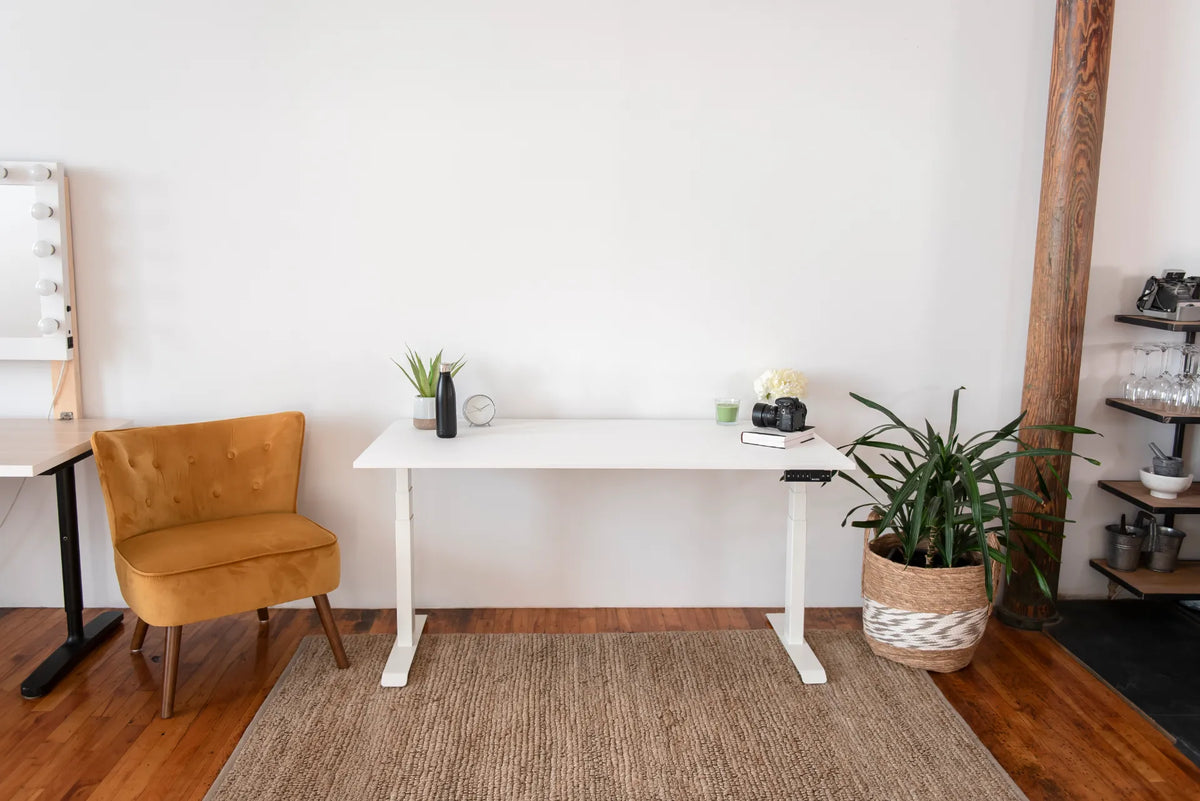
What Size Desk Fits a Small Room?

In this article
The right desk for a small room is the largest surface that fits the complete working zone, not merely the largest top that fits between two walls. Measure the desktop, chair movement, equipment, cable path and walking space together. A compact desk that supports the actual task is more useful than a larger surface that blocks a door or leaves no room to sit.
For many laptop or one-monitor setups, a desk around 48 inches wide and 24 inches deep is a practical starting point, not a universal minimum. Some users can work with less, while document-heavy work, large displays or two screens may justify more width or depth. Test the equipment footprint before buying.
Start with the usable room, not the advertised room size
A bedroom, den or living-room corner may have enough total area but very little uninterrupted wall space. Record the dimensions of the exact zone where the workstation could go. Note doors, baseboard heaters, windows, closets, radiators, outlets and floor vents. Measure trim and baseboards because they can keep furniture from sitting flush.
Then mark the proposed desktop on the floor and wall with painter's tape. This simple outline reveals whether a chair can pull back, whether a door can open and whether the desk will dominate the room. Burotic's standing desk measuring guide provides a complete pre-purchase checklist.
Think in three zones
1. The desk footprint
This is the width and depth of the complete desk, including the frame feet and any parts that extend beyond the top. Product drawings matter because the floor footprint may differ from the desktop dimensions. With an adjustable desk, allow the frame and top to move without contacting shelves, window sills or wall-mounted objects.
2. The chair zone
The chair needs room to approach the desk and move away from it. Include the base, casters and the space used when you stand. A narrow room can fit a desktop yet still fail as a workstation if the chair blocks the only walkway.
3. The circulation zone
Preserve the path to doors, closets and frequently used storage. The Canadian Centre for Occupational Health and Safety notes that office space needs depend on the people, furniture, equipment and tasks. There is no single clearance number that replaces measuring the real room.
Choose width according to the task
Width should follow the equipment you use every day. Place the monitor or laptop, keyboard, mouse and essential documents on a table, then measure the occupied span. Add a modest margin so objects are not balanced at the edges.
- Laptop-only work: a narrower surface may be enough if papers and accessories are limited.
- One monitor: allow room for the screen base or arm, keyboard, mouse and any laptop used beside it. See What Size Desk Do You Need for One Monitor?.
- Two monitors: measure the actual screens and mounting method. A monitor arm can free surface area but does not reduce the physical width of the displays.
- Paperwork or creative tasks: reserve a separate clear zone rather than expecting documents to overlap the keyboard.
If you are comparing common widths, Burotic's 48 vs. 60 vs. 72-inch desk guide explains the practical tradeoffs.
Choose depth according to viewing distance
A shallow desk saves floor area, but it also brings the screen, keyboard and front edge closer together. Check whether the monitor can sit at a comfortable viewing distance without pushing the keyboard against the edge. The stand depth matters as much as the screen size.
A monitor arm can recover some surface depth by replacing a large stand, but its clamp and rear movement still need clearance. If the desk sits close to a wall, test the arm throughout its range. Do not assume the screen will remain centred at every height.
For a laptop, an external keyboard and mouse may improve flexibility because the screen can be raised and moved farther away. That arrangement needs more depth than using the laptop by itself.
Do not forget the standing position
A height-adjustable desk changes the relationship between the top and nearby objects. At standing height, the desktop may align with a window sill, wall shelf or picture frame that was clear while seated. Cables also need enough length to travel without pulling.
Raise a proposed desk outline on the wall using tape, or check the product's height range and inspect the vertical path. A compact floor plan is not safe if the moving top can trap a cord or strike fixed furniture.
Rectangular or corner desk?
A simple rectangular desk is usually easier to place in a small room and easier to relocate later. An L-shaped desk offers separate work zones but uses more wall length and floor area. It can be useful when the room has a true corner that does not interfere with a door or circulation path.
Do not choose a corner desk only because it seems space-efficient in a product photo. Mark both wings on the floor and confirm that the chair can reach the return without colliding with other furniture.
Storage can change the required desk size
A small desk becomes crowded when every supply must stay on top. Nearby storage, an under-desk drawer or a compact filing cabinet can make a smaller surface practical. However, storage placed underneath must preserve leg and knee space and must not interfere with a moving frame.
Vertical storage can use wall space, but shelves should not enter the desk's travel path. Keep heavy or frequently used items within safe reach. Avoid mounting anything until you have tested the full seated and standing setup.
Common sizing mistakes
- Measuring only the top and ignoring the frame feet.
- Choosing the narrowest desk before measuring the monitor and keyboard.
- Ignoring chair travel and the door swing.
- Assuming a monitor arm needs no rear clearance.
- Filling the wall with storage before checking the desk's standing height.
- Buying for an imagined future setup instead of the equipment actually used.
A practical room test
- Mark the desktop width and depth with tape.
- Place the chair inside the outline and simulate sitting down.
- Open every nearby door and drawer.
- Walk through the room while the chair is pulled back.
- Place cardboard templates for the monitor, laptop and papers.
- Check outlets and plan the cable route at both sitting and standing heights.
Keep the tape in place for a day if possible. A desk that seems fine during a quick measurement may become inconvenient when another person needs to pass or when a closet is used.
When a compact desk is enough
A smaller desk can work very well for focused computer tasks when the equipment is intentionally chosen and storage is nearby. It is often better to preserve comfortable chair movement than to add a few extra inches of surface that make the room difficult to use.
The active Aspire Standing Desk Frame can be considered when a height-adjustable base fits the measured surface and room. Always confirm the current product specifications and the selected top before ordering.
Final answer
For a small room, start by testing a desk near 48 by 24 inches for a laptop or one-monitor setup, then adjust based on the real equipment and available circulation. The best size is the one that supports the task while leaving room for the chair, doors, storage and a clear path through the room.

Previous article
How High Should Your Desk Be Relative to Your Chair?
Next article
Why Is One Side of My Standing Desk Higher Than the Other?