





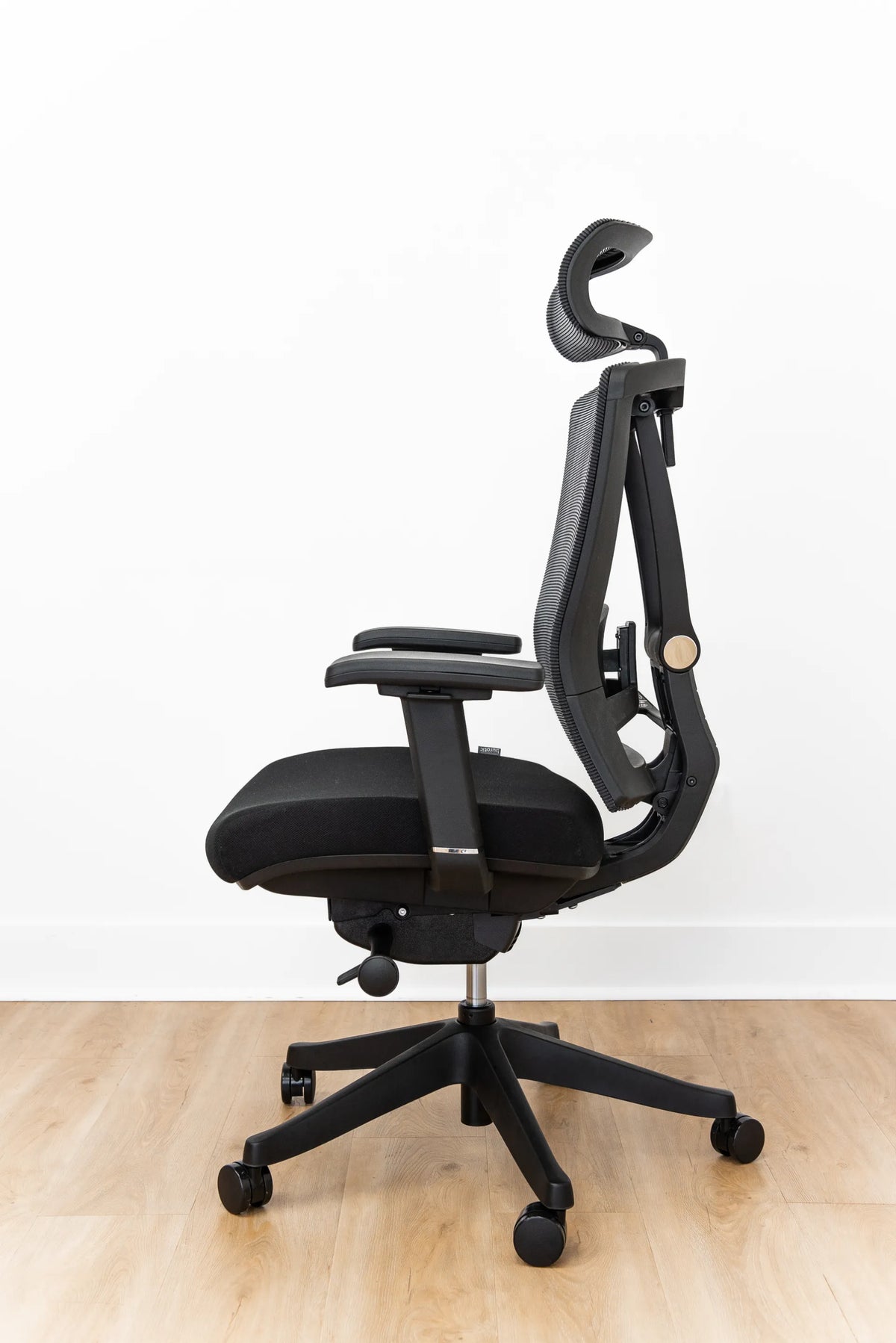
How Wide Should an Office Chair Seat Be?
An office chair seat should support you evenly without pressing into your thighs or making the armrests hard to reach. Learn how to measure your body, compare chair dimensions and test the fit.

In this article
The right office chair seat is wide enough to distribute your weight comfortably and let you change position, but not so wide that the armrests sit beyond your natural reach. There is no single perfect width for every person. The useful number is the chair's usable seat width compared with your seated hip width, clothing and preferred movement space.
A quick rule is to look for a small amount of clearance on both sides of your hips while keeping the armrests close enough that your shoulders can stay relaxed. The final test is practical: you should not feel pressure at the outer thighs, and you should not have to reach sideways to use the armrests.
What does office chair seat width measure?
Seat width is the horizontal distance across the seat pan. Manufacturers may report the widest overall dimension, while the space you can actually use can be smaller because of curved edges, side bolsters or fixed armrest supports. When comparing chairs, confirm whether the published number describes the full cushion or the clear space between the armrests.
The Canadian Centre for Occupational Health and Safety recommends a seat width that permits comfortable weight distribution and changes of position. Its broader chair guidance also emphasizes choosing an adjustment range that accommodates the people who will use the chair. Those principles matter more than chasing one universal dimension.
How to measure for office chair seat width
1. Sit in a natural working posture
Sit on a firm, flat surface with your feet supported and your thighs facing forward. Wear the type of clothing you normally use while working. A winter layer, tool belt or bulky pocket can change the space you need, so measure for real working conditions rather than an idealized pose.
2. Measure the widest seated point
Measure straight across the widest part of your hips or thighs while seated. A flexible tape is helpful, but do not pull it tightly around the body. You want a horizontal width, not a body circumference. If someone helps, ask them to measure between two vertical reference points placed beside you.
3. Add modest clearance
Add enough room to avoid contact pressure and allow small posture changes. Many people find roughly 2.5 to 5 cm of total extra space comfortable, but this is a fitting starting point rather than a medical or universal standard. Body shape, cushion contour and armrest placement all affect the result.
4. Compare usable width, not just the specification
If a seat curves sharply upward at the sides, its usable flat area may be narrower than the listed width. Likewise, armrests mounted close to the cushion can reduce lateral space. Ask for both the seat width and the distance between armrests when those dimensions are not clearly published.
Signs that a chair seat is too narrow
- The seat edges or armrest supports press into your outer thighs.
- You cannot shift your weight without rubbing against the sides.
- Your clothing bunches at the hips because lateral clearance is limited.
- You sit forward to escape pressure, losing contact with the backrest.
Pressure is the key signal. A chair should support the buttocks and thighs without concentrating force at the sides. If discomfort persists after normal adjustments, stop using the setup and seek advice from a qualified ergonomics or health professional.
Can an office chair seat be too wide?
Yes. Extra width may sound generous, but an oversized seat can put the armrests too far apart. Reaching outward can encourage elevated shoulders or unsupported forearms. A wide chair may also feel less stable to a smaller user if the body cannot maintain easy contact with the backrest and controls.
Adjustable-width armrests can compensate for some of this difference. They should come close enough to support the forearms while the elbows remain near the torso. If the armrests cannot move inward, check their spacing before buying. The article on office chair armrest height explains how support height and shoulder posture work together.
Seat width is only one part of chair fit
Seat depth
A correctly sized width will not fix a seat that is too deep or too shallow. With your back supported, there should be space behind the knees so the front edge does not press into the legs. Use the office chair seat-depth guide to assess this front-to-back dimension separately.
Seat height
Your feet should rest securely on the floor or a footrest, with no excessive pressure under the thighs. If you raise the chair to match the desk, add a footrest when needed rather than leaving the feet unsupported. The ideal office chair height guide covers this relationship.
Backrest and lumbar contact
The pelvis should be able to reach the back of the seat without the knees being compressed. From there, the backrest should provide comfortable contact through the lower back. Width, depth and lumbar position should be evaluated as a system.
How to test a chair before committing
- Sit fully back and centre yourself on the cushion.
- Check for even support across the seat rather than pressure at one edge.
- Slide a hand beside each thigh to assess reasonable clearance.
- Move the armrests inward or outward until the forearms rest without shrugging.
- Reach the chair controls and keyboard without twisting.
- Remain seated long enough to notice pressure that may not appear immediately.
Repeat the test in at least two working postures, such as upright typing and a modest recline. A good fit permits small movements instead of locking the body into one position. For a complete evaluation sequence, consult Burotic's guide to choosing an ergonomic chair for your body.
Choosing between chair models
Start with dimensions, then consider adjustability and the actual user. Burotic's Loop Ergonomic Chair and Peak Ergonomic Chair provide two current options to compare. Review each live product page for its present dimensions and controls, then match those facts to your measurement. Do not assume that a chair labelled ergonomic will fit every body.
Frequently asked questions
Should the seat touch the sides of my thighs?
Light contact with a soft, gently contoured surface is not automatically a poor fit, but firm pressure or pinching is a warning. You should be able to make small posture changes without rubbing against hard supports. Judge the sensation after a realistic work period, not only during a quick sit.
Do wider users always need a larger chair?
They need a chair whose usable seat and armrest spacing fit them, which may or may not be marketed as a larger model. Published overall width can be misleading. Compare the clear seating area, seat depth, backrest position, control reach and rated capacity together.
Can a cushion fix the wrong width?
A loose cushion may change pressure temporarily, but it can also alter seat height, depth and stability. It cannot create safe clearance between fixed supports. Treat cushions as accessories for a chair that already fits structurally, not as a reliable correction for an undersized seat.
Bottom line
An office chair seat should be wider than your seated body by a modest margin, with no pressure at the outer thighs and no need to reach for the armrests. Measure yourself, verify usable chair dimensions and test the whole fit, including depth, height and back support. The best chair is not the widest one. It is the one that supports you evenly while keeping the controls and work surface within comfortable reach.
Previous article
How Much Walkway Space Should You Leave Beside a Desk?
Next article
Should Your Second Monitor Be on the Left or Right?