





How Deep Should an Office Chair Seat Be?

In this article
An office chair seat should be deep enough to support most of your thighs, but not so deep that the front edge presses into the backs of your knees. The best setting is based on your body, not a single seat-pan measurement. When you sit all the way back, your lower back should contact the backrest and a small gap should remain behind each knee.
Canadian ergonomic guidance offers useful checks. The Canadian Centre for Occupational Health and Safety, or CCOHS, recommends clearance at the front of the seat so the lower legs are not compressed. Its chair-adjustment guidance uses about a clenched fist, roughly 5 cm or 2 inches. Another CCOHS page describes a gap about three fingers wide. Federal guidance also suggests roughly two to three finger widths. These are practical fit checks, not medical prescriptions.
Quick answer: use the knee-gap test
Sit with your hips against the backrest, feet supported and shoulders relaxed. Slide your fingers between the front edge of the seat and the back of your lower leg. A gap of about two to three fingers is a useful starting point. You should also feel support under most of the thigh without pressure in the knee crease.
Do not create that gap by sliding forward. If you move away from the backrest, the seat may appear to fit while your lumbar region loses support. Seat depth is correct only when you can use the backrest and keep the knee area clear at the same time.
What seat depth actually means
Seat depth is the usable front-to-back distance of the seat pan. On a chair with a seat-depth adjustment, the seat usually slides forward or backward relative to the backrest. Product specifications may list a fixed depth, an adjustable range or the overall seat dimensions. Those numbers are helpful for shopping, but they do not replace sitting in the chair.
Cushion shape, the front waterfall edge, backrest thickness and the way you sit can all change the usable depth. Two chairs with the same published number may fit differently. If you are comparing models, check how the manufacturer measures the seat and whether the listed dimension includes a curved or compressed area.
How to adjust office chair seat depth
- Set the chair height first. Put both feet flat on the floor or on a stable footrest. Keep the knees around hip level or slightly lower.
- Sit fully back. Let the backrest support your pelvis and lower back. Do not perch on the front edge.
- Release the seat-depth control. Follow the chair manual. Move the seat in small increments and lock it before loading it fully.
- Check the knee gap. Aim for about two to three fingers or roughly 5 cm behind the knees.
- Check thigh support. The seat should support most of each thigh without pressure concentrated at the front edge.
- Recheck the desk relationship. Pull close enough to reach the keyboard while preserving backrest contact. Adjust armrests if they prevent the chair from approaching the desk.
- Work for several minutes. A setting that looks correct can still feel too deep or shallow after normal typing and mouse work.
Our office chair height guide can help with the first step. Height and depth interact: when the seat is too high, pressure under the thighs can feel like a depth problem.
Signs the seat is too deep
Pressure behind the knees
The clearest sign is contact between the front edge and the knee crease or upper calf. That pressure may encourage you to extend the legs or sit forward. Move the seat pan back if the chair allows it. If it does not, the chair may be too large for your body.
You cannot use the backrest
A deep seat can force shorter users to choose between knee clearance and back support. If you create a gap only by moving your hips forward, your lower back may lose contact with the chair. A removable support cushion can sometimes shorten the usable depth, but it should remain stable and should not create a new pressure point. Federal guidance lists a removable back support as one possible corrective option for an overly long seat pan.
You reach for the keyboard
When the chair cannot move close enough to the desk, you may lean forward even though the seat itself is adjusted correctly. Armrests, a centre drawer or a thick desk edge may be the real obstacle. Check the entire workstation before blaming the chair. Our guide to adjusting a chair for hip comfort explains how height, tilt and support work together.
Signs the seat is too shallow
A shallow seat leaves a large part of the thighs unsupported. You may feel concentrated pressure under the sitting bones, fatigue in the hips or the urge to slide forward. The backrest may still feel comfortable, but the seat does not distribute your weight across enough area.
Do not move the seat forward until it touches the backs of the knees. Increase depth only until thigh support improves while the safety gap remains. If the seat is fixed and feels substantially too short, a different chair size may be the better answer.
What about petite and tall users?
Petite users often need a shorter minimum depth so they can sit back without knee pressure. Tall users may need a longer maximum depth to support the thighs. Height labels alone are not reliable because people of the same standing height can have different lower-leg and thigh lengths.
Measure your body in the posture you will use. Sit against a vertical backrest and measure from the back of the pelvis to the back of the knee. The chair's usable depth should be shorter than that body measurement so clearance remains. Because published dimensions are not always measured the same way, treat the result as a screening number and confirm the fit in person when possible.
How seat depth affects posture and circulation
Seat depth is not about holding one perfect pose all day. A well-fitted seat lets you use the backrest, supports the thighs and leaves the knee area free while you make small posture changes. CCOHS notes that there is no single sitting position for everyone and that occasional changes beyond general ranges can be beneficial.
General ergonomic advice cannot diagnose numbness, swelling, pain or nerve symptoms. If discomfort continues after reasonable adjustments, stop forcing the position and seek advice from a qualified health professional or ergonomist.
Buying checklist for seat depth
- Look for a published seat-depth dimension or adjustment range.
- Check whether the seat slider locks securely at several positions.
- Confirm that the backrest still supports you at the depth you need.
- Test knee clearance with your normal clothing and footwear.
- Check that the front edge is rounded and does not create concentrated pressure.
- Make sure chair height, armrest position and desk clearance also fit.
- Use the return or trial terms provided by the seller rather than assuming a dimension guarantees comfort.
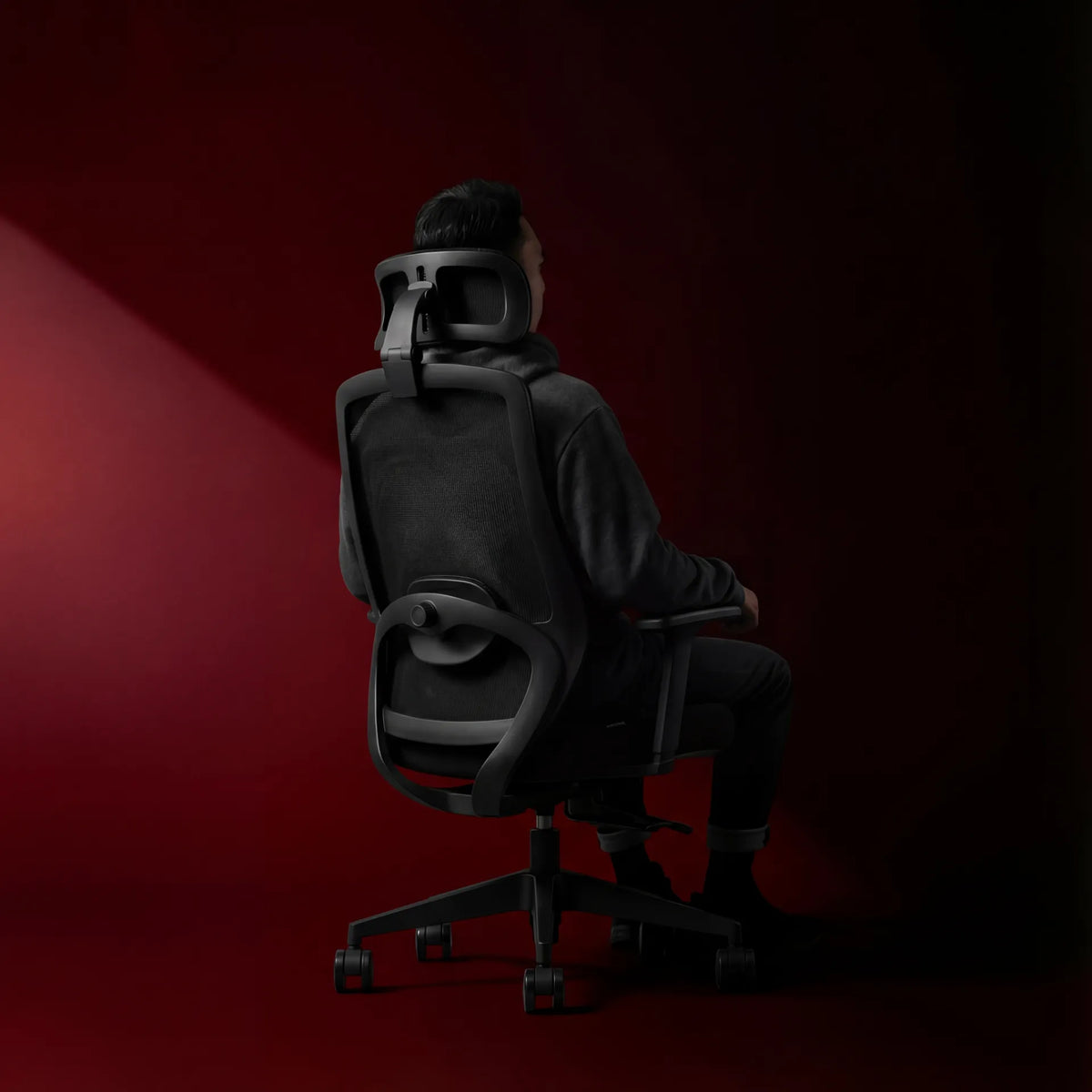
If you are comparing chairs, our guide to choosing an ergonomic chair that fits your body covers the broader set of measurements. The Loop Ergonomic Chair page can also be used to review current product information before deciding whether it matches your needs. Confirm the listed dimensions and adjustment details on the live product page.
The practical setting
The correct office chair seat depth lets you sit against the backrest, keeps a two-to-three-finger gap behind the knees and supports most of the thighs. Start with chair height, adjust the depth in small steps, and then bring the keyboard and mouse within easy reach.
If you cannot achieve all three conditions together, the issue may be the chair size, the fixed seat pan or another part of the workstation. Fit the chair to the person first, then fit the desk to the supported posture.

Previous article
Can You Plug a Monitor and Laptop Into the Same Power Bar?
Next article
How Far Should Your Keyboard Be From the Edge of Your Desk?