

How Thick Should a Standing Desk Top Be?

In this article
There is no universal best standing desk top thickness. A top must be thick enough for its material, width, support pattern and hardware, but it should not add unnecessary moving weight or prevent clamps from fitting. Solid wood, plywood and engineered panels can perform differently at the same nominal thickness, so the number alone does not determine quality.
For a complete desk, use the thickness specified by the manufacturer. For a replacement top or a base-only project, confirm the base's supported dimensions and load, the fastener depth, the span between supports and every accessory clamp before ordering. This guide explains how those checks fit together without treating a single measurement as a universal standard.
Quick answer: choose the complete top system
Start with material and construction, then confirm thickness. A dense, well-made panel with suitable support may be more stable than a thicker but poorly constructed top. The final choice must also work with the screws, controller, cable tray, monitor arm and adjustable base.
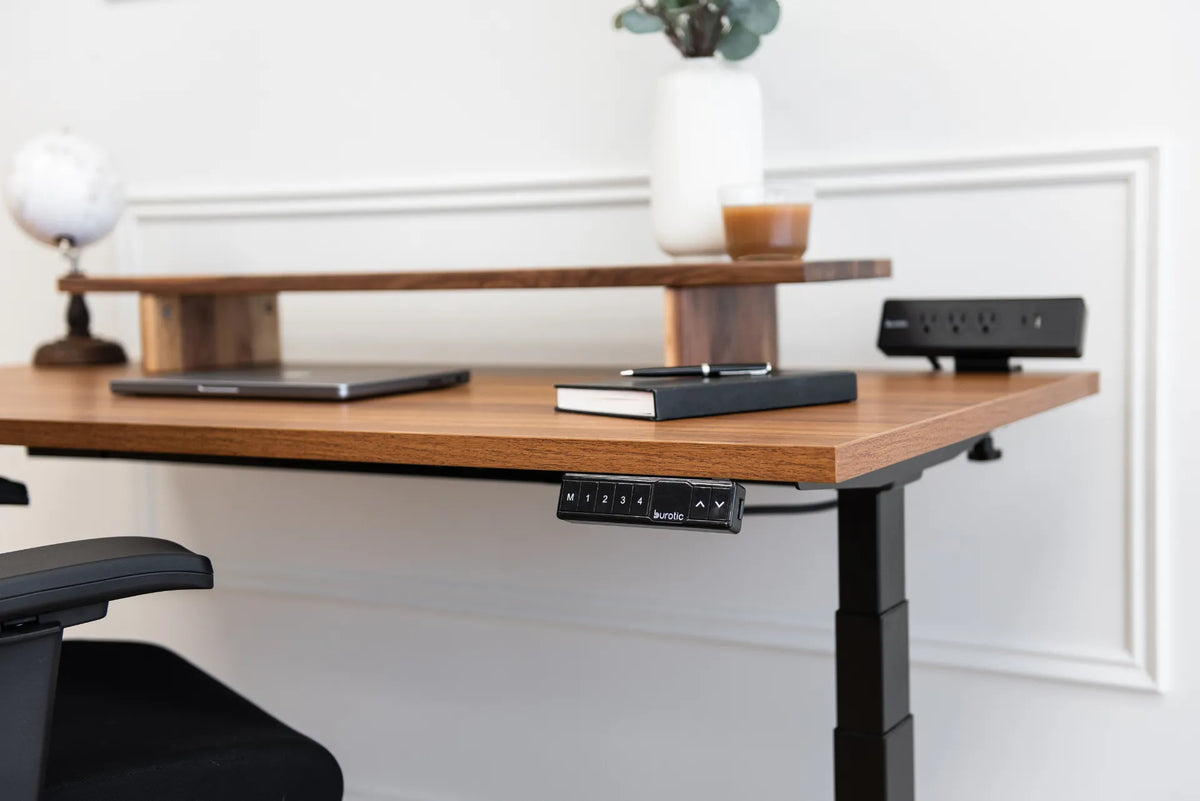
Burotic's current Solid Wood Desk Top is listed at 1.25 inches thick, while the current Aspire Premium Laminate Standing Desk uses a 25 mm top. These are verified product specifications, not universal rules for every solid wood or laminate surface. Always check the live product page before purchase because configurations can change.
Why material matters as much as thickness
Solid wood
Solid wood offers a natural edge and can often be refinished, but species, grain, moisture, lamination quality and construction all affect movement and stiffness. A thicker top may feel substantial, yet it also weighs more. Follow the supplier's care and installation guidance instead of assuming that more thickness automatically prevents seasonal movement.
Laminate and engineered panels
A laminate surface is a finish applied to a substrate. Performance therefore depends on the substrate, edge treatment and manufacturing, not the decorative layer alone. A well-supported engineered top can be consistent and practical at a lower thickness than some solid wood tops. The article on solid wood versus laminate desk tops compares appearance, maintenance, weight and repairability.
Plywood and custom materials
Plywood quality varies with veneer species, number of plies, core voids and adhesive. Stone, glass and other materials introduce different fastening and weight requirements and may not suit a standard adjustable base. Get written approval from the base and top suppliers before using an unconventional surface.
Match thickness to width, depth and support
A longer span asks more of the material. The position and width of the base's upper supports determine how much of the top is cantilevered at the ends and edges. A wide desktop with heavy equipment concentrated near the centre or rear may require a different construction from a compact writing surface.
Do not select thickness using only the overall width. Review the support rails, mounting holes, maximum top size and load distribution specified for the base. The active Aspire Standing Desk Base page provides current compatibility information. If a custom top falls outside the listed range, obtain confirmation before drilling.
Check screws before installation
Fasteners must penetrate far enough to hold without breaking through the finished surface. Thickness, pilot-hole depth, screw length and material all matter. Reusing a screw from a thicker top on a thinner replacement can damage the surface. A screw that is too short may not hold the hardware securely.
Use the fastener size and pilot-hole instructions supplied with the base or accessory. Mark drill depth with a stop rather than estimating. Confirm the actual thickness with a calliper, including any bevel or routed underside. Never drill where a cable, insert or embedded component may be present.
Make sure clamps can open far enough
Monitor arms, power bars and other accessories have minimum and maximum clamping ranges. A thick top can exceed the opening of the clamp. A thin top may fit the opening but need a manufacturer-approved reinforcement plate to distribute the load. Edge bevels, aprons and underside rails can prevent full contact even when the nominal thickness is acceptable.
Measure the exact proposed mounting point, not a convenient point elsewhere. Include any underside lip. Compare that measurement with the current accessory specification and leave room to operate the tightening hardware. Never clamp over a cable or use a partial contact area.
Account for total moving weight
The lifting system moves the top and everything attached to it. A heavier top reduces the remaining capacity for monitors, computers, arms, drawers and other equipment. It can also make assembly harder and increase the consequence of poor handling. Calculate the complete moving load rather than considering only what sits on the surface.
The standing desk weight-capacity guide explains how to inventory the top, attached hardware and daily equipment. Stay within the base manufacturer's current rating and distribute the load as instructed. Capacity is not a reason to ignore balance or secure fastening.
Consider the front edge and typing comfort
Thickness changes the vertical space between the top surface and anything underneath. A deep front edge, controller or drawer can contact the thighs when the desk is lowered. A sharp square edge may also feel different against the forearms than a softened profile. These details affect comfort even when the top is structurally adequate.
Test the lowest required seated position with the chair and armrests in place. Confirm that the controller remains accessible without reducing leg clearance. If the top has a bevel, make sure mounted hardware sits on the flat structural portion rather than the shaped edge.
Evaluate surface finish and maintenance
Thickness does not reveal how well a top resists moisture, abrasion, heat or stains. Review the finish and care instructions for the actual material. Solid wood may allow localized refinishing, while a laminate surface generally relies on the integrity of its finished layer and sealed edges.
Ask how the top should be cleaned, whether both faces are finished and how spills near openings should be handled. Avoid making performance claims from appearance alone. A brown wood surface may be solid wood, veneer or laminate unless the product documentation identifies it.
Replacement-top checklist
- Identify the material and verified finished thickness.
- Confirm the base's supported top width, depth and moving-load limit.
- Measure the span between supports and the intended overhangs.
- Inventory monitors, arms, computers, drawers and other attached weight.
- Check every clamp's opening and required contact surface.
- Match screw length and pilot-hole depth to the actual top.
- Map rails, controls, trays and cables before drilling.
- Inspect edge shape and seated leg clearance.
- Follow the top and base manufacturers' written installation instructions.
Common mistakes
Choosing by thickness alone
Material, construction, support and load distribution can matter more than a small difference in thickness.
Forgetting the top's own weight
The top is part of the moving load. A heavier surface leaves less capacity for equipment.
Assuming every clamp fits
Measure the edge, underside and nearby obstructions before ordering a monitor arm or accessory.
Reusing the wrong screws
A screw intended for another thickness can break through or fail to hold. Use the specified hardware.
Drilling before laying out all components
Controls, rails and trays compete for underside space. Mark the complete arrangement first.
Final recommendation
Choose a standing desk top as a complete system, not as a thickness number. Verify the material, span, support layout, fasteners, accessory clamps, edge and total moving load. For a complete Burotic desk, the specified top and base are already coordinated; for a custom project, compatibility must be checked before drilling.
If two options both meet the structural and hardware requirements, choose based on finish, maintenance, appearance and the weight you want the base to move. The best thickness is the one that works safely with the actual material and equipment.
Sources: Eureka Ergonomic, Desktop Thickness for a Monitor Mount; KTC, Monitor Arm Clamp Fit; verified Burotic product pages linked above.


Previous article
Where Should You Position a Monitor Arm on Your Desk?
Next article
Where Should You Position a Monitor Arm on Your Desk?