

Power Bar vs. Surge Protector vs. Extension Cord for a Home Office

In this article
A power bar, a surge protector and an extension cord can look similar, but they do not necessarily perform the same job. A basic power bar adds outlets. A surge protector adds circuitry intended to limit certain voltage spikes. An extension cord mainly carries power farther from the wall. Product labels, certification and ratings determine what an individual device is designed to do.
For a Canadian home office, choose the equipment by function rather than appearance. Then plan the total connected load, the desk's full movement and a path that keeps plugs and cords away from feet, casters and pinch points. This article provides general planning guidance, not electrical work. Consult a licensed electrician when the room, outlet or load is in doubt.
What a basic power bar does
A power bar, sometimes called a power strip, turns one receptacle into several connection points. Some models also include USB charging ports, a switch or a circuit breaker. Those features do not automatically mean the unit provides surge protection. Read the label and instructions for the exact product.
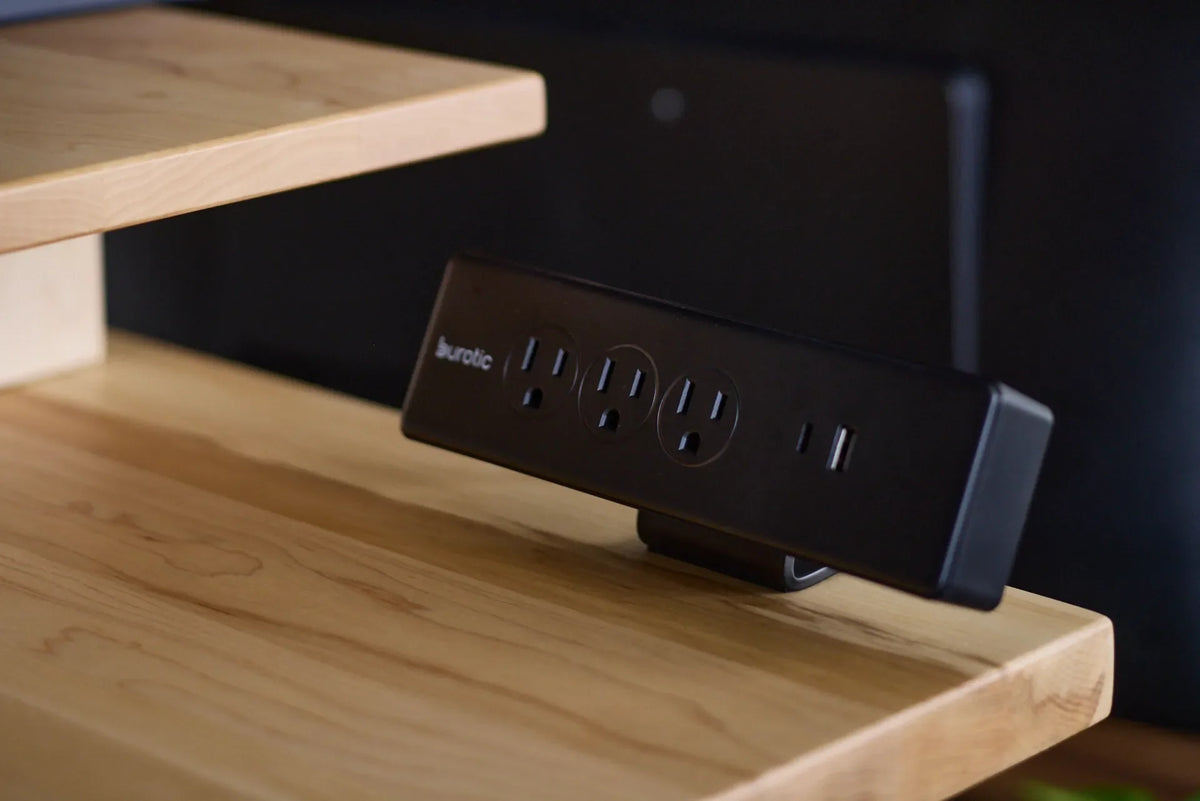
The current Burotic Power Bar is intended to make power easier to reach at the workstation. The product image used for this guide clearly shows three electrical outlets, one USB-C port and one USB-A port. Confirm the live product page, markings and manual for all electrical specifications before deciding whether it suits a particular load.
What a surge protector adds
A surge protector contains components designed to divert or limit transient overvoltage within its stated capability. It is not the same as a backup battery and cannot keep equipment running during an outage. It also does not protect against every electrical event. Protection components can age after repeated surges, so follow the manufacturer's replacement and indicator guidance.
Look for explicit surge-protection language and the electrical data on the device. Do not infer protection from a red switch, a reset button or a familiar casing. If safeguarding expensive or critical equipment matters, ask an electrical professional about point-of-use protection, building-level protection and backup power as separate requirements.
What an extension cord is for
An extension cord provides temporary reach between a receptacle and equipment. It is not a permanent substitute for a properly located outlet. The cord must be rated for the connected load and environment. Keep it fully visible, out from under rugs and away from doors, sharp edges and chair wheels.
Do not connect one extension cord to another to reach across the room. Do not assume a thinner cord is suitable because each office device seems small. The combined load matters, and adjustable desks add a motorized product to the same area.
Start with Canadian certification
Health Canada advises consumers to use electrical products with a Canadian certification mark such as CSA, cUL or cETL and to follow manufacturer instructions. Its electrical product safety guidance also recommends replacing damaged cords and avoiding overloaded outlets.
The Electrical Safety Authority maintains a searchable list of recognized approval marks. A legitimate mark should appear on the product itself, not only in a marketplace listing or marketing image. Compare the exact mark, model and rating on the unit you receive.
Calculate the complete workstation load
List every device that may operate at the same time: computer, monitors, adjustable desk, chargers, lamp, speakers, printer and any heating or cooling equipment nearby. Use the input ratings on labels or power supplies, not guesses based on typical use. The power bar or surge protector rating is a maximum, not a target.
High-draw appliances such as portable heaters, kettles and some printers require special care and often should not share a workstation power bar. Follow the appliance instructions. If the room has too few receptacles for normal use, adding more bars does not solve the underlying circuit or layout problem.
Plan for a moving standing desk
Decide what moves with the desktop
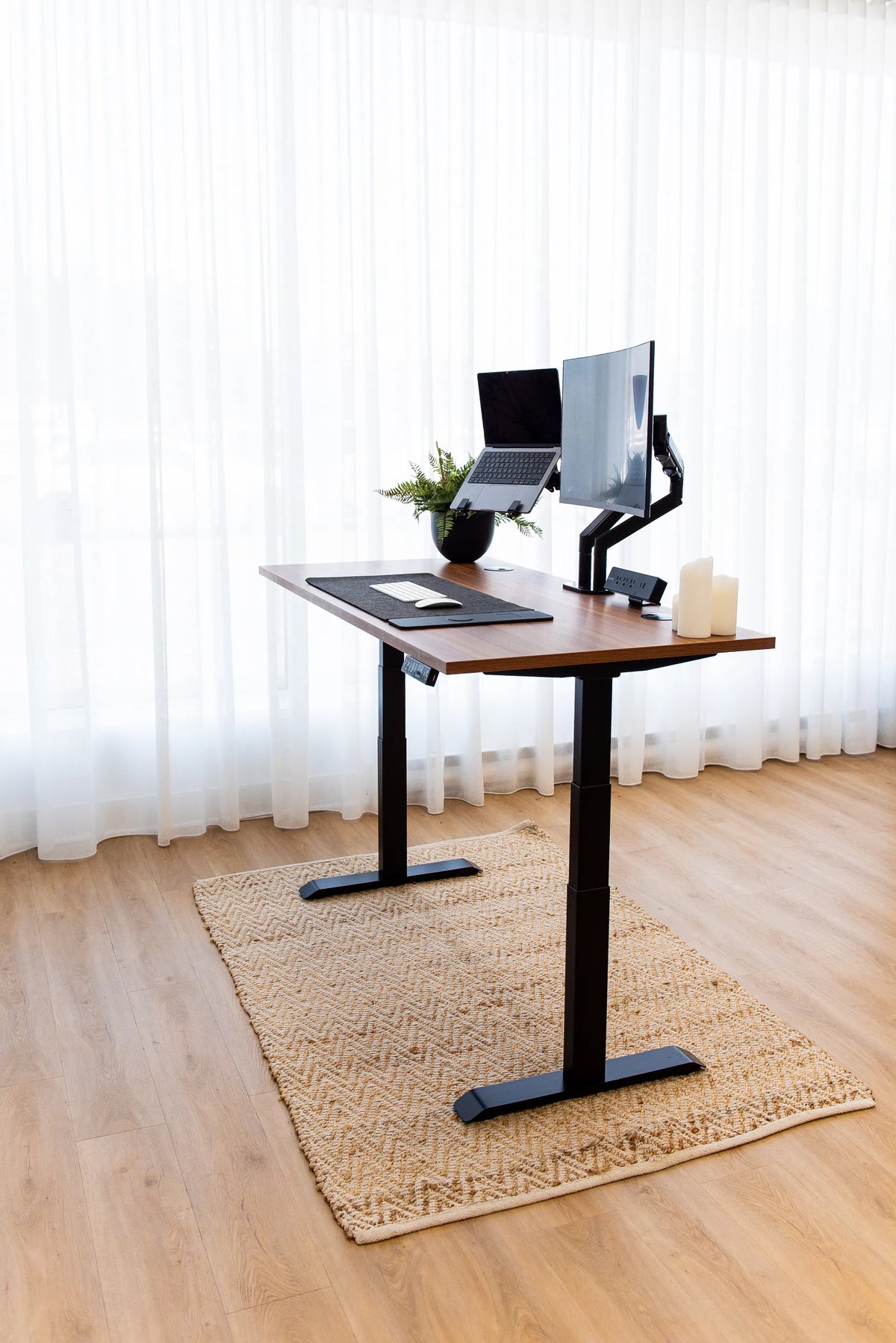
A power bar mounted on or under the moving desktop can keep computer and monitor cables together. One supply cord then travels between the desk and wall. If the bar stays on the floor, every connected desktop cable needs enough individual travel. Either method can work when the equipment is approved, secure and used according to its instructions.
Do not mount a device in a way the manufacturer has not approved. Screws, adhesives and clamps can block ventilation, damage a casing or place strain on a cord. The Burotic guide to desk power-bar placement compares on-desk and under-desk options.
Test both height limits
Lower the desk while watching every cable. Then raise it to the highest position you actually use. The wall lead needs a smooth vertical path with controlled slack. It must not pull on the receptacle at the top or form a floor loop that catches a foot or caster at the bottom.
Bundle signal and low-voltage cables only when that does not create heat or service problems. Keep power connections accessible for inspection. The Burotic Cable Management Solution can organize compatible workstation cables, but it does not change their electrical rating or installation instructions.
Separate convenience from protection
It is useful to write the requirement in one sentence before shopping. For example: "I need four accessible outlets on the moving desktop," or "I need documented surge protection for a computer and two monitors." The first requirement may point to a certified power bar. The second requires a product explicitly rated and labelled for surge protection. If continuous operation during an outage is the goal, that is a backup-power question and should be assessed separately.
Review the setup whenever equipment changes. Adding a second monitor, a high-power laptop dock or a printer can change the combined load and the cable path. A safe plan is based on the current workstation, not the devices that were connected when the desk was first installed.
A practical selection checklist
- Define the function: more outlets, surge protection, temporary reach or backup power.
- Confirm a recognized Canadian certification mark on the exact unit.
- Read the voltage, current and total-load ratings.
- Check cord length without planning to connect multiple cords together.
- Verify that plugs and transformers fit without blocking needed outlets.
- Follow any mounting and ventilation instructions.
- Test the full standing-desk movement before daily use.
Common mistakes to avoid
Daisy-chaining power bars
Connecting one power bar or extension device into another can overload components and makes the final load harder to understand. Plug the selected unit into an appropriate wall receptacle unless its instructions explicitly describe another approved configuration.
Hiding cords under rugs
A rug conceals wear and can trap heat. It also turns a damaged cord into a problem that is difficult to inspect. Reroute the workstation or have a suitable outlet installed instead.
Assuming USB ports power every device
USB-A and USB-C describe connectors, not a guaranteed charging rate. Compare the port output with the device requirement. A laptop that charges from one USB-C adapter may not charge from a lower-power desk port.
Ignoring warning signs
Stop using equipment that becomes unusually hot, smells burnt, crackles, shows discolouration or has a loose plug. Disconnect it safely and follow the manufacturer or electrical professional's advice. Do not repair a mains-voltage power bar as a casual do-it-yourself project.
Build the power plan before the cable plan
The cleanest home-office cable layout begins with the right electrical device, not with tighter bundles. Choose certified equipment for the required function, respect its rating and give the standing desk a clear path through its entire range. Then organize the remaining cables with the Burotic standing desk cable guide.
A basic power bar may be enough when the goal is convenient access to several low-power devices. A labelled surge protector serves a different purpose, and an extension cord is mainly temporary reach. If the room cannot support the workstation without improvised connections, the durable answer is an assessment by a qualified electrician.


Previous article
How to Reset an Aspire Standing Desk Base: Error Codes and Solutions
Next article
How to Reset an Aspire Standing Desk Base: Error Codes and Solutions