






Can You Put a Standing Desk in the Middle of a Room?

In this article
Yes, a standing desk can sit in the middle of a room. This floating layout can create a strong focal point, give you a view into the room and make both sides of the desk accessible. It also removes the wall that normally hides cables and anchors the workstation visually. The layout succeeds when you plan the desk's full movement, walking paths, power connection, screen glare and the view from every side.
Before moving furniture, mark the complete desk footprint at both sitting and standing heights. Then test how people enter, pass behind the chair and reach storage. A layout that looks spacious in a photograph can feel cramped when the chair rolls back or the desktop rises.
When a floating desk is a good choice
A central position works best in a dedicated office or a large multipurpose room with enough circulation on all sides. It can be useful when you want to face the door, avoid staring at a wall or create a visual boundary between work and living zones. It may also provide easier access for client conversations or collaborative tasks.
In a small bedroom or narrow room, the same arrangement can consume the main walkway. A wall or corner position may preserve more usable floor area. The right answer depends on the tasks, room dimensions, doors, windows, power outlets and other furniture. CCOHS recommends evaluating the available space, existing arrangement, light sources and power access together when planning office furniture.
Measure the movement zone, not just the desktop
Desk footprint
Measure the top width and depth, then include the feet of the frame. On some desks, the feet extend close to the full depth of the top. Mark the actual dimensions on the floor with removable tape.
Chair and approach space
Add the area required to pull out a chair, rotate and stand. If someone walks behind you, preserve a separate passage rather than sharing the chair's movement zone. Open drawers and cabinets during the test so their swing does not block circulation.
Standing position
Stand where you will work and check that your heels, stool or anti-fatigue mat do not enter a doorway or main path. The CCOHS sit-stand guidance also advises keeping cables, electrical access and storage from interfering with desk adjustment.
Plan power before choosing the final spot
The nearest outlet may determine whether a floating desk is practical. Avoid stretching a cord across a walkway or hiding an extension cord under a rug. Health Canada advises that extension cords should not run under rugs, through doors or be used as permanent wiring. If the only route creates a trip or damage risk, choose another position or consult a licensed electrician about a permanent solution.
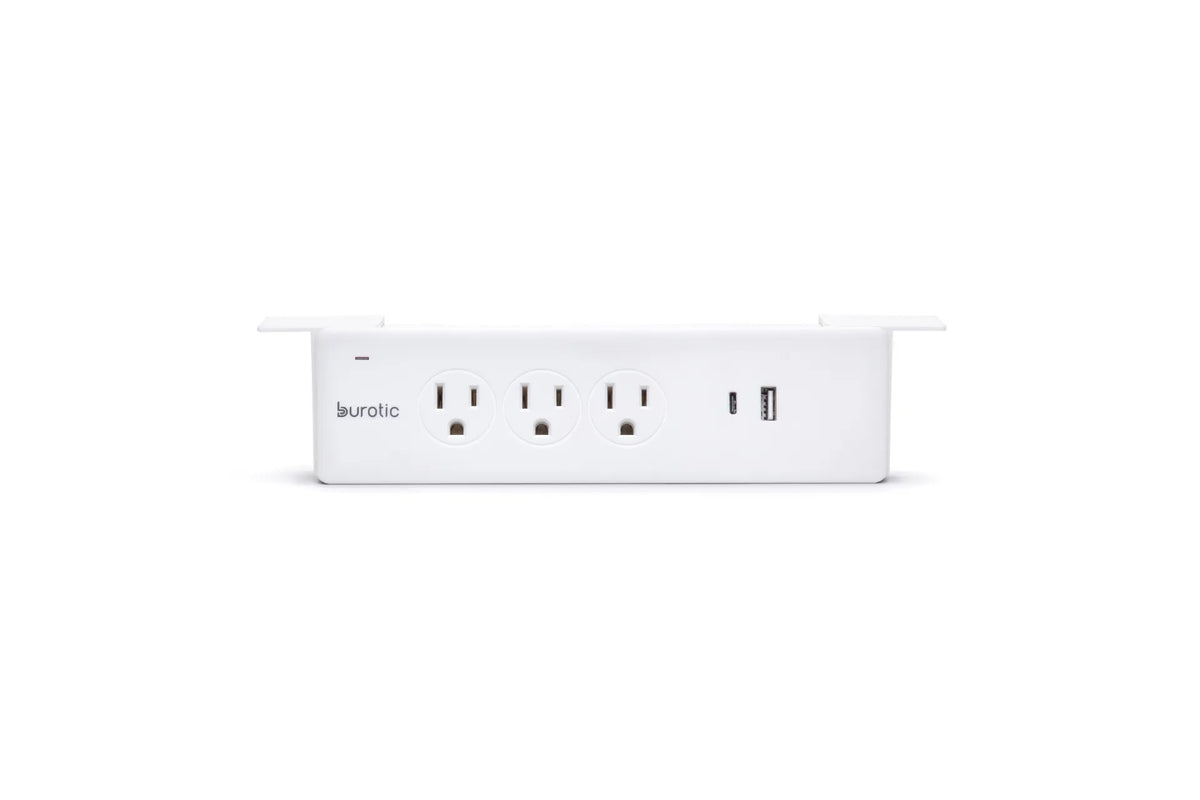
Mount a suitable power bar or cable tray to the moving desk only after checking the product instructions and electrical ratings. Secure the cables that move with the desk, then provide one controlled path to fixed power. Test the lowest and highest positions and leave enough slack without creating a loop that catches feet or furniture.
For a detailed sequence, use Burotic's Standing Desk Cable Management Guide. The Power Bar is one option for consolidating desk-level connections when its capacity and mounting style fit the verified setup.
Control window glare and backlighting
A desk in the middle of a room can face a window, sit sideways to it or place the window behind the screen. Each orientation changes glare. Side-on daylight is often easier to control than a bright window directly in front of or behind the monitor. Use blinds or curtains and adjust the screen angle before committing to the position.
Check the room at different times of day. A layout that works in the morning may create strong afternoon reflections. Keep the monitor at a comfortable viewing height and distance after rotating the desk. Do not accept neck twisting simply to reduce glare.
Make the back of the workstation presentable
A floating desk exposes the frame, monitor arms, cable tray and device backs. That is not a problem if the layout is intentional. Group cables by destination, shorten excess length without tight bends and keep adapters supported. A monitor arm can free surface area and reduce the visual bulk of a conventional stand, provided the clamp and desktop are compatible.
Keep decorations light enough that they do not compromise stability or crowd the movement zone. Heavy storage is usually better on fixed furniture than attached to a rising desk. Leave access to the controller and emergency path.
Stability and flooring
Place all desk feet on the same level surface. A thick rug edge under only part of the frame can create uneven support. If you use a rug, it should lie flat and accommodate the entire base. Check levelling feet after moving the desk and retest stability at standing height.
The photo accompanying this article shows a dark wood-look top on a black two-leg frame, fully placed on a light textured rug, with a monitor arm, laptop arm, keyboard, mouse and small accessories. The open bright background makes the floating layout easy to see, but the visible setup does not establish specifications for any particular product.
Ergonomics still comes first
Room orientation does not replace workstation adjustment. At standing height, CCOHS recommends keeping the work surface near elbow height, the keyboard and mouse aligned, shoulders relaxed and the screen around eye level or slightly below. At sitting height, adjust the chair or stool and foot support so you can work without reaching or lifting the shoulders.
Change positions and take breaks away from the computer. A central desk may encourage standing because it feels open, but standing continuously is not the goal. The value of a sit-stand desk is the ability to vary posture.
A five-minute layout test
- Mark the frame and desktop footprint with removable tape.
- Place the chair, mat and nearby storage in their real positions.
- Walk every route with drawers open and the chair pulled back.
- Map the power and data cables without crossing a path or rug.
- Check glare in the morning and afternoon.
- Raise and lower the desk while watching cables and clearances.
- Sit and stand for several minutes to verify reach, view and privacy.
If the test passes, a floating desk can be both practical and visually balanced. If circulation or power remains awkward, moving the desk closer to a wall is a functional improvement, not a design compromise.
Choosing a desk for an open layout
Measure the room first and choose a top size that leaves genuine circulation. A rectangular model is usually easier to float than a large L-shaped desk. Consider how the finish and frame look from all directions. Burotic's Aspire Wood Laminate Standing Desk and Aspire Solid Wood Standing Desk provide rectangular options to compare after the room dimensions are known.
For nearby alternatives, read Should Your Desk Face a Wall or the Room? and Where Should You Put a Desk in a Rectangular Room?
The bottom line
Putting a standing desk in the middle of a room is practical when the room is large enough, cables can reach safely, glare is controlled and the desk remains level through its full height range. Plan the moving workstation as a three-dimensional zone, not a rectangle on a floor plan. A short taped layout test will reveal most problems before you move the equipment.
Previous article
Can You Use a Balance Stool at a Fixed-Height Desk?
Next article
Should You Lock Your Knees at a Standing Desk?