





Should Your Desk Be Perpendicular to a Window?

In this article
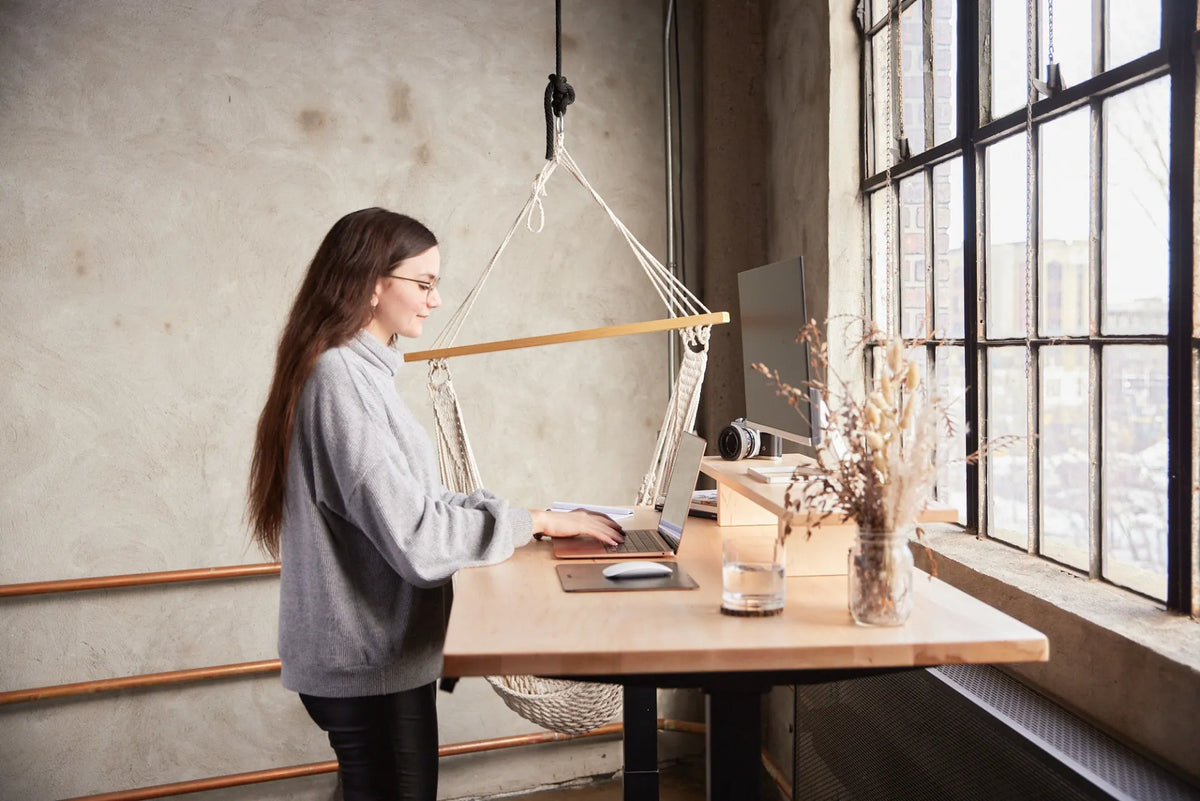
Placing a desk perpendicular to a window is often the most practical arrangement for computer work. It puts daylight to one side instead of directly behind the screen or straight in your eyes, which can make reflections and extreme brightness contrast easier to manage. It also lets you keep a view of the room and some natural light without dedicating the full wall beneath the window to the desk.
Perpendicular is not automatically perfect. The best side depends on sun direction, blinds, monitor finish, room circulation and whether your dominant hand casts a shadow on paper. Use the 90-degree layout as a strong starting point, then test the room at the hours when you actually work.
Why the perpendicular layout often works
Ontario's Occupational Health Clinics for Ontario Workers recommends positioning the workstation or monitor perpendicular to the window to help reduce glare. The Canadian Centre for Occupational Health and Safety also advises controlling reflections from windows and angling the monitor away from light sources.
The logic is straightforward. If the screen faces the window, the bright view sits directly behind your line of sight and can create a large contrast between the display and the outdoors. If the window is directly behind you, daylight can reflect on the screen. With the window at your side, you can usually reduce both problems and fine-tune the remaining light with blinds.
Which side should the window be on?
Either side can work. Start with the window on the side that gives you the least direct sun during your main work period. Room orientation matters more than a universal left-or-right rule.
If you write on paper
Right-handed people often prefer daylight from the left so the writing hand does not cast a shadow. Left-handed people may prefer the opposite. This is a convenience, not an ergonomic requirement, and a task lamp can solve the problem when the room layout dictates another position.
If you use video calls
Side light can create an uneven face on camera. A sheer blind, a small light placed near the camera or a slight desk rotation can balance the image. Avoid turning the desk so far that the window becomes a bright background directly behind you.
If the sun reaches the screen
Direct sunlight changes through the day and across seasons. A desk that works in the morning may become difficult in late afternoon. Adjustable blinds or curtains are more useful than relying on a single fixed position.
How far should the desk be from the window?
There is no single distance for every room. Leave enough space to operate blinds, open the window safely, clean the glass and avoid contact with a cold or hot surface. Do not block a heater, radiator, baseboard unit or required air path. Keep cables and equipment away from condensation or water entry.
If the desk runs right up to the window wall, check that the monitor arm, shelf and screen can move without striking the frame. If the desk sits farther into the room, preserve a clear walking route and enough room to move the chair. Burotic's guide on whether a desk should face a wall or the room can help with the broader orientation decision.
Place the monitor before styling the room
The screen is the most glare-sensitive part of the setup, so position it before lamps, plants and decorative items.
- Place the desk roughly perpendicular to the window.
- Centre the primary monitor in front of your usual seated or standing position.
- Turn the screen until it does not show a strong window reflection.
- Check the screen with blinds open, partly closed and closed.
- Adjust brightness to suit the room instead of setting it permanently to maximum.
- Repeat the test in the brightest hour of your workday.
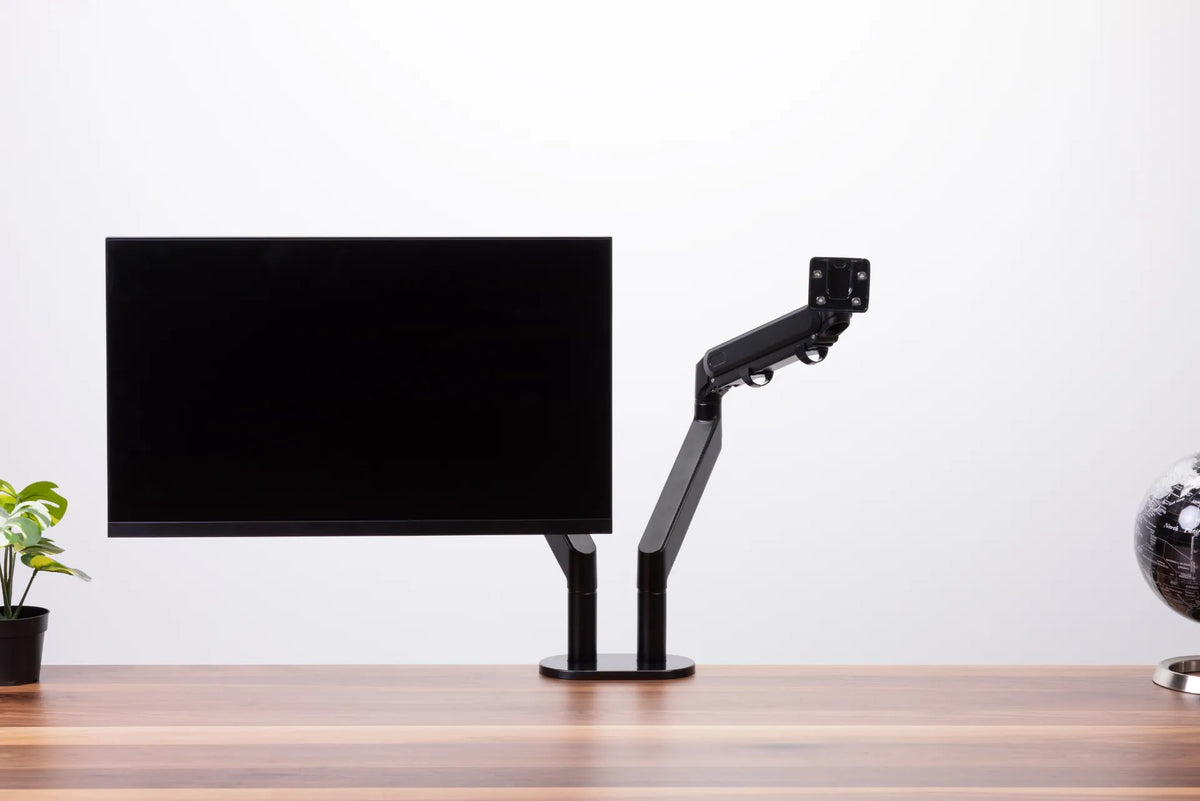
If the screen needs frequent repositioning, a verified monitor arm can make height, depth and angle changes easier. Confirm monitor compatibility and current product details before choosing a mount.
Control glare at the source
A bright screen is not a complete solution to window glare. Start by reducing or redirecting the incoming light.
Use adjustable window coverings
Blinds let you respond to changing sun angles while preserving some daylight. A sheer curtain diffuses light, while an opaque shade provides stronger control. In some rooms, using both offers the best flexibility.
Choose matte finishes near the screen
Glossy furniture, glass frames and bright white surfaces can reflect light even when the monitor itself is well placed. Matte work surfaces and restrained finishes near the line of sight are easier to manage.
Add local task lighting
Paper often needs more light than a monitor. A soft task light aimed at the document can illuminate the page without flooding the screen. Position the lamp so it does not create a reflected bright spot.
Keep the monitor clean
Dust and fingerprints scatter light and make reflections more noticeable. Follow the screen manufacturer's cleaning instructions and never spray liquid directly onto the display.
Perpendicular versus facing the window
Facing the window can feel open and pleasant, and it may work well when daylight is soft, the view is shaded and the screen sits below the brightest part of the glass. However, the outdoor scene can be much brighter than the display, especially on snow-covered Canadian winter days.
A side-on layout usually gives more control. If you prefer to face the view, consider moving the screen slightly off-centre, using blinds during peak brightness and looking toward the distance during short visual breaks rather than placing the bright window directly behind the monitor.
For the full trade-off, see Should You Put a Desk in Front of a Window?
Perpendicular versus window behind you
A window behind the user can reflect directly on the display and make dark content hard to read. It may also create a bright background for video calls if the camera faces the window, which is useful, but the screen reflection remains a concern.
If the room forces this layout, use blinds, angle the monitor and move the desk slightly off the reflection path. Test with a dark screen, since reflections are often more visible on dark content than on a white document.
Does a standing desk change the answer?
The same light principles apply, but a height-adjustable desk adds movement. Check reflections in both seated and standing positions because the screen's relationship to the window changes vertically. Make sure the monitor, cables and window coverings remain clear throughout the desk's full travel.
A height-adjustable base such as the active Aspire Standing Desk Frame can support a sit-stand layout, but the room plan still needs safe clearances and suitable cable length. Verify current dimensions and specifications on the product page before planning.
A quick room test before committing
Mark the proposed desk footprint with painter's tape or place the desk temporarily without fully routing cables. Work there for a morning and an afternoon. Check these points:
- Can you read the screen without squinting or leaning?
- Does the window reflect in dark areas of the display?
- Can you operate the blinds easily?
- Is there a clear route behind the chair?
- Can doors, drawers and windows open safely?
- Does the setup still work when the desk is raised?
- Is the video-call background acceptable?
This short trial reveals more than a floor plan alone because natural light changes over time.
When perpendicular is not the best choice
Choose another orientation when the side window produces intense low-angle sun that cannot be controlled, when the perpendicular desk blocks circulation, or when building systems make the location unsuitable. A compact room may simply offer one safe desk position. In that case, prioritize a clear path, stable furniture, manageable cables and effective glare control over an idealized rule.
The broader guide to natural light without screen glare offers more options for difficult rooms.
Bottom line
For many computer workstations, placing the desk perpendicular to a window is the best starting point because it brings daylight from the side and reduces the chance of having the brightest surface directly in front of or behind the screen. Pair the layout with adjustable blinds, a correctly positioned monitor and a real-world morning-to-afternoon test. The best arrangement is the one that controls glare while preserving movement, comfort and safe access to the room.
Previous article
How High Should Office Chair Armrests Be?
Next article
Should You Tilt Your Monitor? Best Screen Angle for Desk Work