





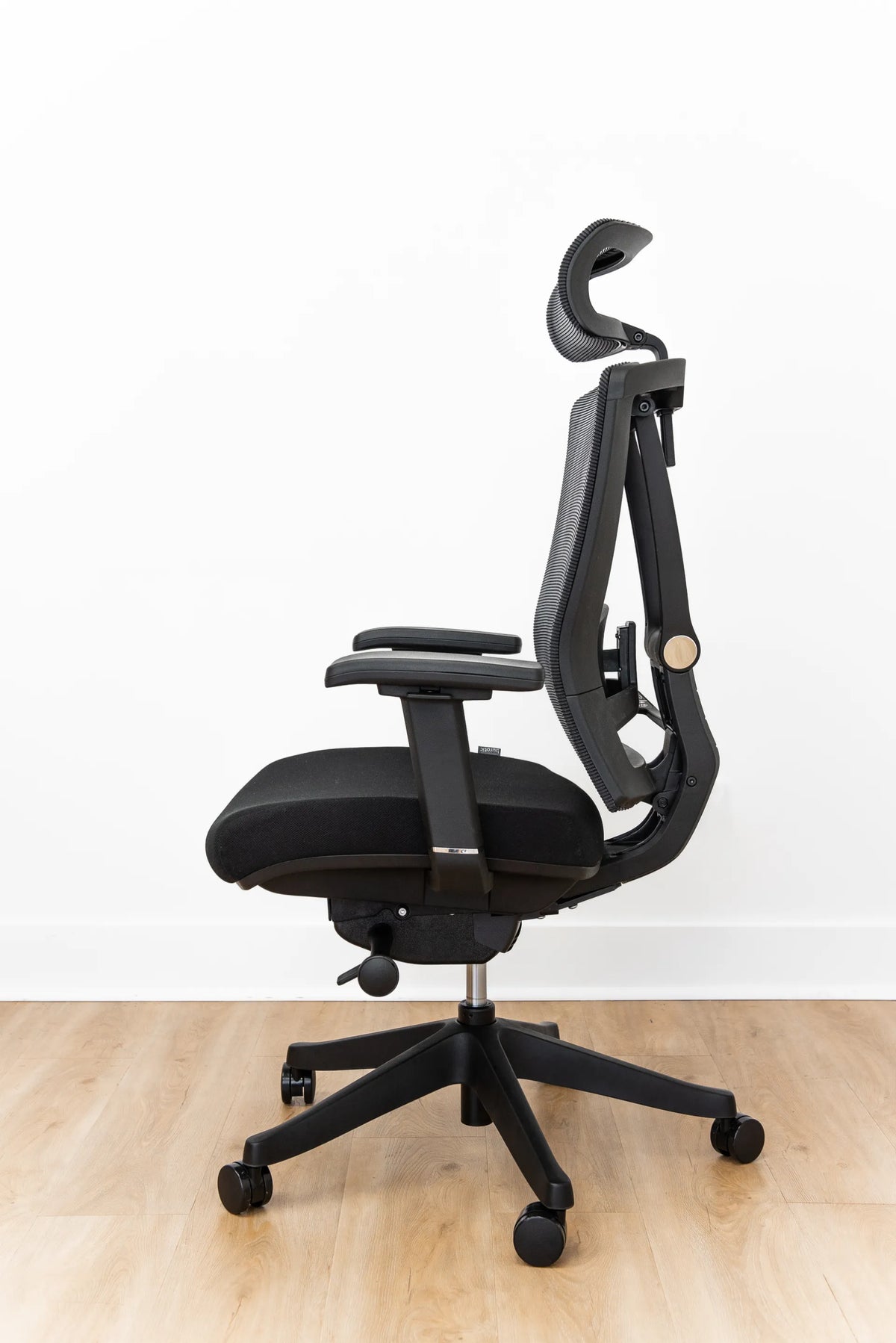
Why Won't My Office Chair Backrest Lock? Safe Troubleshooting Steps

In this article
If your office chair backrest will not lock, first confirm what the control is designed to do. Many chairs lock only at selected recline angles, some have a free-floating tilt with tension control, and others use a backrest-position lever that must be released before the chair will engage. A control that feels stuck can also be the wrong control for the function you are testing.
Do not force a lever, disassemble the mechanism while the chair is occupied, or apply lubricant before checking the manufacturer instructions. A chair carries your body weight through moving parts. If a component is cracked, loose, bent or making a new grinding sound, stop using the recline function and contact the manufacturer or a qualified service provider.
Quick checks before you assume the lock is broken
- Sit fully back in the chair on a level floor.
- Identify the recline-lock control using the chair manual or labels.
- Remove pressure from the backrest before moving the lever.
- Test each intended lock position slowly.
- Check whether tilt tension is being mistaken for the lock.
- Inspect visible fasteners and the control area without opening the mechanism.
These steps solve many setup problems without tools. If the chair still moves past every stated lock position, the mechanism or linkage may need service.
Understand which chair function you are testing
Recline or tilt lock
A tilt lock limits the reclining motion of the seat, backrest or both. Depending on the mechanism, it may lock upright only or at several preset angles. The lever may need to be pulled, pushed or rotated. Do not assume the same motion applies across chair brands.
Tilt tension
Tilt tension changes how much resistance you feel while leaning back. It does not necessarily lock the chair. A large knob beneath the seat commonly changes resistance, while another lever controls the lock. Turning the tension too far can make the backrest feel almost fixed or unusually loose, which is easy to misinterpret.
Backrest height or lumbar adjustment
A separate control may raise the backrest or lumbar support. It will not stop the chair from reclining. The Canadian Centre for Occupational Health and Safety recommends a backrest that can adjust vertically and forward and backward, with firm lumbar support that does not create pressure points. Several controls can therefore sit close together.
For a clearer overview of the hardware, review Burotic's guide to office chair tilt mechanisms.
Why the backrest may not lock
The chair is between lock positions
Multi-position mechanisms engage only at defined angles. Lean forward slightly to remove load, operate the control, then move back slowly until the mechanism meets the nearest position. Do not jerk the backrest or hold the lever under heavy pressure.
The lock requires the backrest to be unloaded
Some mechanisms resist engagement while your body is pushing against them. Sit upright, keep both feet supported and take pressure off the backrest. Then move the control and test gently. This is one of the safest first checks because it does not require tools.
The wrong lever is being used
Height, seat-depth, tension and recline controls can be close together. Compare the control shape and location with the manual. If the manual is missing, use the exact model name when requesting instructions. Do not copy a procedure from a chair that only looks similar.
The tension is set too loose
A very low tension setting can make the chair fall backward quickly before you can feel the lock point. Increase resistance in small increments according to the manual, then test again. Keep your feet planted and ensure the five-point base remains stable.
A linkage or fastener is loose
A lever may move without transferring enough motion to the internal lock. With the chair unoccupied, look for an obviously loose handle, missing external fastener or control that has separated from its normal position. Tighten only user-serviceable fasteners identified in the manual. Internal mechanisms can contain springs and should not be opened casually.
The lock plate or mechanism is worn
If the chair has years of use, repeatedly slips out of position, or no longer produces the normal engagement feel, wear may be involved. Replacement parts must match the exact chair and mechanism. A universal-looking part may not have the same geometry or load rating.
A safe troubleshooting sequence
1. Stabilize the chair
Move to a flat, clear surface. Check that all casters are seated and that the base is not cracked. Keep hands away from pinch points beneath the seat.
2. Find the model-specific instructions
Look for a label under the seat or on the frame. Use the exact model and revision when searching for a manual or contacting support. Control layouts can change between versions of the same chair.
3. Reset your sitting position
Sit fully back with feet supported and arms relaxed. CCOHS notes that chair controls should be logical and, where practical, operable from a seated position. If you must twist sharply or reach under load, get out of the chair before inspecting.
4. Test without forcing
Take pressure off the backrest, move the identified lock control once, and recline slowly. Repeat only for the positions described in the manual. Stop if the lever bends, binds or makes an abnormal sound.
5. Separate comfort from function
A working lock does not guarantee a good ergonomic setting. After the mechanism engages, adjust the chair so the backrest supports you without forcing the shoulders forward. CCOHS recommends fitting the backrest to the hollow of the lower back and allowing changes in posture.
When to stop and request service
- The chair drops or reclines suddenly.
- The lock releases while you are sitting still.
- The lever is cracked, detached or unusually loose.
- The mechanism has visible deformation, metal fragments or leaking fluid.
- The base, cylinder mount or backrest frame is cracked.
- The manual requires internal disassembly.
- The correct replacement part cannot be confirmed.
Document the model, purchase information, photos and a short video of the symptom if it can be recorded safely. This helps support staff distinguish a control issue from a failed mechanism.
How to work safely while waiting for help
If the chair remains stable but the recline lock is unavailable, use another chair when possible. Do not wedge objects into the mechanism or tie the backrest in place. Temporary modifications can create new failure points.
If you are evaluating a replacement, prioritize a chair whose adjustment range fits your body and whose controls you can operate easily. Burotic's guide to choosing an ergonomic chair that fits your body explains the fit checks. You can also compare the active Loop Ergonomic Chair and Peak Ergonomic Chair using their current product pages rather than assuming that all chairs share the same mechanism.
Preventive checks
Inspect the chair periodically for loose user-serviceable fasteners, debris around casters and changes in the controls. CCOHS notes that normal wear can include loose bolts and screws, cylinder problems, and hair or lint in casters. Follow the maintenance schedule for the specific model and keep liquids away from the mechanism.
When several people share a chair, show each user how the controls work. Repeatedly forcing the wrong lever is avoidable. A small label or stored manual can prevent both misuse and unnecessary service calls.
Bottom line
A backrest that will not lock is often caused by a control misunderstanding, pressure on the mechanism or a missed preset position. Confirm the exact model, distinguish tilt tension from tilt lock, unload the backrest and test slowly. If the lock slips, the control is damaged or the mechanism requires opening, stop troubleshooting and request qualified service. General guidance cannot diagnose a specific chair from a distance, and safety should take priority over keeping the chair in use.


Previous article
How to Clean an Anti-Fatigue Mat Without Damaging It
Next article
What Size Desk Do You Need for a Laptop and Monitor?