





Do USB Ports on a Power Bar Provide Surge Protection?
No. USB charging ports do not by themselves prove that a power bar offers surge protection. Look for an explicit surge-protection claim, a joule rating or other manufacturer documentation, recognized Canadian certification and clear status indicators.

In this article
No. USB ports on a power bar do not automatically provide surge protection, and their presence does not prove that the AC outlets are surge-protected either. USB ports are primarily a charging feature. Surge protection is a separate electrical function that should be stated clearly in the product documentation and supported by relevant ratings or indicators.
This distinction matters because power bars can look similar while serving different purposes. One may simply expand a wall outlet, another may include an overload circuit breaker, and another may also contain a surge protective device. Do not infer protection from the number of outlets, the USB connector type, the switch or the enclosure.
USB charging and surge protection do different jobs
A USB port converts the power available from the bar into the voltage and current used to charge a compatible device. Its specifications may describe connector type, charging power or supported protocols. Those details do not tell you whether the bar can limit a transient voltage surge.
A surge protective device is designed to divert or limit short-duration voltage spikes within its specified conditions. Manufacturers of genuine surge protectors commonly publish information such as a joule rating, protection modes, standards, diagnostic lights or an end-of-life behaviour. The exact information varies by product, so the manual and label for the model in front of you are the deciding sources.
Health Canada describes built-in USB ports and surge protection as features that power bars may include. That wording is important: they are possible features, not synonyms.
What to check on the product
1. An explicit surge-protection statement
Look for clear language such as surge protector or surge protective device in the current product description, label and manual. A vague statement about protecting devices is not enough. If the page describes only outlets and USB charging, do not assume surge suppression is present.
2. A published protection rating
Many consumer surge protectors publish a joule rating. Some also list clamping or let-through information, protection modes and applicable standards. Compare only ratings that the manufacturer provides for the exact model. A larger-looking power bar is not necessarily more protective.
3. A protection-status indicator
Some models include a light that indicates whether surge protection is active. A power light and a protected light are not necessarily the same. Read the legend and manual. If the protection indicator goes out, the outlets may still provide power even though surge protection is no longer functioning, depending on the design.
4. A recognized Canadian certification mark
Health Canada advises consumers not to buy plug-in electrical products without a legitimate Canadian certification mark, such as CSA, cUL or cETL. The Electrical Safety Authority similarly recommends recognized approval marks. Certification addresses compliance with applicable safety standards; it does not replace the need to confirm whether the model actually includes surge protection.
5. The model number and manual
Product families often include versions with different cord lengths, USB ports or protection features. Match the model number on the bar with the manual and listing. Do not rely on a photograph of a similar version.
Does a circuit breaker mean surge protection?
No. An overload circuit breaker and surge protection address different events. A breaker can interrupt power when current exceeds the product's limits. Surge protection responds to short voltage spikes. A bar may include one, both or neither.
Likewise, a reset switch does not prove the presence of surge suppression. Its purpose should be explained in the product documentation. If a bar repeatedly trips or becomes hot, unplug it and investigate the connected load, product condition and circuit rather than repeatedly resetting it.
Are devices plugged into USB protected differently?
The USB charging circuitry is part of the power bar, but the protection provided to a connected phone or accessory depends on the product's design. The presence of a USB-A or USB-C port alone does not establish a surge rating for that port. Check the manufacturer's specifications for both charging and protection claims.
Also confirm charging compatibility. Connector shape does not guarantee a particular charging speed or protocol. Use a suitable cable and follow the device manufacturer's instructions. Stop using a charger, cable or power bar that is damaged, loose, discoloured, unusually hot or producing an odour.
When in doubt, ask the manufacturer for model-specific documentation before connecting sensitive equipment.
How to read a product page carefully
Separate the listing into three groups:
- Convenience: outlet count, USB-A, USB-C, cord length, clamp or mounting design.
- Load management: voltage, current, wattage and overload-breaker information.
- Surge protection: explicit protection claim, rating, modes, indicator and end-of-life instructions.
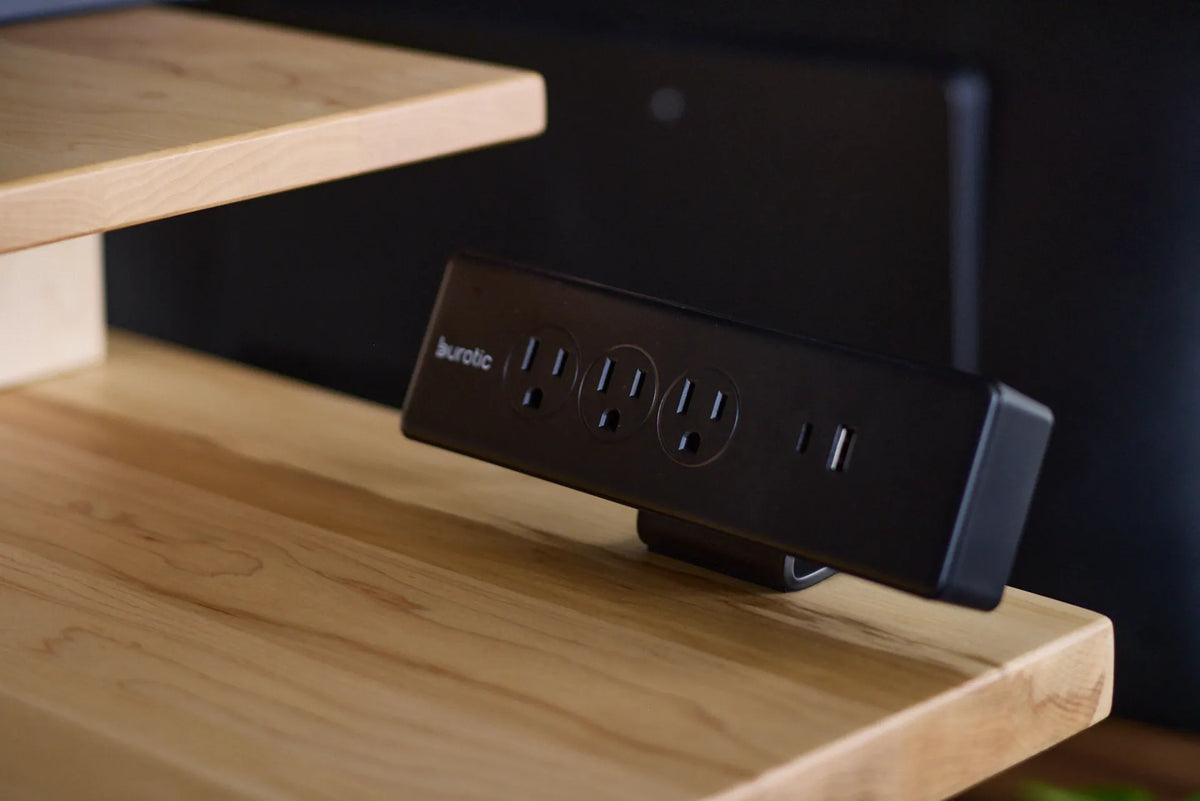
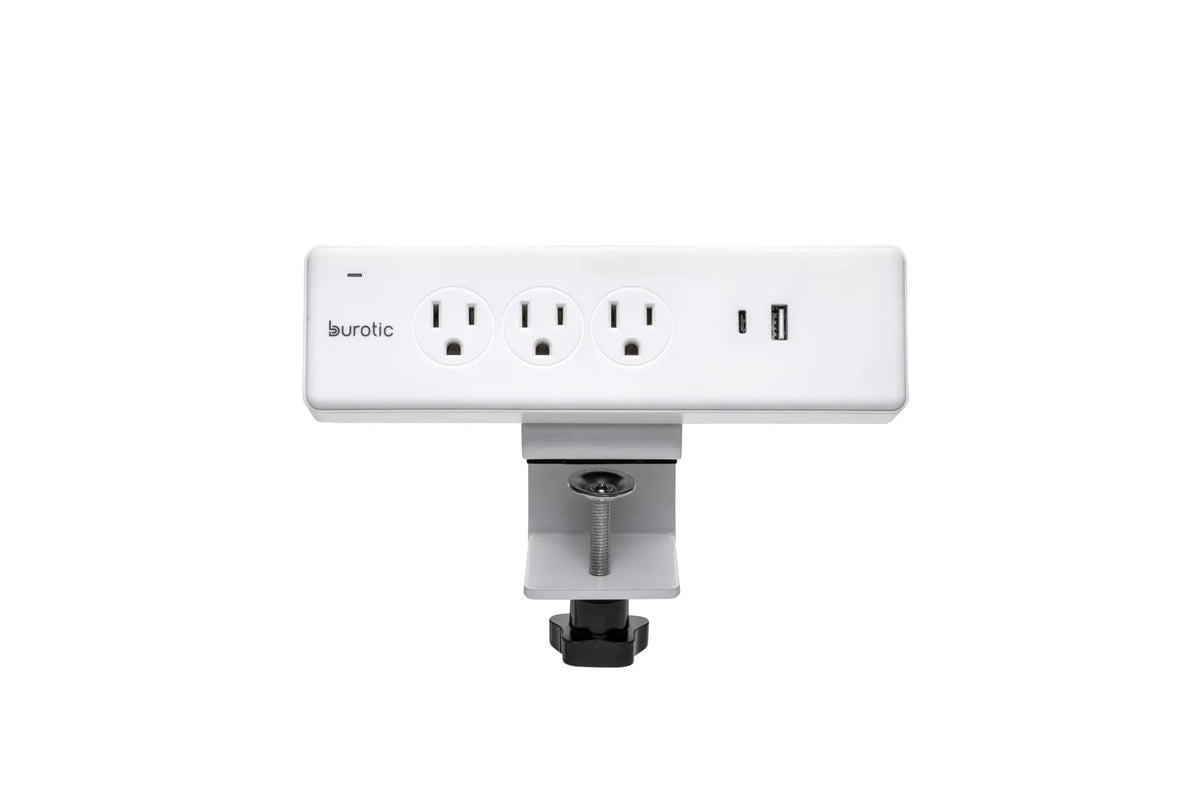
If the third group is absent, treat the product as having no verified surge protection until the manufacturer confirms otherwise. The Burotic Power Bar product page currently describes three power outlets, one USB socket and one USB-C port. It does not state a surge-protection specification on that page, so the USB ports should not be treated as evidence of surge suppression.
Safe power-bar practices in a home office
- Use a product with a recognized Canadian certification mark.
- Follow the voltage, current and wattage ratings on the label.
- Do not connect one power bar to another.
- Do not use a damaged cord, loose outlet or cracked enclosure.
- Keep cords out from under rugs and away from pinch points, heat and water.
- Avoid plugging high-wattage heating appliances into an office power bar.
- Keep the bar accessible enough to inspect and disconnect.
Health Canada warns that overloading power bars, especially with high-wattage devices such as portable heaters, can create fire hazards. Use our guide to how many devices a home-office power bar can safely support to total the connected load. The comparison of a power bar, surge protector and extension cord explains the categories in more detail.
Mounting does not change the protection rating
Mounting a bar horizontally or vertically can improve access and cable routing, but it does not add surge protection. Keep plugs fully seated, leave room for bulky adapters and prevent cables from being crushed as a height-adjustable desk moves. See the guide to horizontal versus vertical power-bar mounting for placement checks.
When should you replace a power bar?
Replace it if the enclosure or cord is damaged, plugs no longer fit securely, there are burn marks or odours, or the manufacturer says protection has reached end of life. For a surge protector, follow its indicator and replacement instructions. Surge components can degrade after events or over time, and there is no universal replacement interval that applies to every design.
If you cannot verify the model, rating or certification, stop using the product until the manufacturer or a qualified electrical professional can clarify it. General safety information cannot diagnose a building wiring problem. Repeated breaker trips, sparking or signs of overheating require qualified attention.
Bottom line
USB-A and USB-C ports tell you that a power bar can charge compatible devices. They do not tell you that the bar suppresses surges. Verify an explicit surge-protection claim, model-specific ratings, status indicators and a recognized Canadian certification mark. If those details are not documented, do not count on surge protection.

Previous article
Should Desks Face Each Other in a Shared Office?
Next article
Desk Pad vs. Bare Desktop for Writing: Which Is Better?