

Should Your Hips Be Higher Than Your Knees When Sitting?

In this article
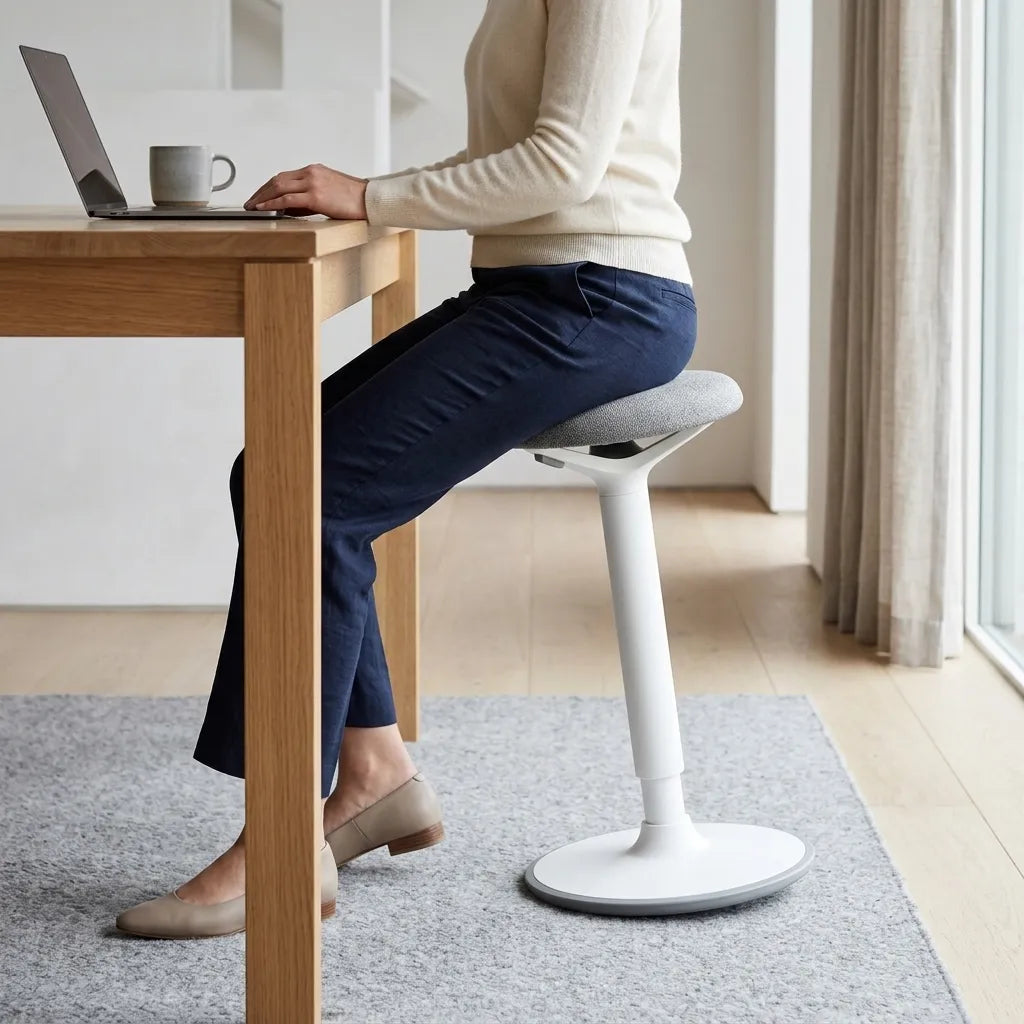
For many desk users, the hips can be level with or slightly higher than the knees. That position creates a hip angle of about 90 degrees or a little more open, while the feet remain supported. It is a useful starting point, not a rigid rule for every body.
The more important goal is a stable, comfortable posture: the pelvis supported, shoulders relaxed, thighs not compressed at the seat edge, and feet resting firmly on the floor or a footrest. Raising the hips without supporting the feet can create pressure under the thighs and make the user slide forward.
What does hips higher than knees mean?
Viewed from the side, compare the top of the thighs at the hip joints with the knees. If the hips are slightly higher, the thighs slope gently downward toward the knees. This makes the angle between the torso and thighs somewhat more open than a right angle.
A small difference is enough. The goal is not to perch high above the knees or force a steep downward slope. In a conventional office chair, the backrest and seat should still support the body. Active stools and saddle-style seats may create larger angles, but they are different seating systems and should be introduced gradually.
Why a slightly open hip angle can feel comfortable
A very low chair can put the knees well above the hips. That position increases hip flexion and may encourage the pelvis to roll backward, especially if the seat is deep or the user cannot use the backrest. Some people then round the lower back or lean forward to reach the desk.
Raising the seat enough to bring the hips level with or a little above the knees can make an upright position easier. It may also help the user move between sitting and standing. Comfort varies, however, and a posture change is not a treatment for pain. Persistent symptoms, numbness or weakness warrant advice from a qualified health professional.
The feet are the deciding factor
Do not raise the chair solely to achieve a textbook hip angle. If the heels lift or the feet dangle, the setup has traded one problem for another. Unsupported feet can increase pressure at the front of the seat and reduce stability. The Canadian Centre for Occupational Health and Safety recommends supporting the feet on the floor or on a footrest, with knees at or slightly below hip level.
If the desk is too high to let you keep both feet supported while your elbows are comfortable, use a footrest or lower the work surface. Our guide for when your feet do not reach the floor walks through that adjustment sequence.
How to set chair height step by step
- Sit fully back so the backrest supports the pelvis and lower back.
- Place both feet flat and distribute weight across the soles.
- Raise or lower the seat until the knees are roughly level with or slightly below the hips.
- Check for a small gap between the seat edge and the back of the knees.
- Relax the shoulders and bring the elbows near the body.
- Adjust the desk or keyboard height so the forearms can remain close to horizontal.
- Add a stable footrest if the work surface cannot be lowered enough.
Recheck the position after ten to fifteen minutes. A setting that looks correct can still create pressure or fatigue. Small changes are usually more useful than chasing an exact angle.
What about the 90-degree knee rule?
A knee angle near 90 degrees is a common reference, but it should not be treated as a mandatory geometric target. The CCOHS describes hips, knees and ankles at about 90 degrees or slightly more open, with knees at the same height as or slightly below the hips. Natural movement means these angles change throughout the day.
Our article Should Your Knees Be at 90 Degrees? looks more closely at knee angle. The present question is different: it focuses on the vertical relationship between the hip and knee and how that relationship affects the whole workstation.
Seat depth can change the result
Even with an appropriate height, a seat that is too deep can press behind the knees or keep the user from reaching the backrest. The person may slide forward, which removes lumbar support and changes the apparent hip angle. Adjust seat depth so the back remains supported while a small clearance remains behind the knees.
A seat that is too short may provide inadequate thigh support. Balance is the objective: enough surface to distribute weight without contacting the back of the legs.
Should the seat tilt forward?
A modest forward seat angle can open the hip angle for users who find it comfortable, especially during short, focused tasks. It is not necessary for everyone. Too much forward tilt can make the user slide, increase pressure through the feet or require muscular effort to avoid moving forward.
Start with a neutral seat. Change one setting at a time, and use the backrest when the task allows. If a chair offers tilt tension or recline, those controls affect how body weight is supported and should be adjusted as a system rather than independently.
Coordinate the chair with the desk
Chair height cannot be optimized in isolation. After supporting the feet and setting the hip-knee relationship, check the keyboard. If it is too high, the shoulders rise and the wrists may bend. If it is too low, the user may collapse forward. An adjustable desk makes it easier to bring the work surface to the seated user instead of distorting the seated posture to reach a fixed desk.
Monitor height comes afterward. Set the chair and keyboard first, then place the screen so text can be read without leaning or lifting the chin. This order prevents the monitor from dictating an unsuitable chair height.
Common signs that the chair is too low
- Knees are clearly higher than the hips.
- The pelvis rolls backward and the lower back rounds.
- The user needs to push hard through the arms to stand.
- The desk feels high even though the shoulders are elevated.
- The thighs angle upward toward the knees.
These signs suggest reviewing the setup, but they do not diagnose a health condition. A chair can also feel low because the cushion has compressed or the cylinder is no longer holding its position.
Common signs that the chair is too high
- The feet do not rest fully on the floor.
- Pressure builds under the thighs near the seat edge.
- The user perches forward instead of using the backrest.
- The knees are much lower than the hips and the seat feels unstable.
- The casters move when the user reaches for the floor.
Lower the chair if the desk permits, or add a correctly sized footrest. Do not use a rolling box or an unstable stack as foot support.
Choosing a chair that supports adjustment
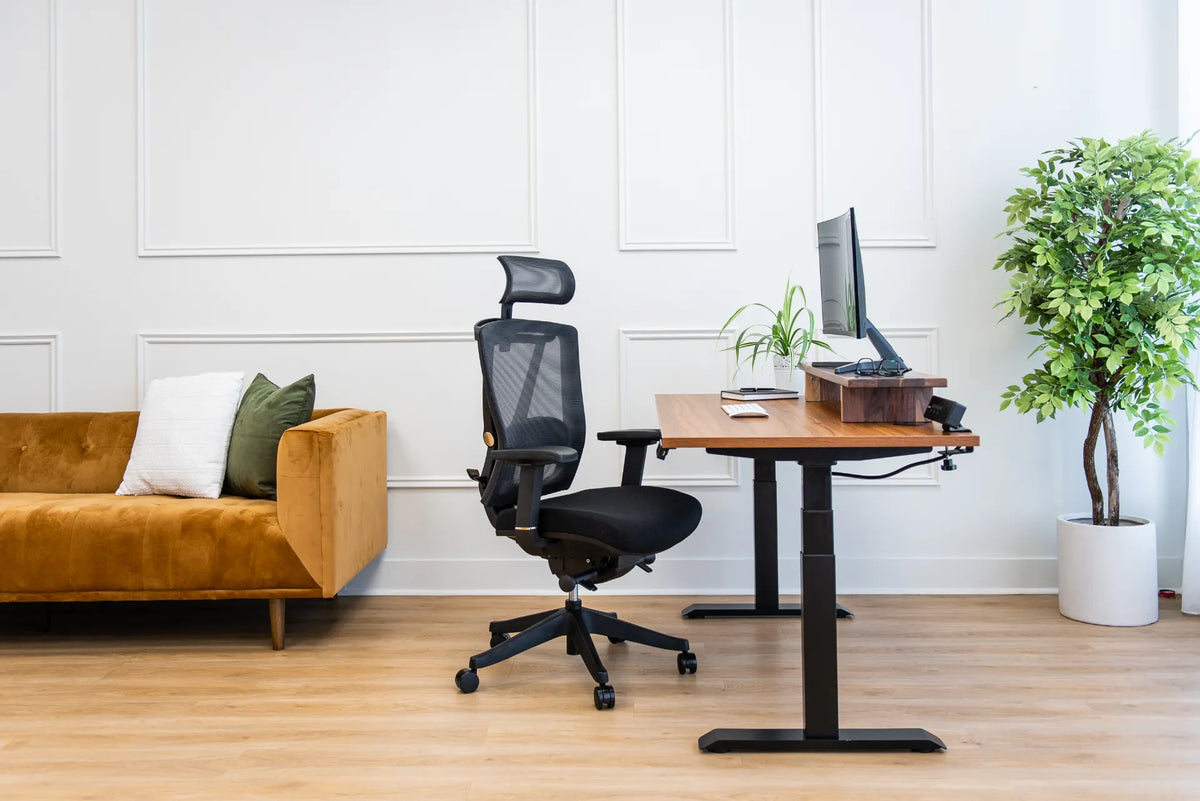
Look for a seat-height range that lets the intended user support the feet while reaching the work surface. Seat depth, backrest support and armrest adjustment also affect fit. Burotic's Loop Ergonomic Chair is one option with adjustable features; review the current specifications and compare them with the user's measurements before choosing.
For a fuller setup sequence, see how to adjust an office chair for hip comfort. Adjustability is valuable because no single fixed angle remains ideal for every task or every hour.
Movement matters more than holding one perfect angle
Even a well-fitted chair does not make prolonged stillness desirable. Change posture, stand for brief tasks and take movement breaks. Reclining slightly can redistribute load, while returning upright may suit typing. The best setup supports these changes without forcing the user to rebuild the workstation each time.
Conclusion
Your hips may be level with or slightly higher than your knees when sitting at a desk, provided your feet are supported and the chair supports your pelvis and back. Use that relationship as a practical starting point, then adjust for comfort, task and body proportions. If raising the chair makes the feet dangle, solve the foot support or desk-height problem rather than forcing the angle.
Previous article
How Much Space Do You Need Behind a Desk for a Chair?