

Where Should You Put a Drink on Your Desk? A Spill-Safe Setup

In this article
The safest place for a drink on a desk is a stable, dedicated zone that is easy to reach but separated from the keyboard, laptop, power connections and desk controls. For most people, that means one side of the work surface, beyond the main mouse and paper path, with a coaster or tray beneath the container.
No desktop location can make an open drink risk-free. The goal is to reduce the chance of a knock and limit what a spill can reach. Container shape, desk material, electrical equipment, handedness and the motion of an adjustable desk all affect the best location.
Quick answer: create a liquid zone
Choose a side that your working hand does not sweep through repeatedly. Keep the drink away from the gap between keyboard and monitor, the area beside the mouse and any place where papers are moved. Put it on a flat portion of the desktop, not on a monitor stand, stack of books, uneven mat edge or narrow corner.
Leave physical separation between the container and powered devices. A coaster controls condensation and defines the zone, but it does not contain a major spill. A shallow waterproof tray with a raised edge can add containment if it is stable and large enough for the cup or glass.
Map the traffic on your desktop
Watch how your hands and objects move during a normal hour. The mouse travels through a wide arc. Papers slide from one side to the other. A phone cable may be pulled toward you. These paths are the high-traffic zone, even when the surface looks empty.
Put the drink outside those paths while keeping it within a comfortable reach. If you must lean or twist far to pick it up, you may drag it back into the work zone or set it down without looking. The best location balances separation with deliberate access.
Use handedness as a starting point
A right-handed mouse user often has more movement on the right, so the left rear or left side may be quieter. A left-handed user may prefer the opposite. This is only a starting point. A phone, document tray, second mouse or frequently opened drawer can change the pattern.
The CCOHS guidance on purchasing ergonomic office furniture recommends considering handedness, tasks and the equipment used. Apply that same task-based approach here. Choose the side that stays genuinely calm during your work, not the side that looks symmetrical.
Keep liquids away from electricity
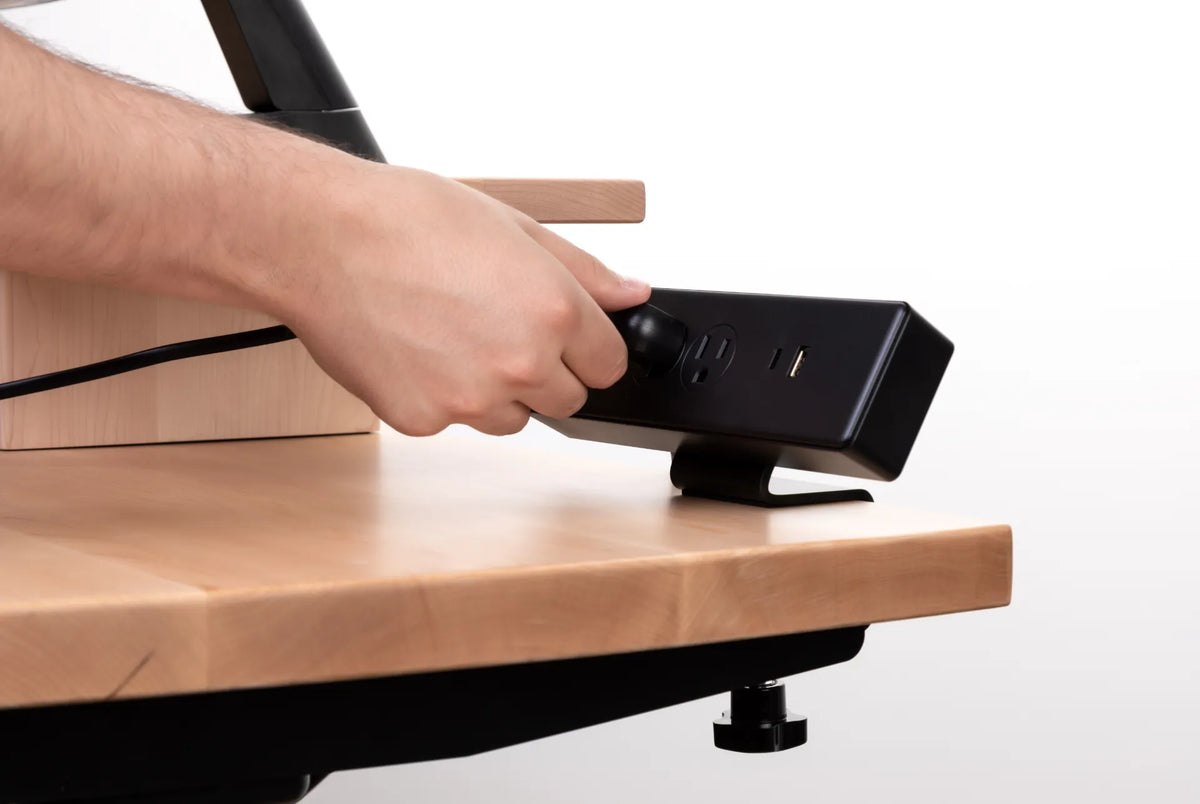
Do not place a drink over a power bar, charger, control box or floor outlet. Avoid routing charging cables beneath the liquid zone where a spill could follow the cable. If a powered device becomes wet, do not touch exposed electrical parts or continue using it. Disconnect power only if this can be done safely and follow the manufacturer's instructions.
Health Canada advises keeping electrical products away from water and using products according to their instructions. A desk power plan should therefore separate the beverage area from the Burotic Power Bar, plugs and cable connections rather than relying on quick cleanup after a spill.
Separate the drink from high-value devices
Place a laptop so the drink cannot fall directly onto its keyboard or ports. Do the same for an external keyboard, dock, camera, phone and headphones. A container behind the laptop may look tidy, but reaching over the computer can make the route less controlled. A position beside the device with a clear horizontal gap is usually easier to manage.
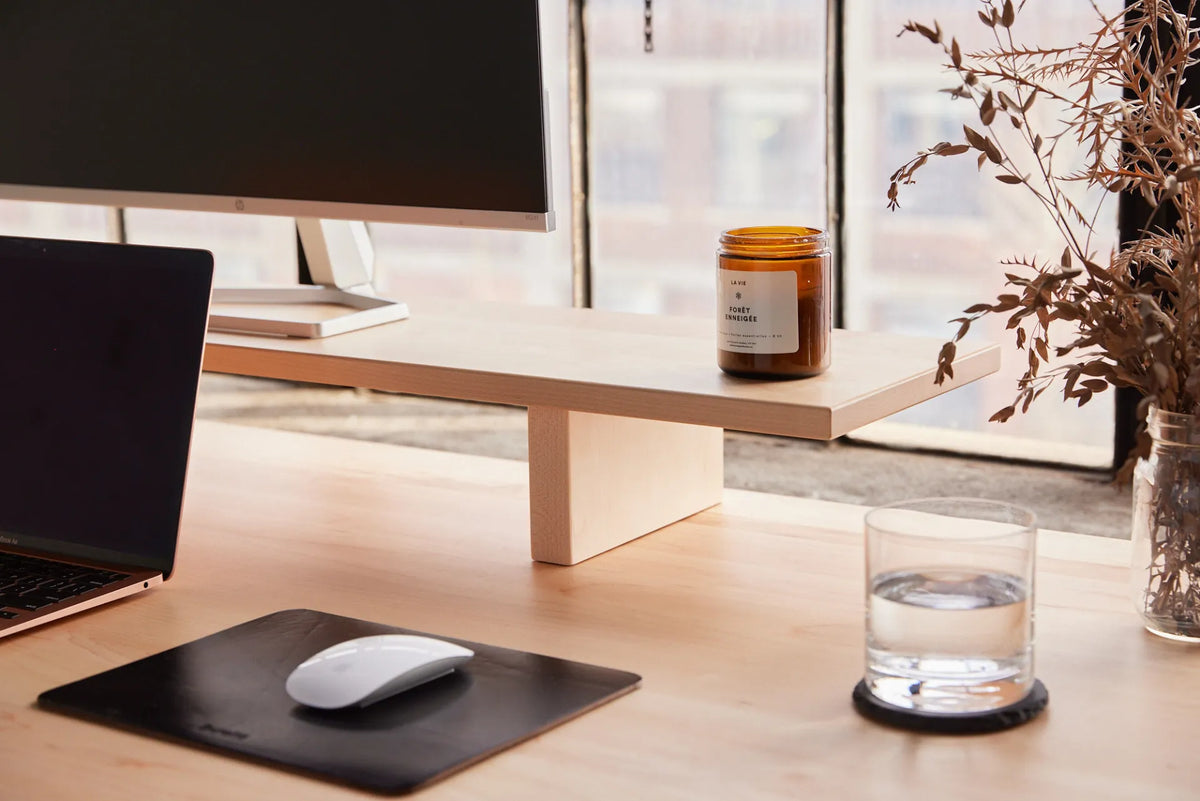
Keep the drink off the monitor stand. Height increases the path of falling liquid, and a stand may place the glass above the laptop or keyboard. The image used for this article shows a glass on the desktop while the monitor remains on a raised shelf. That visible separation is a useful planning cue, not a guarantee against spills.
Choose a stable container and base
A broad, flat base is generally harder to tip than a narrow one. A secure lid can reduce the amount released, although many travel mugs are not completely leakproof. Check the lid, seal and drinking opening before bringing the container near electronics. Replace a cracked cup or distorted lid.
Use a coaster that sits flat and grips the surface without rocking. Oversized containers need an appropriately sized base. Avoid a coaster with a raised centre that makes the glass unstable. If condensation is heavy, choose a material or tray that prevents moisture from spreading onto the desk.
Protect the desktop material
Water, coffee, tea and sweetened drinks can affect finishes differently. Blot a spill promptly with a clean, absorbent cloth, then follow the care instructions for the actual desktop. Do not assume a wood-looking surface is solid wood or that a finish is waterproof.
For solid wood, the Burotic wood furniture maintenance guide explains routine cleaning and moisture precautions. For laminate or another material, use the product's documented care method. Avoid harsh chemicals unless the manufacturer recommends them.
Plan for an adjustable desk
A drink moves with the desktop, but the surrounding furniture does not. Before raising or lowering the desk, look for a shelf, windowsill or wall object that could strike the container. Confirm that the cup does not sit above a cable that will tighten or beside an accessory that changes angle.
Run the desk slowly through its intended range with the drink removed. Once the travel path is confirmed, mark a beverage zone that stays clear at every height. Keep the drink off the desk during first-time tests, resets, maintenance or any movement that may be unpredictable.
The standing desk cable management guide helps separate moving cables from daily surface zones. A clean cable plan also reduces the temptation to place a drink wherever a loose cable is not lying.
Do not use the floor as the alternative
A bottle or mug on the floor can be kicked, caught by a caster or forgotten under the moving desk. It can also place liquid near a power connection. If the desktop is too crowded for a safe beverage zone, reduce clutter or use a stable side surface designed for the container.
A clip-on cup holder may be useful only if it is compatible with the desktop, securely installed and positioned outside chair and desk movement. Verify the holder's dimensions and load instructions. Do not clamp it where it interferes with a control, drawer or structural part.
Spill-response plan
- Stop moving the desk and keep hands away from wet electrical parts.
- Disconnect power only if the plug or switch can be reached safely without contacting moisture.
- Move unaffected portable devices away from the liquid when it is safe to do so.
- Blot the desktop promptly and prevent liquid from reaching seams or openings.
- Follow the device and furniture manufacturers' drying and service instructions.
- Do not power a wet electrical product until it has been assessed as directed by its manufacturer or a qualified service provider.
If the spill involves a rechargeable desk accessory, do not resume charging merely because the surface looks dry. The guide to cleaning a wireless charging desk pad explains the additional care required around its electrical module.
Common mistakes
Putting the drink beside the mouse
The mouse area receives frequent, fast hand movement. Leave that path clear.
Using a monitor shelf as a cup shelf
Extra height can send liquid onto more equipment and makes reaching less controlled.
Placing the drink above power
Keep liquid away from power bars, chargers, outlets and cable junctions.
Trusting a lid without checking it
A loose seal or open drinking port can still release liquid when the cup tips.
Moving the desk without looking
A safe location at one height may approach a shelf or other obstacle at another.
Final recommendation
Create one deliberate beverage zone on a flat part of the desktop, outside the paths of your hands, papers and devices. Use a stable container and coaster, keep a clear gap from electronics and locate power connections elsewhere. Test the desk's movement without the drink before using the zone at standing height.
If no surface location provides both safe separation and easy reach, clear the desk or use a stable side table. Convenience should not depend on balancing a drink above expensive or powered equipment.
Sources: Health Canada, Electrical Product Safety; CCOHS, Purchasing Ergonomic Office Furniture.
Previous article
Standing Desk Setup for Paperwork and Document Review
Next article
Standing Desk Setup for Paperwork and Document Review