





Monitor Arm Clamp vs. Grommet Mount: Which Is Better?

In this article
A clamp mount is usually better when you want the simplest, most reversible monitor arm installation and have an open, compatible desk edge. A grommet mount is often better when the rear edge is blocked, you already have a suitable hole, or you need the arm farther forward on a deep desktop.
Neither method is automatically stronger or safer. The correct choice depends on the monitor arm's approved hardware, the desktop thickness and material, the mounting location, and what sits under the desk. A secure installation follows the specifications for the exact arm rather than a general rule.
Quick comparison
- Clamp mount: attaches around an accessible desktop edge without drilling.
- Grommet mount: passes a bolt through an existing cable hole or an approved drilled hole.
- Best for renters or frequent changes: usually the clamp, if the edge fits.
- Best when the back edge is blocked: often the grommet, if the desktop can accept it.
- Best placement flexibility: grommet mounting can use an appropriate hole away from the edge.
Check the arm manual before choosing. Some arms include both mounting kits, while others support only one. Desktop thickness ranges can also differ between the clamp and bolt-through hardware on the same product.
How a clamp mount works
A clamp mount grips the desktop from above and below. The arm base sits on the work surface while a lower plate or screw presses against the underside. It is commonly installed along the rear edge, although an open side edge can work when the manual permits it and the screen position remains practical.
Advantages of a clamp
- No hole is required in a compatible desk.
- Removal usually leaves no permanent opening.
- The arm can be repositioned when the layout changes.
- Installation is often accessible from the back edge.
This makes a clamp attractive for rental homes, shared workstations, and users who may change from one to two screens. It also lets you test a position before committing to a permanent hole.
Limitations of a clamp
The desk edge must be accessible above and below. A rear apron, cable tray, drawer, crossbar, wall contact, or decorative bevel can block the lower plate or prevent it from sitting flat. A desktop that is outside the approved thickness range is not compatible simply because the screw can touch it.
The clamp also concentrates load in a limited area. A strong arm on a weak or hollow desktop can damage the surface. Use every protective pad and reinforcement specified by the manufacturer. Do not improvise a spacer that changes the way the hardware seats.
How a grommet mount works
A grommet mount uses a bolt through the desktop. It can pass through an existing cable-management hole or a new hole drilled to the diameter allowed by the arm manufacturer. A plate and fastener below the surface hold the base in place.
Advantages of a grommet mount
- It does not require an exposed rear edge.
- The arm can be positioned farther into a deep work surface.
- An existing grommet hole can create a clean installation.
- The mounting hardware can stay clear of some rear-edge accessories.
UPLIFT Desk describes bolt-through mounting as useful for a grommet or custom-drilled hole anywhere on a compatible desktop. Progressive Desk likewise notes that a grommet mount fixes the arm through a compatible hole. These current examples show the general distinction, but their measurements apply only to their own products.
Limitations of a grommet mount
You need access below the chosen hole. A frame rail, control box, drawer, or cable tray can block the washer or nut. The hole also becomes part of the desktop, so moving the arm later may leave an opening. Drilling can affect a surface warranty and is not appropriate for every material.
Do not drill tempered glass, stone, or an unfamiliar composite based on a generic online guide. Confirm that the desktop manufacturer permits drilling and follow its instructions. If the desk already has a cable grommet, measure the usable opening after removing any insert.
Which mount is better for a standing desk?
Both can work on a height-adjustable desk. The important factors are secure attachment, clearance from moving frame parts, and cable slack through the full sitting-to-standing travel. A clamp near the rear edge may conflict with a cable tray. A grommet bolt farther forward may conflict with a crossbar.
Raise and lower the empty desk while observing the proposed location before installing the monitor. Keep hands clear of moving parts. Once the arm is installed, route video and power cables with enough controlled slack for the arm and desk to move without pulling connectors.
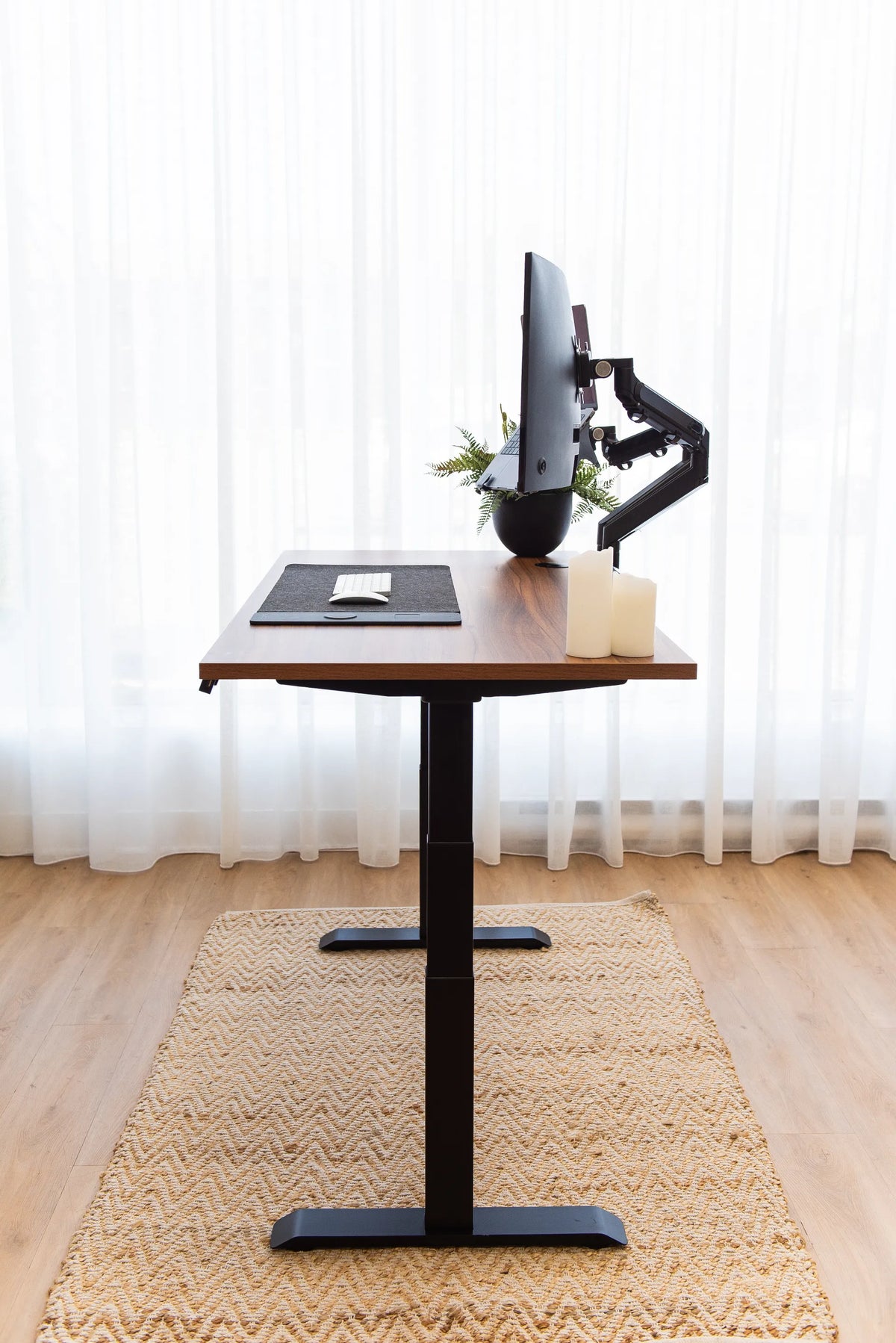
The featured Burotic photo shows a walnut-coloured height-adjustable desk with black legs, two black monitor arms, a raised laptop, white keyboard and mouse, plant, black desk pad, and candles. The actual attachment hardware is not visible enough to identify the mounting method, so the image is used only to illustrate a completed monitor-arm setup.
Measure these five things before choosing
1. Desktop thickness
Measure at the exact attachment point. Do not assume the visible front thickness matches the rear edge. Some desktops include a bevel, metal reinforcement, or an apron that changes the available grip.
2. Clear space under the surface
Check the footprint needed by the lower clamp or grommet plate. Include room for a tool to tighten it. A technically open space is not useful if a wall or drawer prevents access.
3. Hole diameter
For grommet mounting, compare the existing or proposed hole with the manufacturer's allowed range. A hole that is too wide may not give the upper base and lower plate enough bearing area.
4. Desktop material and construction
Solid wood, laminate over particleboard, bamboo, hollow-core panels, and glass behave differently under concentrated load. Verify that the chosen location can carry the arm and screen within the product limits.
5. Monitor and arm compatibility
The mount-to-desk decision does not replace screen compatibility. Confirm screen weight, size, VESA pattern, and the arm's capacity. VESA maintains the Flat Display Mounting Interface standard used by many screens and mounts. Our monitor arm compatibility checklist covers the complete review.
When the clamp is the practical choice
Choose the clamp when the desktop edge is square, accessible, within specification, and structurally suitable. It is especially sensible when you may move the arm, change the desk, or avoid permanent modification. Leave enough space behind the desk for the arm to fold and swivel.
Our guide to monitor arm position on a desk explains why the best attachment point is not always the geometric centre.
When the grommet is the practical choice
Choose a grommet mount when you have an approved hole in a useful position or when the back edge cannot accept the clamp. It can also help on a deep desk where an edge-mounted arm cannot bring the screen close enough without using most of its forward reach.
Before drilling, test the screen location with the arm dimensions and review desk depth for a monitor arm. A hole that is too far back or too far to one side can limit the final viewing position.
Avoid these installation mistakes
- Clamping over a rounded or strongly bevelled edge.
- Ignoring a frame rail under the proposed grommet hole.
- Using hardware from another arm because it appears to fit.
- Installing the screen before the base is fully secured.
- Exceeding the approved desktop thickness or monitor weight.
- Tightening until a laminate surface crushes or deforms.
After installation, move the empty arm through its range, then attach the screen using the specified procedure. Adjust tension only after confirming the monitor is within the supported range.
What to verify on the Burotic monitor arm
The current Burotic Monitor Arm page confirms single and dual configurations and is the correct place to check current options. Do not assume that third-party clamp or grommet dimensions apply. Confirm the hardware included with the selected Burotic configuration and follow its installation instructions.
If the screen lacks standard mounting holes, read whether a monitor arm can be used without VESA holes before buying an adapter.
Bottom line
Use a clamp for a reversible installation on an open, compatible desk edge. Use a grommet mount when an approved hole provides better access or placement. The better method is the one fully supported by both the arm and desktop at the exact location you intend to use.
Measure before ordering, inspect the underside, and never drill an uncertain material. A careful attachment decision protects the screen, the desk, and the adjustment range you bought the arm to provide.
Previous article
Do You Need a Footrest at Your Desk?
Next article
Do You Need a Footrest at Your Desk?