





Why Is My Standing Desk Beeping? What the Sound Can Mean

In this article
A beep from an electric standing desk is not a diagnosis by itself. It may be an intentional confirmation sound, the end of a reset sequence, or a prompt to look at the controller display. The useful question is not simply why the desk beeped, but what the desk was doing at that exact moment.
Start by noting whether the desk moved, stopped, reversed, displayed a code, or beeped after a button combination. Then use the checks below in order. Do not open the control box, bypass a safety feature or keep forcing the controls when movement is uneven.
Quick answer: what can a standing desk beep mean?
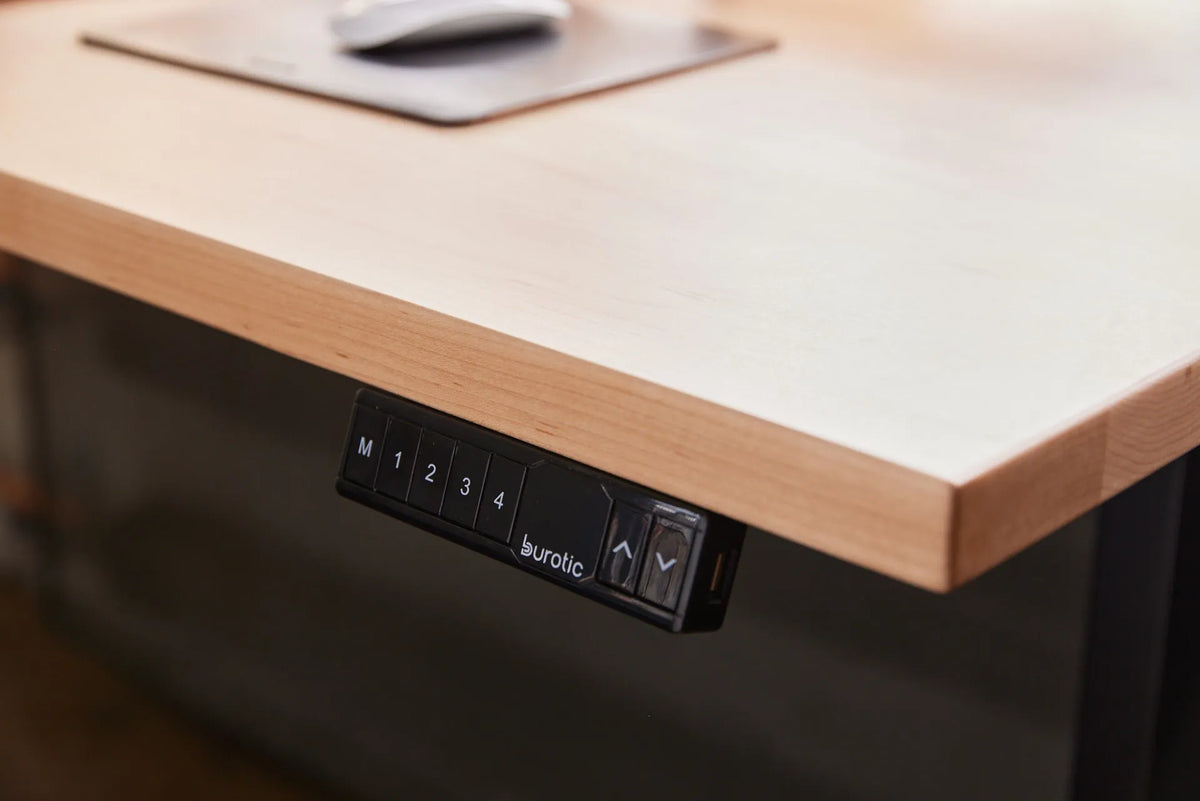
On the documented Burotic Aspire controller, a light beep is part of the completed E00 reset sequence. A beep can also confirm that a minimum or maximum height limit has been activated or deactivated. Other standing desks use sounds differently, so the correct meaning depends on the controller model and the accompanying display or movement.
If the beep occurs with an error code, use the code as the primary clue. If it occurs without a code, record the button pressed, the desk height and whether the desk still travels normally. This short observation often separates a normal confirmation from a problem that needs troubleshooting.
Identify when the beep happens
After a button combination
This often indicates that the controller accepted a setting. On the Aspire system, the official instructions use an audible confirmation when a height limit is set or removed. Before assuming something failed, test the desk within a short, clear travel range. A stored upper or lower limit may explain why it stops at the same height every time.
At the lowest position
For the Aspire base, a light beep after the display shows E00 and then 22.4 indicates that the reset reference sequence has reached the documented stage. The next step is to press the up arrow once to reactivate the motors, then test a short movement. Follow the exact procedure in the Aspire reset and error code guide, since another controller may use a different sequence.
With an error code
Write down the complete code before unplugging anything. Codes are more useful than the sound because they can distinguish an interrupted reset, excessive use, uneven legs, an obstruction, a current issue or a motor connection problem. Do not repeatedly run a generic reset without checking what the code means.
During travel
Clear the entire path above, below and beside the desktop. Check for a chair arm, drawer unit, windowsill, shelf, cable bundle or power cord that becomes tight as the desk moves. A safety system may reverse the desk after detecting resistance. A repeatable stop at the same point is a strong reason to inspect that part of the travel path.
A safe troubleshooting sequence
1. Stop and document the symptom
Note the displayed height, any code, the direction of travel and the button you pressed. If possible, take a short video that includes the display and both legs. This gives support staff much better information than a description such as “it keeps beeping.”
2. Remove possible obstructions
Move objects away from the frame and desktop. Make sure cables have enough slack for the full height range. Do not place your hands near lifting columns or pinch points while testing. Keep children and pets away during troubleshooting.
3. Check visible power and motor connections
Disconnect the desk from power before touching connectors. Inspect the power cable and visible motor leads for looseness, pinching or damage. Reseat only connectors that the product manual identifies as user-accessible. Never force a plug or substitute an unapproved cable, controller or power supply.
4. Let the desk rest after repeated movement
Electric desk motors and control boxes have operating limits. The Aspire E01 code, for example, indicates excessive operation and calls for a rest period. If the desk became unresponsive after repeated adjustments, stop pressing buttons and follow the manual for the displayed code.
5. Use the correct model-specific reset
A reset is appropriate when documentation calls for it, not as the first response to every sound. The Aspire reset uses both arrow buttons and requires the base to reach its lowest position. Releasing a button early interrupts the procedure. For different controls, locate the matching manual rather than borrowing steps from another model.
Burotic keeps current product documents on the manual guides page. If your desk does not respond at all, the guide on what to check when a standing desk will not move provides a focused power, obstruction and connection checklist.
What not to do
- Do not keep holding random button combinations.
- Do not open the control box or lifting columns.
- Do not push one side of an uneven desk to force the legs level.
- Do not defeat an anti-collision response or remove a height limit until you understand why it was set.
- Do not continue using the desk if a cable is damaged, one leg moves alone, the frame binds, or electrical heat or odour is present.
When to contact Burotic support
Stop troubleshooting when the same code returns after the documented procedure, one leg does not move with the other, the desk cannot complete a reset, or any cable or connector is visibly damaged. Include the desk model, controller appearance, error code, approximate load and a video of the symptom.
If you own an Aspire base, compare the controls with the current Aspire Standing Desk Frame reference, but use the documentation supplied with your own unit if it differs. Product revisions can change the meaning of a sound or button sequence.
Prevent confusing alerts later
Keep the travel path clear, route cables with enough slack and avoid storing objects where the frame can contact them. Save a photo of the controller model and keep the manual accessible. When setting height limits or memory positions, record what you changed so another user does not mistake the limit for a fault.
The Canadian Centre for Occupational Health and Safety recommends that sit-stand workstations be adjusted to the user and kept free of cable, storage and layout interference. A desk that moves freely is easier to troubleshoot and safer to alternate between sitting and standing.
Frequently asked questions
Does one beep mean my standing desk is broken?
No. A single beep may be a normal confirmation. Look at the display and note when the sound occurs before deciding that a component failed.
Should I unplug the desk after it beeps?
Unplug it before inspecting visible connections, when the manual instructs a power cycle, or if there is damage, heat or odour. Otherwise, first record the code and context.
Can I use any reset procedure?
No. Procedures vary. Use the manual for the exact desk and controller. An incorrect sequence can change a limit or leave the reset incomplete.
Sources
- Canadian Centre for Occupational Health and Safety: Sit/Stand Desk
- Burotic: Aspire Standing Desk Reset and Error Codes
- Burotic: Manual Guides
A beep is useful evidence when paired with the display, movement and button sequence. Observe first, make only safe visible checks and follow the documentation for your controller. If the behaviour remains unexplained, support can diagnose it more effectively with the details you recorded.



Previous article
Why Does a Wireless Charger Get Warm? What to Check
Next article
Should One Monitor Be Vertical in a Dual-Monitor Setup?