





Why Does a Wireless Charger Get Warm? What to Check
Mild warmth can be normal during wireless charging, but excessive heat deserves attention. Learn what causes it, what to remove from the charging area and when to stop charging.

In this article
A wireless charger and phone can feel mildly warm during normal charging. Energy transfer is not perfectly efficient, so some energy becomes heat. The Wireless Power Consortium and major phone manufacturers also note that modern devices may slow or pause charging when temperature rises.
Warm is different from excessively hot. Stop charging if the phone or pad becomes uncomfortable to touch, shows a temperature warning, smells unusual, changes shape or repeatedly stops charging. Let everything cool, disconnect the power source and inspect the setup before trying again. Follow the instructions for the phone, charging surface and power adapter.
Why wireless charging creates heat
Qi wireless charging transfers energy through an electromagnetic field between a coil in the charger and a receiving coil in the phone. Some energy is lost during that transfer. Alignment, distance between the coils, power level and ambient temperature all influence how much warmth you notice.
Newer Qi2 systems use magnetic alignment to position compatible coils more precisely, which can improve efficiency. However, certification, charging speed and compatibility must be checked for the exact phone and charger. Do not assume that every product carrying the word wireless supports the same standard or power level.
Common reasons a charger feels warmer
The phone is not centred on the charging area
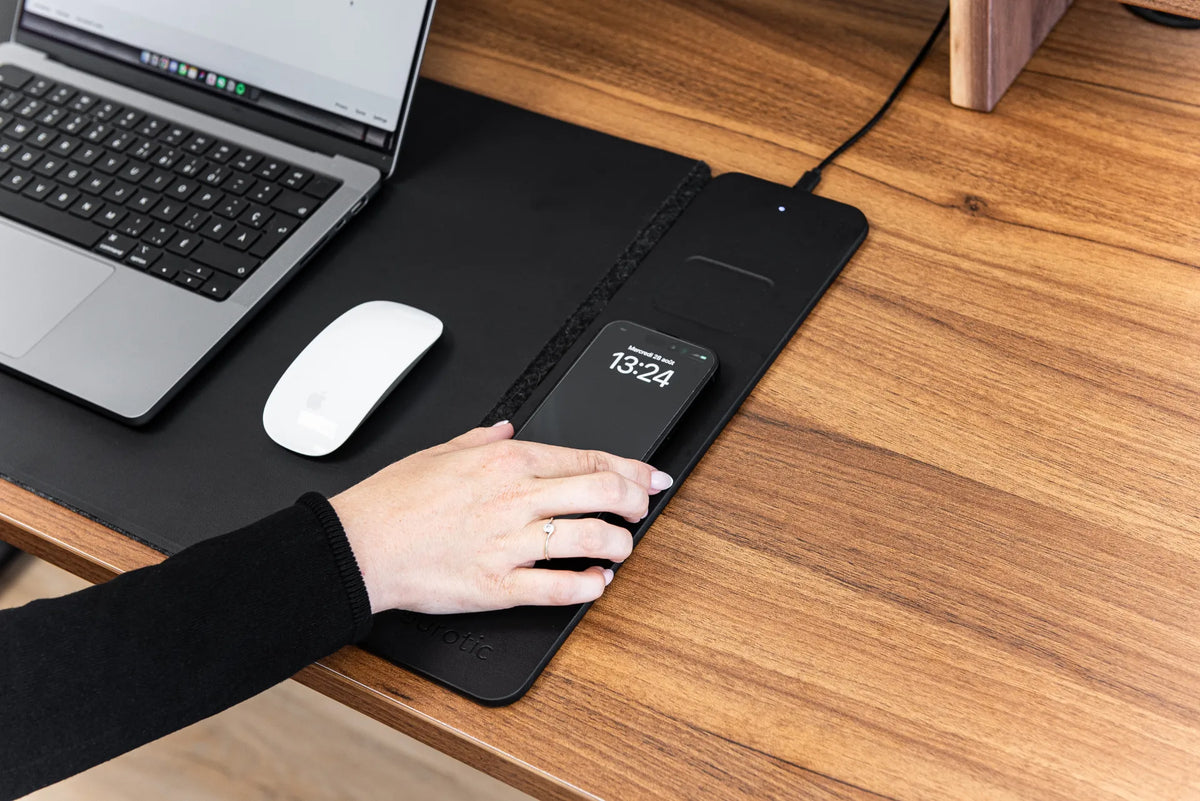
Poor coil alignment can reduce efficiency and generate more heat. Reposition the phone using the charging indicator as a guide. On a desk pad with a defined charging zone, place the compatible part of the phone over that zone rather than anywhere on the mat.
The case is thick, metallic or incompatible
A thick case increases the distance between the coils. Metal plates, magnetic rings that are not designed for the charging system, card holders and some stands may interfere. Remove the case and accessories for a controlled test. Never place coins, keys, paper clips, payment cards or other foreign objects between the phone and charger.
The Wireless Power Consortium explains that metallic foreign objects can absorb energy from the magnetic field and reach unsafe temperatures. Foreign-object detection is designed to limit or stop power transfer, but users should still keep the charging area clear.
The phone is working hard while it charges
Navigation, video calls, gaming, camera use and large software updates can generate heat inside the phone while charging adds more. Lock the screen and stop demanding apps to see whether the temperature drops. Charging can also feel warmer at higher power levels or when the battery is low and accepting more power.
The room or surface is already warm
Direct sunlight, a nearby heater, a hot vehicle or a soft surface that traps heat can raise temperature. Charge on the intended flat surface with open air around the phone. Apple recommends charging iPhone in ambient temperatures from 0 to 35 C and notes that charging may slow or pause outside a suitable temperature range.
The power adapter is not appropriate
The adapter and cable must match the charging product's stated input requirements. An underpowered source may cause slow or interrupted charging, while an unapproved or damaged adapter creates a separate safety concern. Use the manufacturer-recommended type and inspect connectors for damage, looseness or contamination.
What level of warmth is normal?
There is no reliable touch-only temperature number that applies to every phone and charging surface. Mild, even warmth during charging can be normal, especially during the early part of a charge. The device should remain usable, should not display a temperature warning and should cool after charging slows or finishes.
Do not use an internet temperature threshold as permission to continue with a product that appears damaged or abnormally hot. Built-in thermal management may reduce charging speed or pause charging. Let that protection work rather than repeatedly restarting the charge.
A safe troubleshooting sequence
- Remove the phone from the charging area and disconnect power if the heat feels excessive.
- Let the phone, pad, cable and adapter cool naturally.
- Remove the phone case, magnetic wallet, metal plate and loose objects.
- Inspect the cable, connector and adapter for visible damage.
- Place the charger on the intended hard, ventilated surface away from sunlight.
- Reconnect the recommended adapter and centre the phone carefully.
- Test with the screen off and demanding apps closed.
- Check the phone maker's support guidance and install current software updates.
If the phone will not begin charging, use the separate guide Why Is My Wireless Charging Desk Pad Not Charging? If dirt or residue is present, unplug the accessory and follow the safe desk pad cleaning guide before retesting.
Separate heat from slow charging
A warm charger is not always a fast charger. The phone may deliberately reduce power as the battery fills or when its thermal controls detect higher temperature. A misaligned device can also waste more energy as heat while charging more slowly. Evaluate the full pattern: alignment, charging indicator, battery gain over time and any warning shown by the phone.
Test one variable at a time. First centre the bare phone with the screen off. Then add the compatible case. If the problem appears only with the case, confirm that the case is approved for the phone's wireless charging system. If a second compatible device behaves normally on the same surface, consult the first device maker's guidance. If every device behaves abnormally, stop using the charger and contact its manufacturer.
Keep liquids and clutter away
A charging zone should not double as a drop area for keys, paper clips or coins. It should also be separated from drinks and wet cleaning products. Disconnect the charging accessory before cleaning it, use only the care method specified by its manufacturer and allow every surface to dry fully before reconnecting power.
When to stop using the charger
Disconnect it and seek manufacturer support if excessive heat returns with a compatible phone, correct alignment, approved case or no case, recommended power source and normal room conditions. Also stop if you see swelling, melted material, discolouration, exposed wiring, a loose connector, liquid damage, smoke, sparks or an unusual odour.
Do not open or repair a sealed charging module yourself. If the phone itself is swollen or damaged, stop using and charging it and follow the device manufacturer's safety and service instructions.
Does warm wireless charging damage the battery?
Heat is one factor that can accelerate battery ageing, but normal wireless charging is managed by the phone and charger. The Wireless Power Consortium states that certified systems are tested for interoperability, performance and thermal behaviour. Phones also monitor temperature and may reduce or pause charging.
Good habits still help: keep the charging area clear, align the phone, use compatible equipment, avoid hot environments and leave optimized battery charging features enabled. If the phone consistently becomes hotter with wireless charging than expected, use wired charging until the cause is resolved.
Keep the charging area practical
Place the phone where it can stay centred without being bumped by the mouse, keyboard, papers or a drink. Our guide to phone placement on a desk can help define a reachable but non-disruptive zone.
If you are considering an integrated surface, review the current compatibility and care information on the Burotic Wireless Charging Desk Pad page. Verify your phone, case and power source rather than assuming universal compatibility.

Previous article
Should You Reposition Your Monitor When You Sit and Stand?
Next article
Why Is My Standing Desk Beeping? What the Sound Can Mean