

What Size Anti-Fatigue Mat Do You Need for a Standing Desk?
Choose an anti-fatigue mat that supports your natural stance, a short step in each direction and safe transitions around a standing desk.

In this article
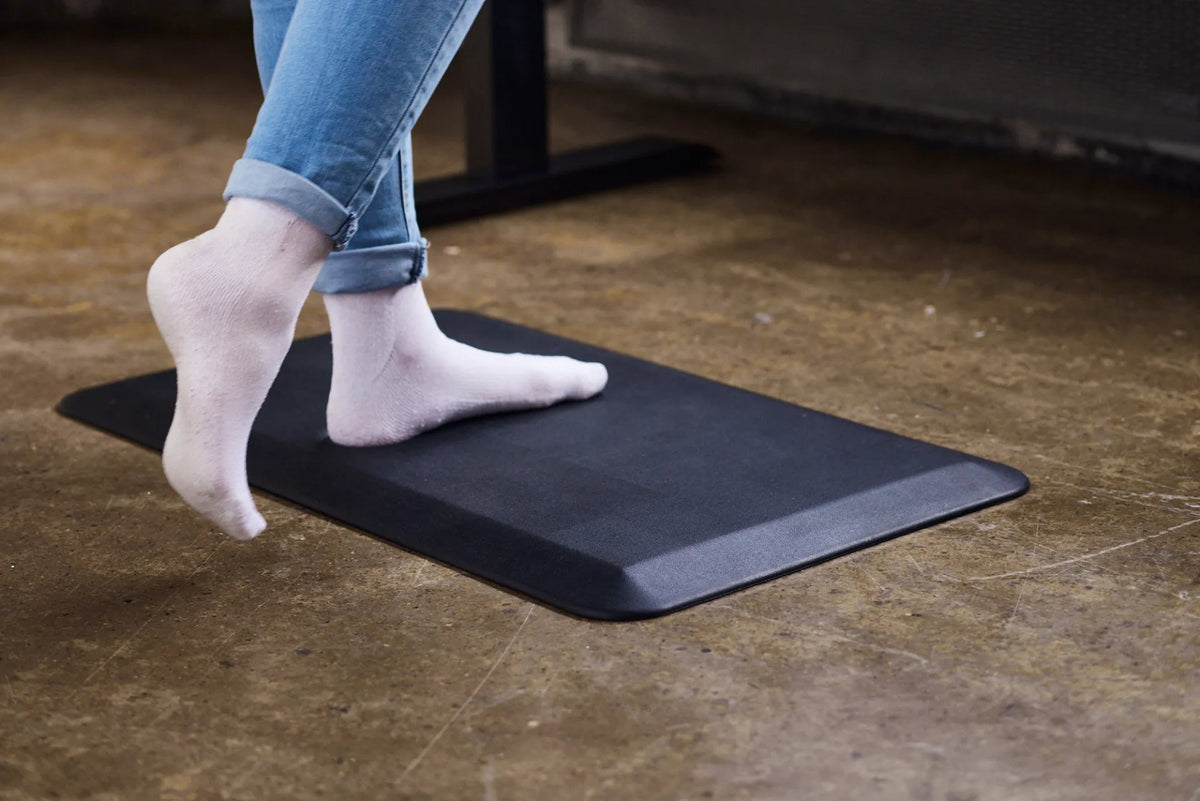
What size anti-fatigue mat do you need for a standing desk? Choose a mat wide enough for your natural stance plus a small side step, and deep enough for one short step forward or backward without leaving the cushioned surface. For many home-office users, a mat around 60 by 90 cm (24 by 36 in.) is a practical starting point, but your body, desk and floor area should decide the final size.
The goal is not to cover the whole office. It is to create a clear standing zone that encourages small position changes while keeping every edge visible and flat. A mat that is too small can make you stand in one spot. One that is too large can interfere with the chair, desk feet or nearby traffic.
Size the mat around movement, not just your feet
Stand in front of the desk without a mat and let your feet settle naturally. Do not force them together. Mark the outside edge of each foot with removable tape, then shift your weight and take one comfortable half-step to each side. Measure the total width.
For depth, start in your normal typing position. Take a small step back and then forward without stretching. The mat should support those positions while keeping your toes and heels away from the bevelled edge.
This body-based method is more reliable than selecting a mat only by desk width. A 72-inch desk does not automatically need a 72-inch mat. The working zone is based on where you stand and how much you move.
A simple sizing formula
- Measure your comfortable stance from the outside of one foot to the outside of the other.
- Add about 10 to 15 cm (4 to 6 in.) on each side for weight shifts and small steps.
- Measure the depth of one short step forward and backward.
- Confirm that the resulting rectangle fits between the desk feet and the room’s circulation path.
This formula is a planning method, not a medical or safety standard. If two people share the desk, size for the person who needs the larger stable movement zone, then verify that the mat remains manageable for both.
Measure in the way you actually work
Repeat the sizing test with the footwear you normally use, because a shoe changes both your stance and how clearly you feel the mat edge. Place the keyboard, mouse and any document holder in their real positions. If you turn between two work zones, include that small pivot in the test.
Use removable floor tape to outline the proposed mat before buying. Work at the desk for a day with the outline visible. If you constantly step beyond it, increase the planned size. If the outline blocks the chair or a doorway, reduce or reposition the zone before choosing a product.
When a compact mat works best
A compact mat can suit a narrow desk, a small apartment or a workstation where the chair rolls into the same area. It is easier to move aside when sitting and less likely to overlap a walkway.
However, the mat still needs to support the whole natural stance. If either foot repeatedly lands on an edge, the mat is too narrow or poorly centred. Reposition it before buying a larger one, because a few centimetres of alignment can make a major difference.
When a larger mat is worth it
A larger mat can help when you frequently shift side to side, alternate between a keyboard and paperwork, or share a wide desk with different standing positions. It may also suit users who prefer a broader stance.
More area is useful only when the full mat stays flat. Do not place a large mat partly under a desk foot, across a doorway or where another person must step over it. The Canadian Centre for Occupational Health and Safety notes that mat edges should not create a tripping hazard and that the mat should not slide.
Match the mat to the desk footprint
Check the feet and lifting columns
Place the mat in the clear zone between the standing desk feet. It should not ride up on a foot or touch a lifting column. With a wide frame, the open area may be generous; with a compact frame, measure before ordering.
Keep the controller path clear
A mat can change where you naturally stand. Make sure you can reach the height controller without leaning and that your legs do not contact the frame. Review where your feet should be at a standing desk to centre the working position.
Protect sitting transitions
When you sit, either move the mat aside or place the chair so its casters never catch the mat edge. A soft mat is not a chair mat. Rolling one or two casters onto a raised edge can make the chair uneven and damage the mat.
Thickness does not replace adequate area
A very thick mat is not automatically more comfortable. CCOHS recommends resilient material rather than foam that is too soft, because excessive compression can increase fatigue and make balance less stable. The surface should provide traction, and the edges should be bevelled or otherwise designed to reduce a trip risk.
Evaluate thickness together with firmness, edge design and recovery. If your foot sinks deeply or the surface makes small movements difficult, the mat may not suit the task even if its width and depth are correct.
Hard floors, carpet and uneven surfaces
Anti-fatigue mats are commonly used on hard surfaces such as concrete. On smooth flooring, confirm the underside grips without leaving marks. On carpet, check that the mat remains stable and does not rock or curl. Follow the flooring and mat manufacturer’s care guidance.
Do not use the mat to conceal an uneven floor, loose cable or damaged surface. Fix the underlying hazard first. Keep the area dry and remove grit that could reduce grip or scratch the floor.
How to position the mat
- Set the desk to standing height and position the keyboard and mouse.
- Stand where your shoulders are relaxed and your elbows are close to your sides.
- Centre the mat under that position, not under the geometric centre of the desktop.
- Step forward, back and sideways to test every edge.
- Run the desk through a slow height change and confirm the mat does not obstruct any moving component.
Use the mat as one part of a varied routine. It does not make prolonged, motionless standing the goal. CCOHS recommends changing position, using a footrest where appropriate and alternating tasks or postures.
Common buying mistakes
- Matching the mat to the desktop width: measure the standing zone instead.
- Buying for one exact foot position: allow room for small, natural movements.
- Ignoring the chair: plan where the mat goes when you sit.
- Choosing softness alone: firmness, grip and flat edges also matter.
- Covering cables or floor damage: remove the hazard rather than hiding it.
- Assuming a mat replaces movement: continue alternating between sitting, standing and short activity breaks.
Final fit check
The right anti-fatigue mat supports your full stance and at least a small step in each direction, stays flat on the actual floor and remains clear of the chair and desk base. A 60 by 90 cm (24 by 36 in.) mat is a useful benchmark for many individual workstations, but measure your own movement zone first.
Explore the Burotic Anti-Fatigue Mat, and read how anti-fatigue mats work before adding one to your sit-stand routine.

Previous article
How Far Should a Desk Be From the Wall?
Next article
Desk Drawer Hits Your Knees? What to Adjust First