

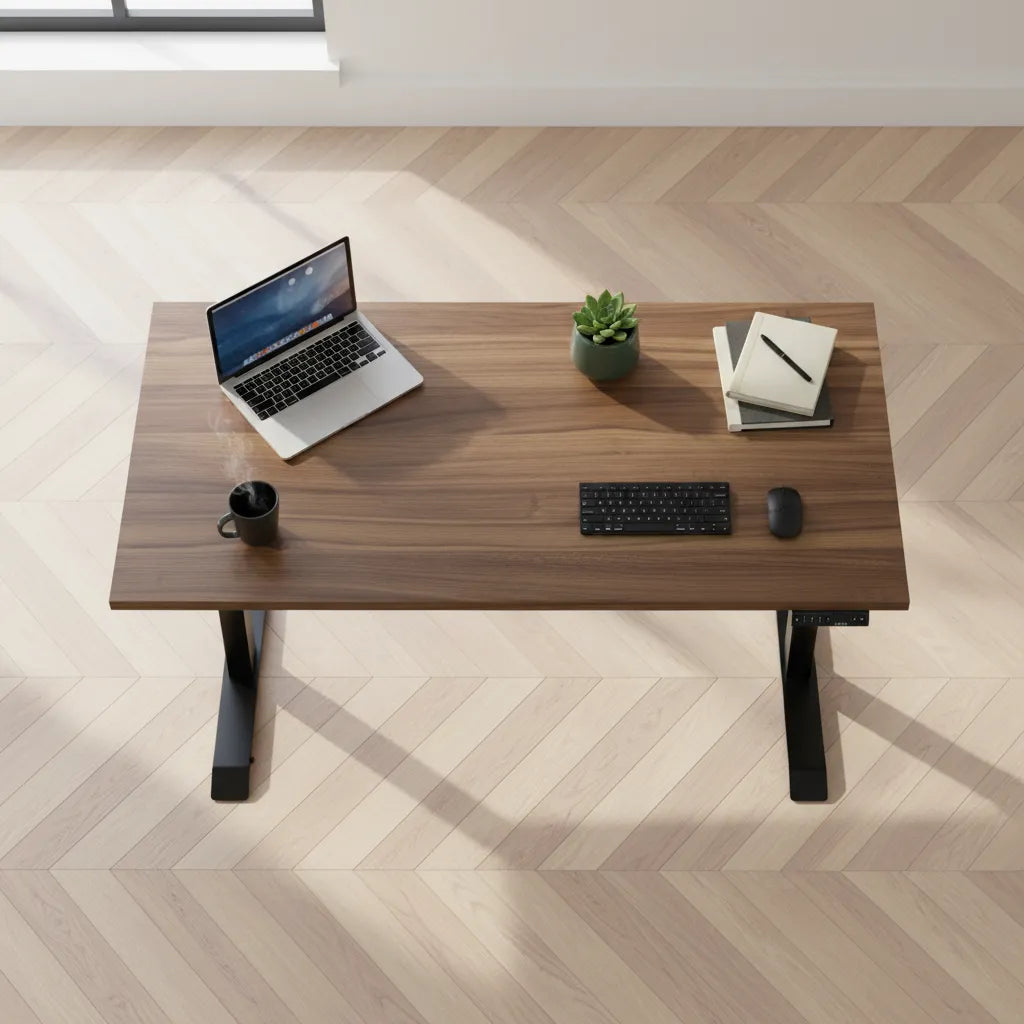
How to Protect Wood Floors Under an Office Chair and Standing Desk

In this article
A home office can put more concentrated wear on a wood floor than almost any other room. An office chair rolls over the same small area hundreds of times, a standing desk carries substantial weight through a few contact points, and tiny grains of sand can behave like abrasive particles under wheels and feet. The good news is that most scratches, cloudy wear paths and dents are preventable with a few well-chosen safeguards.
This guide explains how to protect wood floors under an office chair and standing desk without making the workspace awkward. It covers hardwood, engineered wood and wood-look hard surfaces, but the flooring manufacturer’s care instructions should always take priority. The goal is not to make claims about every finish. It is to help you match the protection method to your floor, furniture and daily habits.
Why office furniture can mark a wood floor
Damage usually comes from a combination of pressure, friction and contamination. Narrow or hard chair wheels concentrate the user’s weight on a small moving contact patch. Fixed desk feet can trap grit, and sliding a loaded desk can drag that grit across the finish. Moisture under a non-breathable mat can also create problems for some floors, while direct sunlight may change the colour of exposed wood over time.
Canadian hardwood manufacturer Mirage recommends removing abrasive dirt, fitting felt pads to furniture legs and replacing plastic casters with wide rubber or soft polyurethane casters. It also notes that wood colour can change with intense light and that rugs and furniture should occasionally be moved to help exposure remain more even. These points make protection a system rather than a single accessory.
Start by identifying the floor and finish
Before buying a mat or changing wheels, confirm whether the surface is solid hardwood, engineered wood, laminate or luxury vinyl. Products that look similar can have different care and warranty requirements. Check the installation or warranty documents if available, especially for rules about rubber backings, plasticizers, rolling loads, humidity and approved cleaners.
Inspect the current wear pattern
Use low-angle daylight to look for fine scratches, dull areas and debris around the chair’s normal travel path. Check beneath desk feet for grit and confirm that each levelling glide sits flat. If the chair wheels do not turn freely, remove hair and fibres before they force a wheel to skid. Existing damage may need advice from the flooring manufacturer or a flooring professional, but prevention can begin immediately.
Choose chair casters made for hard floors
Wheel material matters because hard plastic can slide or press debris against a finished surface. Wide, softer wheels spread contact and tend to roll more smoothly. Mirage specifically recommends wide rubber or soft polyurethane casters for hardwood. TORLYS likewise advises using a protective chair mat or soft caster wheels designed for hard-surface floors in commercial maintenance guidance.
Burotic’s Hardwood Floor Chair Casters use soft polyurethane wheels and are designed as a floor-friendly replacement for common office chair wheels. Compatibility still needs to be checked before purchase. Compare the chair’s stem type and dimensions, install all wheels securely, and test in an inconspicuous area. No caster can prevent scratches if grit remains trapped beneath it.
Clean and inspect the wheels
Vacuum the rolling zone regularly and wipe each wheel with a slightly damp cloth when dust builds up. Remove thread, hair and hardened debris from the axle area. Rotate the chair and verify that every caster swivels and rolls rather than dragging. Replace a wheel that is cracked, chipped, flattened or seized.
Should you use a chair mat?
A chair mat creates a replaceable wear layer and can be useful in a heavily used workstation, a rental property or a room with a delicate finish. Choose a mat explicitly intended for hard floors. Carpet mats often have cleats that can damage a smooth surface. The mat should be large enough for the chair’s full movement, lie flat without curled edges and permit the floor treatment to perform as intended.
Material compatibility is important. Some flooring warranties restrict certain rubber, latex or vinyl backings because they can trap moisture or react with a finish. Do not assume that a transparent mat is chemically neutral. Ask the floor manufacturer which materials are acceptable, keep the underside clean and dry, and periodically lift the mat to inspect for grit or moisture.
Protect the standing desk’s contact points
A standing desk normally stays in place, but its weight is transferred through two feet and their levelling glides. Confirm that the glides are installed, clean and adjusted so the frame does not rock. If the manufacturer permits it, use non-staining felt or floor protectors sized to the contact points. Tiny pads on a heavy desk can create more pressure, so choose a stable, appropriately sized solution.
Never drag a loaded desk across wood. Remove equipment and accessories, unplug cables, and lift according to the desk manufacturer’s instructions with enough people to handle it safely. If the desk needs to move routinely, compatible lockable standing desk casters may be an option, but verify frame compatibility, added height, stability and floor suitability first.
Do not forget cables and accessories
Cables that catch under a desk foot can cause an abrupt shift. A cable bundle that rubs the floor can also collect grit. Plan slack for the full sit-to-stand range and keep it controlled with a verified cable management solution. The existing Burotic guide to standing desk cable management explains how to keep power and data lines away from moving parts.
Build a floor-safe cleaning routine
Prevention depends on cleanliness. Sand, salt and small stones are especially relevant in Canadian winters. Use entry mats, leave outdoor footwear away from the workstation and vacuum or sweep the chair path often. Follow the flooring manufacturer’s cleaner and moisture instructions. Avoid soaking wood, using abrasive household products or applying unapproved polishes that may alter the finish.
- Weekly: vacuum the chair path, caster wheels and desk feet.
- Monthly: check wheel rotation, felt pads, levelling glides and the underside of any mat.
- Seasonally: inspect for new wear, confirm indoor humidity guidance and review direct sun exposure.
- Before moving furniture: remove equipment, clean the route and lift instead of dragging.
Match the solution to the risk
| Situation | Useful first step | What to verify |
|---|---|---|
| Chair rolls all day | Soft, wide hard-floor casters | Stem compatibility and wheel cleanliness |
| Delicate or rental floor | Approved hard-floor chair mat | Backing chemistry, size and warranty rules |
| Stationary standing desk | Clean, level glides or approved pads | Load, stability and non-staining material |
| Desk moves often | Compatible lockable casters | Added height, stability and floor suitability |
Common mistakes to avoid
Do not place carpet cleats on wood, use an unknown rubber-backed mat, drag a loaded desk or ignore a seized caster. Do not rely on a mat while allowing grit to accumulate underneath it. Avoid universal promises such as “scratch-proof”: the floor finish, debris, load, wheel condition and maintenance all influence the result.
If a floor is newly installed, already damaged or covered by a specific warranty, contact the flooring supplier before changing the setup. The most defensible approach is simple: follow its care guide, use compatible soft contact materials, keep every moving surface clean and inspect regularly.
A practical protection plan
Begin with the chair because it creates the most repeated movement. Upgrade unsuitable wheels, clean the travel area and decide whether an approved mat adds value. Then inspect the standing desk’s feet, organize cables and establish a short maintenance schedule. If you are planning a new workstation, Burotic’s guide to creating an ergonomic workspace can help coordinate furniture, equipment and movement from the start.
Protecting a wood floor does not require covering the whole room. It requires controlling the small contact points where pressure and motion occur. A careful setup preserves the floor while keeping the office comfortable, clean and easy to use.

Previous article
Should You Put a Desk in Front of a Window? Pros, Cons and Layout Tips
Next article
Ergonomic Laptop and Monitor Setup: A Practical Canadian Guide