

How to Decorate a Standing Desk Without Blocking Its Movement

In this article
A standing desk can look warm and personal without becoming crowded or unsafe. The difference is that every object on a height-adjustable surface travels. A plant, lamp or framed photograph that seems well placed while seated can hit a shelf, pull a cable or tip when the desk rises.
Good standing desk decor supports the room and the work. It leaves enough space for the keyboard and mouse, keeps controls accessible and survives a complete movement test. The goal is not a bare desk. It is a deliberate setup in which useful and decorative objects have stable positions.
Measure the moving zone first
Raise the empty desk to the highest position you expect to use. Note the clearance above the surface, behind the monitor and beside the legs. Lower it and repeat the inspection. Include wall shelves, windowsills, artwork, curtains, radiators, cabinets and anything that could enter the desk’s path.
Mark the moving envelope mentally or with removable tape. Objects attached to the desktop belong inside that envelope for the whole trip. Objects attached to the wall or floor must remain outside it. This distinction is more useful than decorating only from the seated position.
Allow clearance for the items themselves, not only the desktop. A tall plant can reach a shelf before the desk does. A monitor arm can project behind the surface. A charging cable can become the first point of contact even when the furniture clears the wall.
Protect the primary work zone
Decoration should not push the keyboard, mouse or current task into an awkward position. Keep the area directly in front of the body for the tools used most often. Place decorative objects toward the back corners or on a stable side zone, provided they do not interfere with the screen or desk movement.
Use the reach test: while seated and standing, can you use the keyboard and mouse with relaxed shoulders? Can you reach the controller without leaning around a plant? Can you write on a page without moving three objects first? If the answer is no, the display area is consuming the work area.
For a compact surface, one visually strong object often works better than several small objects. A plant, a lamp or a meaningful photograph can provide character while keeping the rest of the surface flexible.
Choose plants for the actual conditions
A plant should suit the available light, room temperature and care routine. Observe the workspace at different times of day before choosing one. Direct sun, low light and drafts affect plants differently. Ask a nursery for species-specific guidance when uncertain.
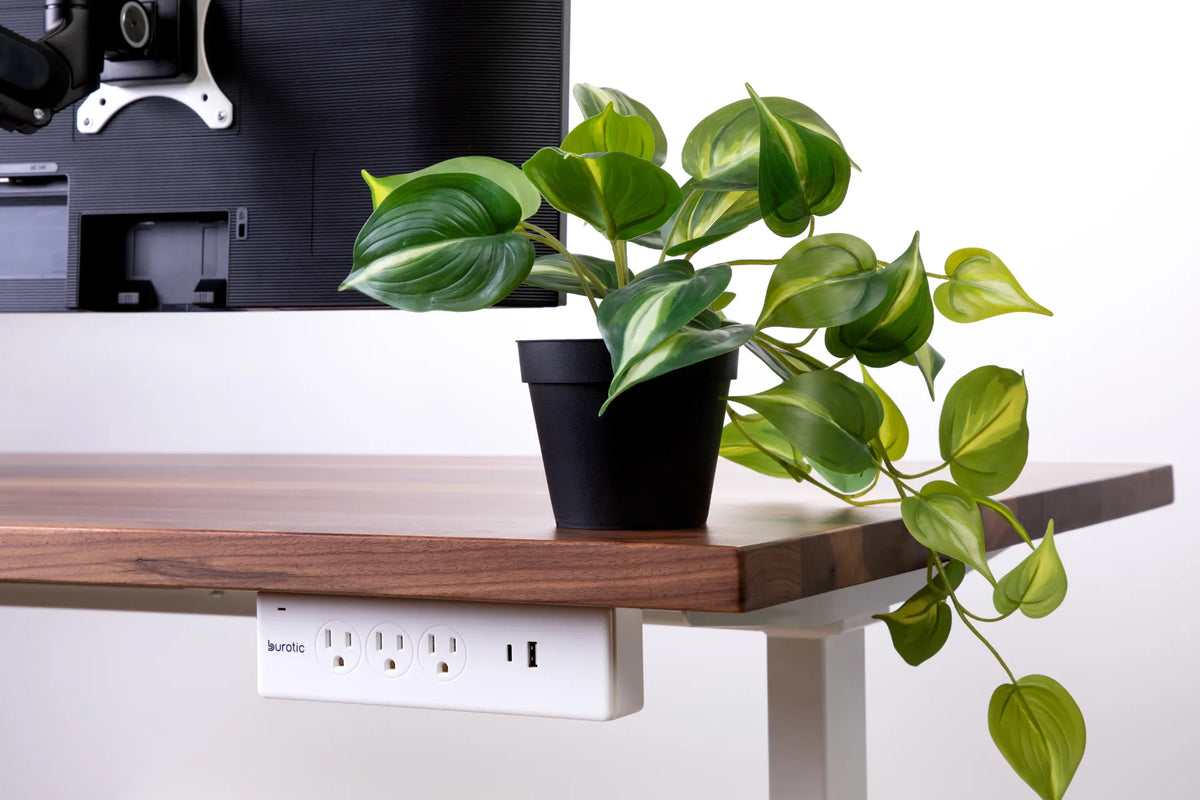
On a moving desk, stability matters as much as appearance. Use a pot with a broad base and a saucer or waterproof liner. Keep it away from electronics and the desk edge. Do not water it over the keyboard, charging equipment or power bar. Move it to a sink or protected counter, let excess water drain and wipe the pot before returning it.
Trailing plants need extra planning. Leaves and vines should not hang into the legs, controller, cable path or power equipment. A vine can look harmless at sitting height and then catch on a fixed object when the desk rises. Trim or guide it so the full movement remains clear.
Keep liquids and electricity apart
A plant, diffuser or drink creates a liquid risk. Powered accessories and connections should be positioned so a spill cannot flow directly into them. Mounting a power bar under the desktop can make outlets accessible, but it does not make them waterproof. Keep watering and cleaning liquids away from all plugs and ports.
Use electrical products with certification marks recognized in Canada and follow their ratings. Do not daisy-chain power bars or use an extension cord as permanent wiring. Inspect cables and replace damaged equipment. Health Canada recommends following manufacturer instructions and using approved electrical products.
The Burotic Power Bar offers on-desk and under-desk configurations. Choose the configuration that fits the actual cable path, and keep the outlets accessible for inspection rather than hiding them behind decorations.
Use height, texture and colour without adding clutter
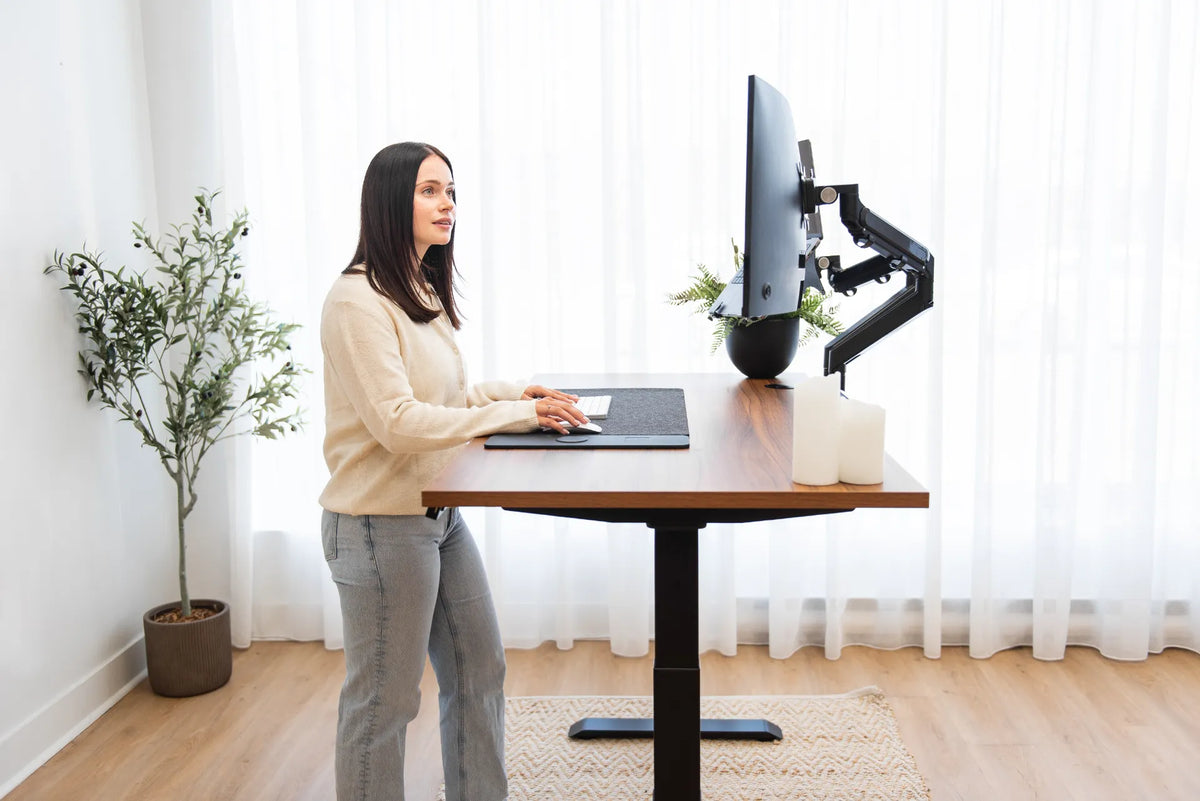
Decor feels intentional when objects vary in height but share a limited palette or material story. A wood desktop, a black plant pot and a green plant can create contrast without requiring many pieces. A small tray can group pens, cards and adapters so several functional items read as one organized element.
Keep tall objects outside the main sightline. The top of a plant or lamp should not force the monitor lower or block a window used for natural light. Soft items, such as a desk pad, can add texture while defining the keyboard and mouse zone. If you use a large pad, leave enough uncovered surface to inspect and clean the desktop.
Wall art can personalize the room without consuming the desktop, but it must be placed above or beside the desk’s maximum equipment height. Test the highest position before hanging anything. A fixed floating shelf is useful only when the moving screen and decorative objects cannot collide with it.
Give every cable a controlled route
Decorative lighting, phone chargers and speakers add cables. Route cables from the device to an anchor point under the moving surface, then combine them into one controlled path toward the fixed outlet. Leave enough service loop for the highest position and ensure that the loop cannot snag at the lowest position.
Avoid wrapping a cable tightly around a desk leg, attaching it to both moving and fixed furniture, or concealing excess cable inside a plant. Those shortcuts make inspection difficult and can create tension as the height changes. The standing desk cable-management guide shows how to test the cable path through the full range.
Decorate in layers
Layer 1: essential work tools
Position the monitor, keyboard, mouse, laptop and controller. Adjust the desk for seated and standing work before adding decoration.
Layer 2: daily-use accessories
Add the lamp, charger, notebook and frequently used storage. Keep them in easy reach and give each one a fixed home.
Layer 3: personal elements
Add one or two decorative anchors, such as a plant and a photograph. Stop when the surface feels complete, then work at it for several days before adding more.
This sequence protects function. It also makes changes easy because the optional layer can be edited without rebuilding the ergonomic setup.
Run a movement and spill test
With the desk loaded, raise it slowly to the highest position. Watch every object, cable and leaf. Lower it while checking the chair, rug, drawers and nearby furniture. Gently touch the desk as it might be touched during normal work and confirm that tall or fragile objects remain stable.
Imagine where liquid would travel if the plant saucer or a mug leaked. Move electrical equipment out of that path. Confirm that vents, controls and connectors remain visible and accessible. Repeat the test whenever a monitor arm, shelf, large plant or powered accessory is added.
Refresh without rebuilding
Seasonal changes do not require a new desk. Rotate a print, change the plant pot, swap a tray or move one decorative object to a wall shelf outside the travel zone. Keep the cable route and essential work positions unchanged unless the work itself changes.
Clean under objects regularly. Dust and grit can collect around pots, trays and pads, while a slow leak can remain hidden. The minimalist desk setup guide offers a useful reset when the surface begins to feel crowded.
Personal, practical and ready to move
The best standing desk decor respects movement. Measure the travel zone, protect the primary work area, choose stable plants, separate liquids from power and route every new cable deliberately. Then add personality in a few strong choices rather than many fragile ones.
If you are planning a new desk, compare the surface size and room clearances before choosing accessories. The Aspire custom solid wood standing desk can be configured around the dimensions that matter to the room and workflow.

Previous article
How to Clean a Wireless Charging Desk Pad Safely
Next article
How to Choose and Position a Rug Under a Standing Desk