





How Much Should You Budget for a Home Office in Canada?

In this article
A practical home-office budget in Canada can range from a few hundred dollars when you already own a table and computer to well over $1,500 when you need an adjustable desk, ergonomic chair, monitor equipment and storage. The useful number is not a universal package price. It is the amount required to solve your specific fit, space and work problems in the right order.
Start by inventorying what you already have, measuring the room and identifying the discomfort or inefficiency you want to fix. Fund a stable work surface, a chair that fits and adequate lighting before decorative items. Add monitor support, power management and storage only when they address a real need.
Quick answer: plan in three stages
- Make the current setup workable. Use existing furniture when it is stable and can be adjusted with safe accessories.
- Invest in the two contact points. The chair supports your body and the desk supports your work, so they usually deserve the largest share.
- Add tools after testing. Buy monitor arms, drawers, mats and cable accessories once the main geometry is correct.
As current Burotic examples checked September 27, 2026, the Loop Ergonomic Chair was $295 CAD, the Aspire standing-desk frame was $545, the Aspire Laminate Standing Desk was $745, and Power Bar versions were $95 to $100. These are planning examples, not a promise of future pricing or stock.
Step 1: define what the budget must accomplish
A person working one laptop day per week has different needs from someone handling two monitors and video calls for eight hours a day. Write down your equipment, the time spent at the desk, paper requirements, storage, shared-room constraints and whether the workstation must change height.
Separate problems from preferences. A desk that is too shallow for a monitor is a functional issue. A preferred wood colour is a design preference. Both may matter, but marking the difference helps protect essential spending when the budget is tight.
Use the ergonomic workspace guide to review screen, input and chair relationships before shopping. Ergonomics is a system: buying one premium item cannot fix every poor relationship around it.
Step 2: measure the room and equipment
Measure wall width, usable depth, door and closet swings, baseboards, outlets and the route used to enter the room. Include the chair pulled back, not only the desktop. In a bedroom or compact office, the small-office desk-placement guide helps compare practical locations.
Measure the monitor bases, laptop, keyboard, mouse, documents and any audio or camera gear. A wider desk may be unnecessary if a monitor arm frees useful depth, while a shallow desk may force an expensive redesign later. Confirm that the floor is level and that a height-adjustable desk can travel without contacting shelves or windows.
Budget level 1: improve what you have
This stage is for a stable table or desk that is basically the right size. Spend first on the weakest link. That might be a supportive chair, a separate keyboard and mouse for a laptop, a monitor riser, a task light or a footrest. Avoid buying a bundle of inexpensive accessories before knowing which problem each solves.
If the existing chair is acceptable for short sessions, adjust it fully and test it for a week. If its height, depth or support cannot fit you, replacing it may provide more value than several surface accessories. The Burotic Loop, listed at $295 CAD when checked, is one current reference point for an adjustable chair budget.
Reuse should remain safe. Do not stack unstable boxes under a monitor, raise a chair until the feet dangle or run extension cords as a permanent substitute for appropriate wiring. A lower initial price is not a saving if the arrangement creates instability or must be replaced immediately.
Budget level 2: build a complete core workstation
A complete core usually includes a chair, an appropriately sized desk, lighting and the input devices required for neutral reach. If you want height adjustment, compare a complete desk with a frame plus an existing or separately purchased top.
The Aspire frame was listed at $545 CAD and the complete Aspire Laminate Standing Desk at $745 CAD on September 27, 2026. A frame can make sense when you already own a compatible top and can verify its dimensions, weight and mounting requirements. A complete desk simplifies compatibility and costing.
Add tax, delivery and assembly needs to the budget before deciding. Check stairs, elevators and doorways. If professional assembly is important, price it explicitly rather than treating it as an afterthought. Keep a contingency for a cable, adapter or small fit correction discovered during setup.
Budget level 3: refine a demanding workspace
Dual monitors, specialized audio, frequent video production or large documents may justify more depth, stronger monitor support, controlled lighting and storage. This stage is not automatically more ergonomic. It is more tailored to the work.
Allocate money to equipment that reduces repeated friction. A monitor arm may recover depth and improve positioning. A drawer may keep frequently used small items off the surface. A task light can control contrast. An anti-fatigue mat may support short standing periods. Each accessory should have a clear job and enough room.
How to divide the budget
Chair and body support
Fund fit before upholstery or colour. Check seat-height range, depth, armrest adjustment, lumbar contact, weight capacity and warranty. If several people share the station, prioritize a range that can accommodate them and simple controls they will actually reset.
Desk and work surface
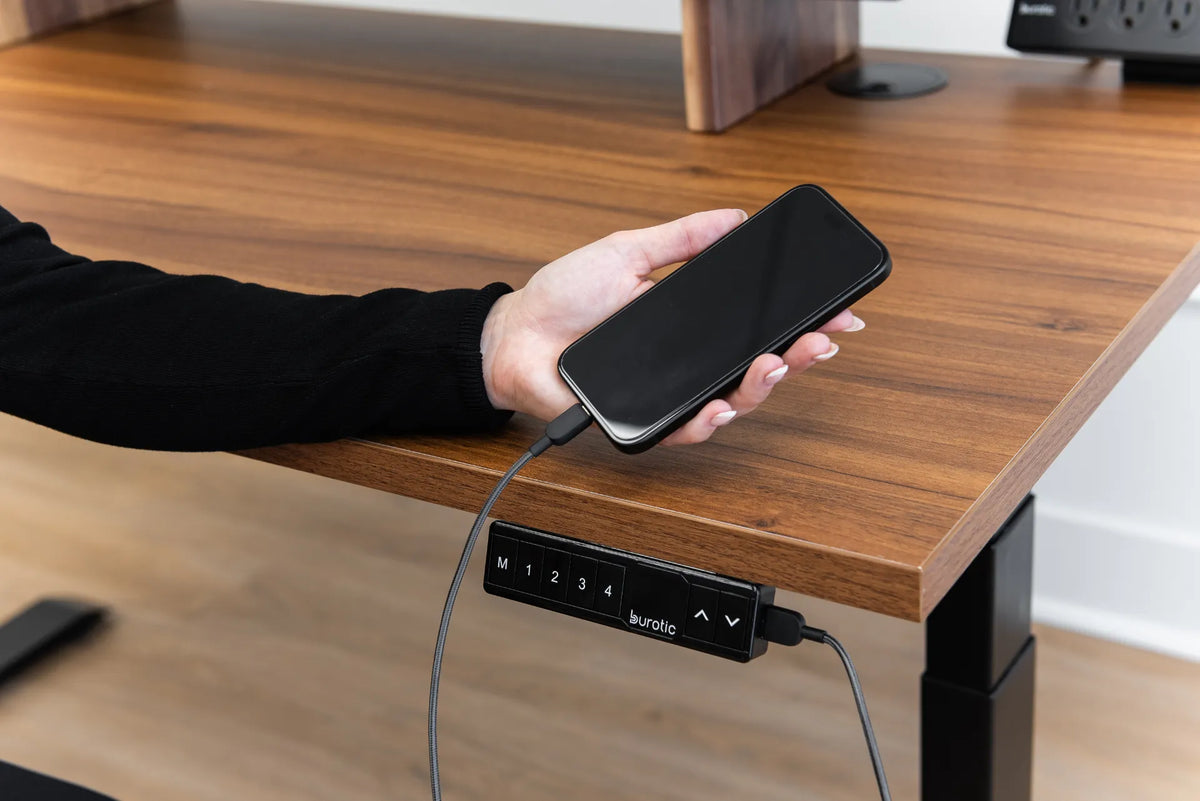
Choose width and depth from the equipment plan. For a standing desk, also verify height range, load capacity, stability, controller location and clearance. Review the standing-desk clearance guide before committing to a room location.
Screen and input equipment
A laptop used for long periods often benefits from a separate keyboard and pointing device so the screen and hands can be positioned independently. Budget for a monitor only if screen size, viewing distance or workflow needs justify it. Existing equipment may remain useful with better placement.
Lighting
Use available daylight without creating screen glare, then add task lighting where needed. Budget for controllability rather than maximum brightness. A lamp that can be repositioned is often more useful than a decorative light fixed in one direction.
Power and cables
Count devices before buying power accessories. The Burotic Power Bar was listed at $95 for the under-desk version and $100 for the on-desk version when checked. Whatever product you choose, verify its ratings and recognized Canadian certification, avoid overloading it and never daisy-chain power bars.
Where to save
- Keep a stable desk if its height and depth already work.
- Use one monitor before assuming two are necessary.
- Delay matching storage until the actual paper volume is known.
- Choose neutral finishes that can move to another room.
- Buy accessories after a two-week setup test.
Where not to cut blindly
Do not select a chair without checking fit ranges, or a desk without measuring the full working depth. Do not compromise electrical safety, stability or clearance. Be cautious with used powered furniture if the model, condition, controls and safety information cannot be verified.
A warranty is valuable only when its coverage, duration and seller are clear. Compare the written warranty rather than relying on a badge or a general claim. For price comparisons, include delivery, required accessories and taxes where applicable.
A simple buying sequence
- List the work, equipment and current problems.
- Measure the user, room and devices.
- Set a total limit plus a small contingency.
- Choose chair and desk from fit requirements.
- Test monitor, keyboard and mouse positions.
- Add lighting, power and cable management.
- Add storage and comfort accessories last.
Final recommendation
Do not begin with a shopping list copied from another office. Begin with a measured plan and buy in stages. A modest workstation using existing furniture can be effective when the geometry works, while a higher budget is justified when it pays for reliable adjustment, sufficient space and durable daily use.
Record every price and assumption on the same date, because promotions and stock change. Test the core setup before adding accessories, and direct the next dollar toward the problem you can clearly describe.
Sources: CCOHS, Purchasing Ergonomic Office Furniture; CCOHS, Office Ergonomics: Chair; CCOHS, Sit/Stand Desk; current Burotic product pages checked September 27, 2026.

Previous article
Best Ergonomic Office Chairs Under $500 in Canada (2026)
Next article
Best Ergonomic Office Chairs Under $500 in Canada (2026)