






Why Does My Power Bar Keep Turning Off? Safe Checks

In this article
If a power bar keeps turning off, treat it as a safety signal rather than an inconvenience. Common causes include too much connected load, a high-power appliance that should not be on the bar, overheating, a damaged cord or plug, a faulty connected device, or a problem with the wall circuit. The protective switch may be doing exactly what it is designed to do.
Do not repeatedly reset a power bar that trips again. Unplug it, disconnect the devices, and inspect only the external parts. If you see scorch marks, melting, cracks, exposed wiring, a loose plug, unusual odour or persistent warmth, stop using it. Do not open the housing or bypass the switch.
Immediate steps
- Turn off and unplug the power bar from the wall.
- Unplug every connected device.
- Let the bar cool in a clear, dry area.
- Inspect the cord, plug, outlets and housing for damage.
- Read the product label and instructions for its electrical rating.
- Identify any heater, kettle, coffee maker, air conditioner or other high-power appliance.
- If there is damage, heat or odour, retire the bar and seek qualified advice.
These are external checks only. Internal electrical repairs belong to the manufacturer or a qualified electrical professional.
Why a power bar turns itself off
The connected load is too high
A power bar has a maximum current or wattage rating. Adding outlets does not increase the capacity of the wall circuit. Technical Safety BC warns that an approved power bar can still be overloaded and gives a common maximum rating of 12 amps for many 120-volt bars. Always use the rating printed on your exact product rather than assuming that number applies.
Office electronics such as a monitor, laptop charger and desk controller may use much less power than heating equipment, but loads add together. Docks, printers, speakers, chargers and task lighting all contribute. A device can also draw more power during startup.
A high-power appliance is connected
Portable heaters, air conditioners, hotplates and similar appliances can overload a power bar or violate their own instructions. Technical Safety BC specifically advises against connecting several high-power appliance types to power bars or extension cords. Plug such equipment only as directed by its manufacturer and applicable electrical guidance.
The bar is overheating
Heat can build when a bar is overloaded, covered, squeezed behind furniture, placed in dust, or used with a loose connection. CCOHS says unusually warm or hot outlets and cords can indicate unsafe wiring conditions. Unplug them and do not reuse them until a qualified electrician has checked the situation.
Never cover a power bar with papers, fabric or a rug. Keep ventilation openings clear and liquids away.
One connected device is faulty
A charger, cable or device can cause the protective device to open. Do not keep reconnecting a device that produces a spark, smell, unusual noise or heat. Remove it from service and follow the manufacturer's support process.
The wall receptacle or circuit has a problem
If the wall breaker trips, the outlet is loose, lights flicker, or the same symptom occurs with different equipment, the problem may extend beyond the power bar. Technical Safety BC notes that a breaker that keeps tripping is protecting the circuit and should not be repeatedly reset. Contact a licensed electrical contractor.
The switch or internal protection is worn
Power bars do not last forever. A switch that feels loose, will not stay engaged or trips with no connected load may indicate a failed product. Do not open the bar. Replace it with an approved product that carries the certification required in Canada.
How to check the load safely
Read the electrical label on every connected device. Power may be listed in watts, while the bar may be rated in amps and volts. For a simple resistive load, watts are approximately volts multiplied by amps, but real devices can have startup current and other factors. When in doubt, ask the manufacturer or an electrician rather than making a borderline calculation.
Do not rely on the number of empty outlets. Three low-power devices may be acceptable on a properly rated bar, while one high-power device may not be. The limiting factors are the product rating, the connected equipment and the wall circuit.
A cautious isolation test
Only consider a basic test if the bar is cool, undamaged, correctly certified, dry, and its instructions permit reset after an overload. Plug it directly into a known suitable wall receptacle. Do not use another extension cord or power bar. Connect one known low-power office device, such as a monitor, and observe it.
If the bar turns off again, becomes warm, smells unusual or makes noise, unplug it and stop. If it works, add office devices one at a time while remaining well within the ratings. The device that triggers the problem should not be reconnected until it has been assessed.
This test cannot prove that a power bar is safe. It only helps isolate an obvious external load issue. Never test with a heater or other high-power appliance.
Check the physical setup
Direct wall connection
A power bar should not be daisy-chained into another bar or extension cord. The extra connections can create heat and make load limits harder to understand. Follow the product instructions and local electrical requirements.
Secure but not crushed
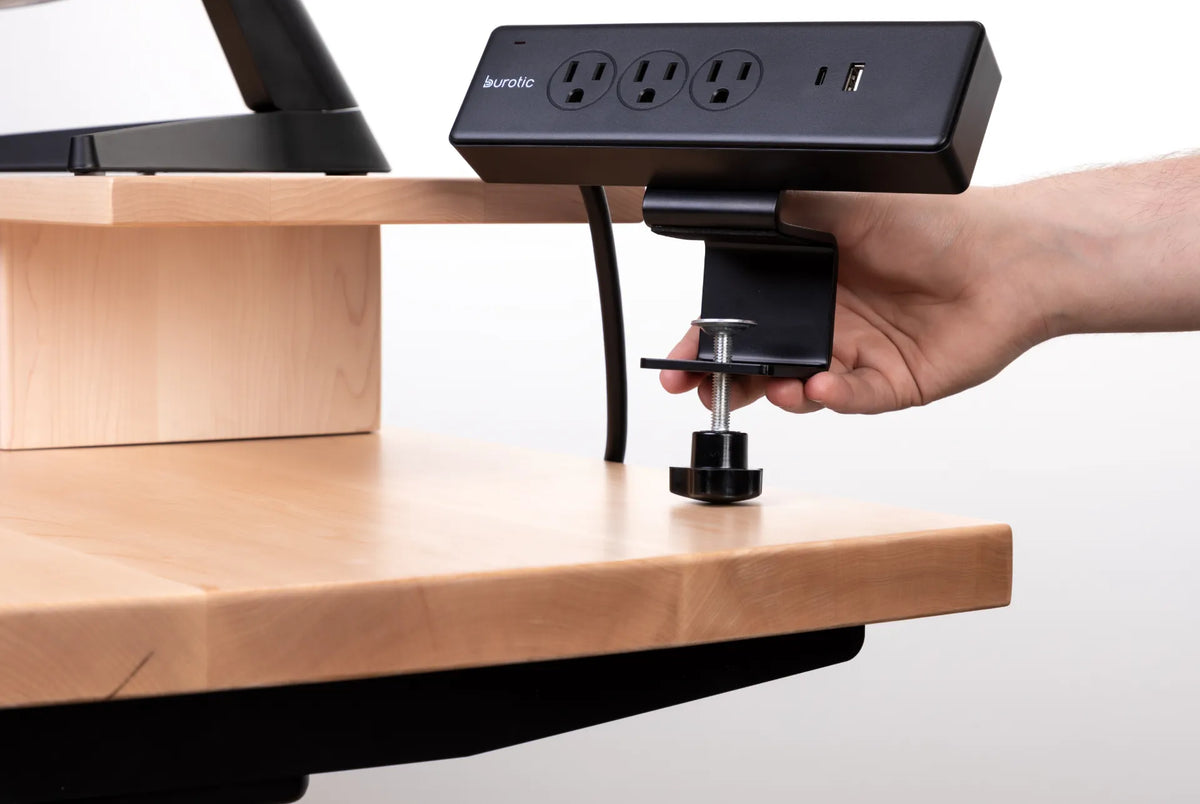
A mounted power bar should be supported by the approved bracket or clamp. Do not trap its cord under a desk leg, fastener or moving frame. On a height-adjustable desk, confirm enough cable travel for the full range without pulling the wall plug.
Dry and accessible
Keep drinks, plant drainage and cleaning spray away. The switch and plug should remain accessible so power can be disconnected quickly. Do not place the bar where chair casters or feet can strike it.
Burotic's comparison of a power bar above or below the desk explains the placement tradeoffs.
When the reset button is not the answer
A reset is appropriate only when the instructions allow it and the cause has been removed. Repeatedly pressing the switch without reducing the load or investigating heat can defeat the warning value of the trip.
Stop resetting and seek help when:
- the wall breaker also trips;
- the bar trips with no devices connected;
- the plug or outlet is loose;
- the housing, cord or plug is warm or damaged;
- there is discolouration, melting or odour;
- you hear buzzing or crackling;
- liquid entered the bar;
- the correct load cannot be confirmed.
Surge protection is a separate question
A switch or circuit breaker in a power bar protects against certain overcurrent conditions. Surge protection is a different feature and should not be assumed from appearance. Check the label and product documentation. An indicator light may report surge-protection status on some models, but its meaning varies.
Do not continue using a surge protector when its instructions indicate that protection has ended. Replace it according to the manufacturer guidance.
Prevent future shutoffs
- Use a certified product with an appropriate rating.
- Keep high-power appliances off office power bars unless explicitly permitted.
- Add the loads instead of counting outlets.
- Inspect cords and plugs regularly.
- Keep the bar visible, dry and ventilated.
- Do not daisy-chain bars or extension cords.
- Provide enough cable travel for an adjustable desk.
- Label chargers and remove abandoned equipment.
The guide on connecting a monitor and laptop to the same power bar shows how to evaluate a typical computer setup. For mounting, use the clamp-on power bar installation guide and the instructions for the exact product.
Choosing a replacement
Use a product approved for sale in Canada with enough outlets, the required rating and a mounting method suited to the desk. Do not choose from appearance alone. Verify cord length, plug orientation, outlet spacing and whether surge protection is included.
The active Burotic Power Bar page provides the current product details and available configurations. Match those specifications to the planned office devices and consult a qualified electrician if the circuit capacity is uncertain.
Bottom line
A power bar that keeps turning off may be overloaded, too warm, connected to a faulty device, worn out or responding to a wall-circuit problem. Unplug it, remove all loads, inspect for damage and follow the exact instructions. Do not repeatedly reset a bar that trips again, and never open or bypass it. Heat, odour, damage or a tripping wall breaker requires the product to be removed from service and assessed by a qualified professional.

Previous article
Should Your Office Chair Be Centred With Your Monitor?
Next article
How Deep Should a Monitor Riser Be? A Practical Sizing Guide