






Can You Plug a Power Bar Into Another Power Bar?

In this article
You should not plug one power bar into another. This practice, often called daisy-chaining, can place more devices on a circuit than the first power bar or wall outlet was meant to serve. It also adds connections that can loosen, heat up or be hidden under a desk. A second strip creates more receptacles, but it does not create more electrical capacity.
The safer home-office arrangement is simple: connect each approved power bar directly to a suitable wall receptacle and stay within the rating printed on the bar. If the room does not have enough properly located outlets, treat that as an electrical-layout problem rather than solving it with a chain of portable devices.
Why daisy-chaining power bars is risky
More outlets do not mean more available power
A wall circuit has a finite capacity. Every monitor, computer, charger, lamp and accessory connected to that circuit contributes to the load. Plugging a second power bar into the first can make it easier to connect more equipment without noticing the total demand. The upstream bar and its cord still carry the combined current.
The Electrical Safety Authority warns against daisy-chaining power bars and multi-plug devices. Health Canada likewise advises users to read product directions, confirm that a cord or power bar is appropriate for the connected equipment, and check its voltage, current and power rating.
Each extra connection can become a weak point
A plug that is not fully seated, a worn receptacle or a damaged cord can develop heat. Adding another power bar introduces another plug-and-socket junction and often another length of flexible cord. Under a desk, that connection may be covered by cables, pressed against furniture or forgotten during cleaning.
Heat is especially concerning when cords are coiled, covered or placed where air cannot circulate. Health Canada says cords should be unrolled and kept away from heat and water. It also advises against running extension cords under rugs, through walls, doors or ceilings, or using them as permanent wiring.
Protection features do not cancel the risk
Some power bars include overload protection or surge protection, but those features do not make daisy-chaining acceptable. A resettable breaker can respond to certain overload conditions, yet it is not a substitute for proper circuit capacity, correct product use and sound wiring. A surge protector also addresses voltage transients, not the basic problem of connecting too much equipment through one upstream cord.
What should be connected to a power bar?
Follow the manufacturer's instructions for both the power bar and every connected device. Typical office electronics may have modest individual loads, but the total still matters. Equipment that produces substantial heat or draws high current should not be casually added to an office strip. Space heaters, kettles, coffee makers, portable air conditioners, printers with high power demands and similar appliances may require direct wall connection or a dedicated circuit according to their instructions.
Do not assume that a device is low-power because it is physically small. Read its nameplate or power adapter. If ratings are in watts, add the wattages conservatively. If they are in amperes, compare the total current with the lowest applicable rating in the chain, including the power bar. When information is unclear, stop and consult the manufacturer or a licensed electrician.
Burotic's article on connecting a monitor and laptop to the same power bar explains how to check a simple workstation load without assuming that every combination is suitable.
Use only certified electrical products
Health Canada states that plug-in electrical products, including extension cords and power bars, must be certified to the applicable Canadian safety standard and carry a recognized Canadian certification mark. Check the product label rather than relying only on an online listing or packaging claim.
Certification does not mean the product can be used in every situation. Indoor and outdoor products have different intended environments. Cord length, conductor size, grounding and load rating also matter. Never remove the third grounding prong. Replace a product if its cord is frayed, crushed, unusually warm, discoloured or loose at either end.
Safer ways to solve an outlet shortage
Use one correctly rated bar directly from the wall
Choose a power bar with enough receptacles and an appropriate rating for the equipment you have verified. Plug it directly into a wall receptacle. Position it where you can inspect it, reach its switch or reset control, and connect devices without stretching their cords.
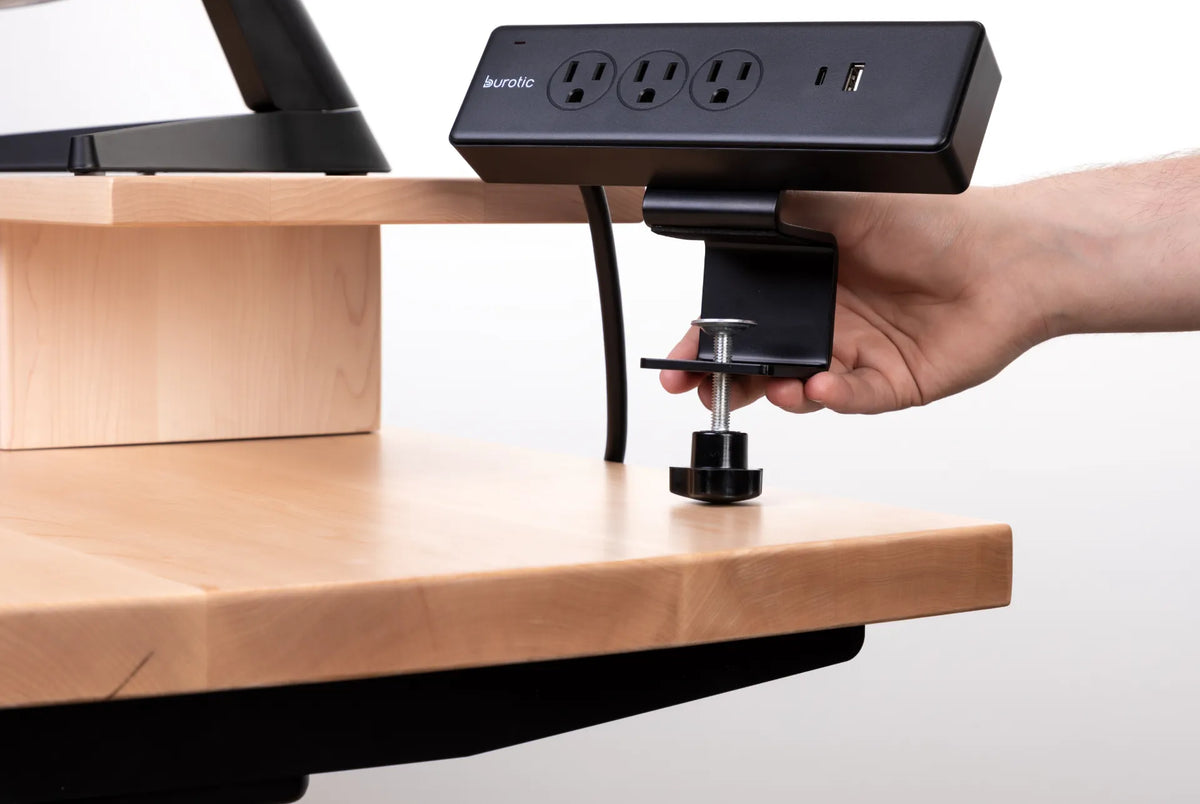
A clamp-on or under-desk format can help keep connections organized, but mounting does not change the electrical rules. Confirm that the cord reaches the wall without tension and that moving parts of a height-adjustable desk cannot pull or crush it. See whether a power bar should be mounted above or below the desk for placement considerations.
Move devices to another wall outlet only after checking the circuit
A second wall receptacle may still be on the same branch circuit. Spreading plugs between two receptacles does not necessarily divide the load. If circuit capacity is the concern, a licensed electrician can determine which outlets share a circuit and whether the office needs additional wiring.
Install permanent outlets where the work happens
If portable bars have become permanent infrastructure, the room may need more receptacles. New electrical work should be evaluated and completed by a qualified, licensed electrical contractor according to local requirements. This is the durable solution for a room that consistently lacks safe connection points.
Before planning changes, use the checklist in how many power outlets a home office needs to count devices, locations and future needs.
Signs to stop using a power bar
- The plug, cord or casing feels unusually warm.
- There is discolouration, melting, a burning smell or buzzing.
- The plug fits loosely in the wall or devices fit loosely in the bar.
- The cord is cut, crushed, frayed or repaired with tape.
- The breaker or reset mechanism trips repeatedly.
- The certification mark or electrical rating cannot be identified.
Disconnect the bar by gripping the plug, not pulling the cord. Do not keep resetting a unit that trips. Repeated tripping can indicate excessive load, a connected-device problem or a failing product. Burotic's guide to a power bar that keeps turning off outlines safe checks and explains when to stop troubleshooting.
How to audit a home-office setup
- Trace every plug to its power source and remove any bar-to-bar connection.
- Read the rating and instructions on each power bar.
- Confirm a recognized Canadian certification mark.
- List every connected device and check its electrical rating.
- Inspect cords, plugs and receptacles for damage, looseness or heat.
- Uncoil cords and keep them uncovered, dry and away from pinch points.
- Allow enough slack for a sit-stand desk to travel through its full range.
- Call a licensed electrician if permanent outlets or circuit changes are needed.
A power bar is a distribution device, not extra capacity
The key idea is that a power bar can distribute the capacity already available at a wall outlet; it cannot increase that capacity. Connecting another bar only adds receptacles and potential failure points. Use one appropriately rated, certified unit directly from the wall, follow every product instruction and solve recurring outlet shortages with proper electrical planning.
For an organized desk connection point, review the specifications and installation options for Burotic's Power Bar. Product selection does not replace load calculations or local electrical requirements.


Previous article
Should You Store Your Keyboard Under a Monitor Riser?
Next article
How to Adjust Office Chair Recline Tension